Cloud-Based NDIS Invoicing vs. Local Processing: Why Privacy Matters for Participant Data
You've just typed a participant's full name, their NDIS number, and the support item code for daily personal activities into an online invoicing tool. You
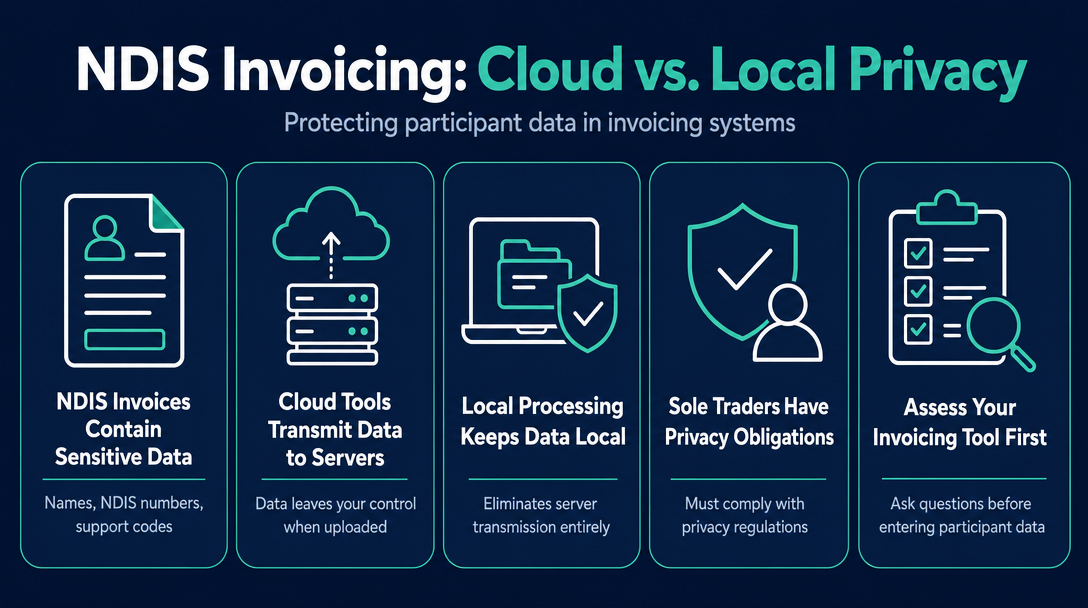
Cloud-Based NDIS Invoicing vs. Local Processing: Why Privacy Matters for Participant Data
You've just typed a participant's full name, their NDIS number, and the support item code for daily personal activities into an online invoicing tool. You click Generate. Where did that information just go?
For most cloud-based tools, the answer is: to a server you don't control, run by a company whose data practices are governed by their own terms - not yours. This article explains why that matters, what Australian privacy law says about it, and why the architecture of your invoicing tool is a privacy decision, not just a software preference.
What Data Does an NDIS Invoice Actually Contain?
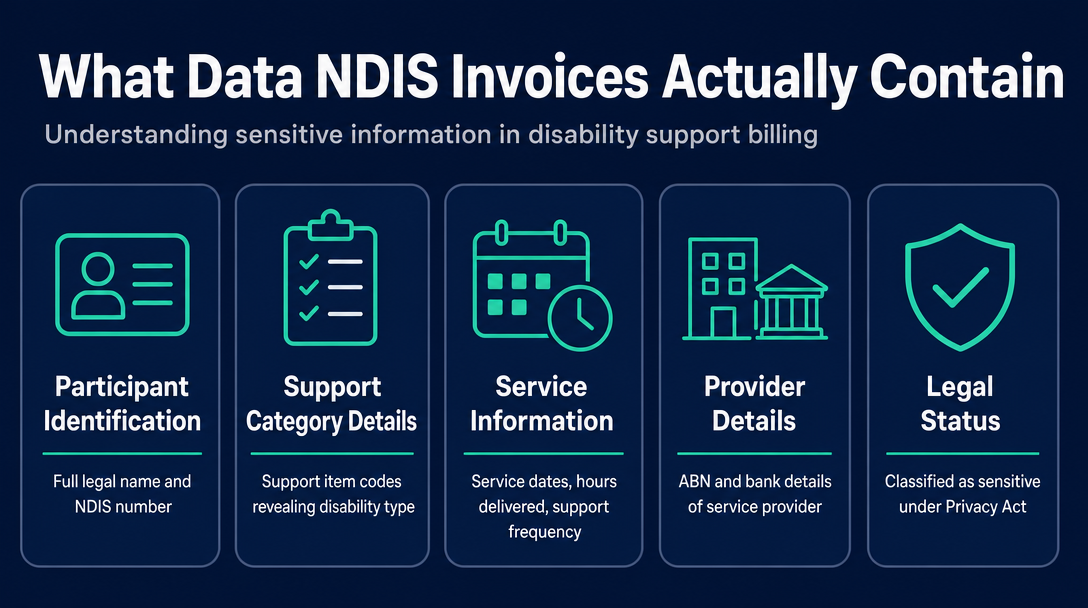
An NDIS invoice is not generic financial data. When you build one, you are recording a participant's full legal name, their NDIS number, the specific support item codes used - which reveal the category of disability support being received, such as daily personal activities or community participation - service dates, hours delivered, and your own ABN and bank details.
Taken together, these fields answer: who this person is, that they are an NDIS participant, what type of disability support they require, how frequently they receive it, and from whom. That is not a business transaction record. That is a profile of a person's disability and daily life.
Why NDIS Invoice Fields Count as Sensitive Information Under Australian Law
The Privacy Act 1988 draws a clear line between general personal information and sensitive information. Disability information - and information that implies a person's health or disability status - falls into the sensitive category. This matters because sensitive information attracts stricter obligations, particularly under Australian Privacy Principle 3 (collection must be reasonably necessary) and APP 11 (you must take reasonable steps to protect it from unauthorised access or disclosure).
The fields on a standard NDIS invoice are enough to infer disability status. That is precisely why the choice of invoicing tool - specifically, where that data travels when you use it - carries genuine privacy weight. For a reference on what fields an NDIS invoice must include, see What Must Be on an NDIS Invoice? The 9 Required Fields.
What Happens to That Data When You Use a Cloud-Based Invoicing Tool?
When you use a server-based invoicing platform, the data flow is straightforward - and it begins the moment you stop typing.
Your keystrokes populate a form. When you submit or save, that data travels across the internet to the vendor's server - typically hosted on a third-party cloud provider. The vendor stores it in a database. From that point, what happens to your participants' information is governed entirely by the vendor's privacy policy and terms of service, not by you.
This creates three distinct risks.
The Vendor Becomes a Third Party: What APP 6 Means for Invoicing Software
APP 6 governs when personal information can be used or disclosed to others. When you enter participant data into a cloud invoicing tool, you are - in practical terms - disclosing that information to the vendor. The vendor becomes a third party for privacy purposes. Whether that disclosure is permissible depends on whether you have a legal basis for it, whether participants have been informed, and whether the vendor's own practices comply with Australian law.
A Data Processing Agreement (DPA) is a contract that defines how a vendor may use the data you share with them. Most large enterprise software vendors provide one. Many smaller invoicing tools do not. If no DPA exists between you and your invoicing tool provider, the terms of data use are undefined - and undefined terms rarely favour the person whose data it is.
Why "Australian Servers" Is Not the Same as "Your Data Never Leaves Your Device"
A common reassurance in NDIS software marketing is that data is stored on Australian servers. This reduces jurisdictional risk - data stored offshore may be subject to foreign government access under laws like the US CLOUD Act - but it does not eliminate breach risk. An Australian server is still a server. It can be misconfigured, compromised, or accessed by unauthorised parties.
This is not a hypothetical concern.
In May 2022, a cloud-based client management platform used by NDIS providers suffered a data breach. The compromised data - which included names, dates of birth, physical addresses, phone numbers, email addresses, and information related to patient conditions and treatments, affecting over 12,000 email addresses - was subsequently posted to an online hacking forum. When CHOICE asked the NDIA about the incident, a spokesperson stated that "business decisions, including the use of software and data storage, are a matter for individual organisations."
That statement deserves to be read carefully. The NDIA's position is that your choice of invoicing or client management software is your risk to carry - not theirs. If a vendor you use suffers a breach, the consequences fall on your participants and, in terms of reputational and regulatory exposure, on you.
When a vendor experiences an eligible data breach, they are required to report it to the Office of the Australian Information Commissioner (OAIC) under the Notifiable Data Breaches (NDB) scheme. The NDIS Commission follows the same reporting obligation. The reporting obligation sits with the vendor - but the participants whose data was exposed are your participants.
What Is Local Processing - and How Does It Eliminate Server Transmission?
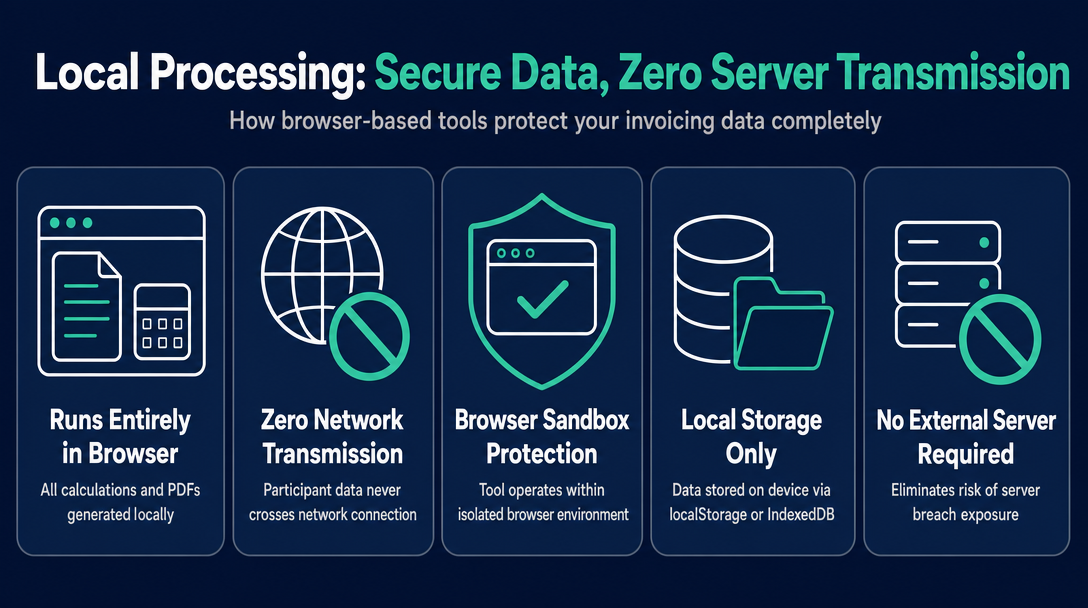
Local processing means the invoicing tool runs entirely inside your web browser. Every calculation, every validation, every PDF generated - it all happens on your device, using browser-level storage mechanisms. No participant data is ever transmitted to an external server, because the tool has no server to send it to.
A useful benchmark when evaluating any invoicing tool is what we might call the Zero-Transmission Standard: does participant data ever cross a network connection during the tool's operation? If yes - even once - it lands on a server, and that server can be breached.
What "Browser-Local" Actually Means in Technical Terms (No Jargon)
When you visit a browser-based local tool, your device downloads the static files needed to display it - the same way it downloads any webpage. From that point, the tool operates entirely within your browser's sandbox. Data you enter may be held temporarily in the browser's memory, or saved to local storage mechanisms such as localStorage or IndexedDB - both of which store data on your own device, not on any external system.
The practical consequence: a vendor cannot expose data they never received. There is no database of participant invoices sitting on a cloud server, because no participant data was ever sent there.
What does travel across a network with a local tool? Only the static tool files themselves - HTML, CSS, and JavaScript - fetched once when you load the page. Those files contain no participant data, because you haven't typed anything yet.
| Question | Cloud-based tool | Browser-local tool |
|---|---|---|
| Does participant data leave your device? | Yes - sent to vendor's server | No |
| Can vendor staff access your invoices? | Potentially, per their terms | No |
| Is there a server that can be breached? | Yes | No |
| Is a Data Processing Agreement needed? | Yes, recommended | Not applicable |
| Does the tool work offline? | Often no | Yes |
The One Risk Local Processing Cannot Eliminate: Your Device Security
Local processing removes server-side risk entirely. It does not remove device-side risk. If your laptop is unlocked, shared, or compromised, invoice files saved locally are accessible to whoever has access to your device. Local processing shifts responsibility - appropriately - back to you. That means locking your device, using strong passwords, and not leaving invoice files open in shared spaces.
Do Sole Traders Have Privacy Act Obligations for Their Invoicing Data?
This is the question most sole trader support workers haven't asked - and the answer is more nuanced than many assume.
The Privacy Act 1988 includes a small business exemption: organisations with an annual turnover under $3 million are generally not required to comply with the Australian Privacy Principles. This leads many sole traders to believe the Act simply does not apply to them.
The Small Business Privacy Exemption: Does It Apply to NDIS Support Workers?
The exemption has carve-outs. Businesses that provide health services, or that hold health records, may be subject to APP obligations regardless of their turnover. Disability support - the service NDIS providers deliver - is classified as a health-adjacent service under Australian law, and NDIS participant data (including information that implies disability status) may constitute health information.
Whether the exemption applies to your specific situation depends on the nature of services you deliver, how you handle participant information, and how your business is structured. This article provides general information only and is not legal advice. If you are unsure of your obligations under the Privacy Act, consult a privacy lawyer or contact the OAIC directly.
Practical Obligations Even If You Fall Below the Threshold
Even if the legal threshold technically does not require you to comply with the APPs, the practical reality is unchanged. If participant data held by your invoicing tool vendor is exposed in a breach, the people affected are your participants - people who trusted you with information about their disability and daily life. Legal exemption does not eliminate that practical and reputational exposure.
Registered providers have additional obligations under the NDIS Quality and Safeguards Commission's Practice Standards. But unregistered sole traders are not off the hook ethically or practically when a tool they chose exposes participant data.
The most defensible position - legally, ethically, and in terms of participant trust - is to choose tools that minimise data exposure regardless of whether the law strictly requires it.
Questions to Ask Before You Enter Participant Data into Any Invoicing Tool
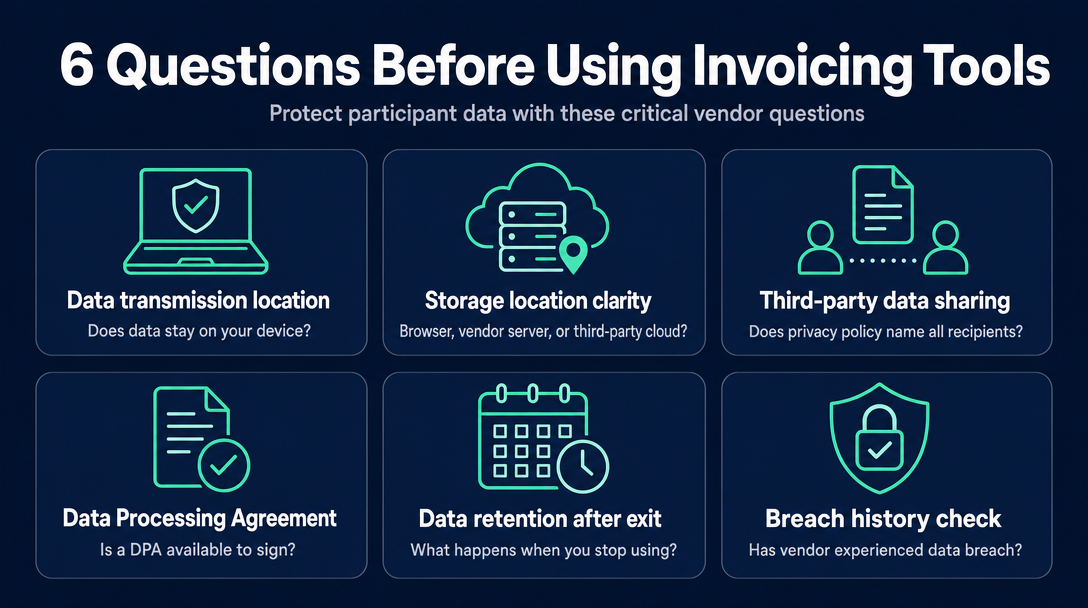
Before trusting any tool with a participant's name and NDIS number, these questions cut through vendor marketing and get to what actually matters.
- Does participant data leave my device, or is everything processed locally in my browser? This is the Zero-Transmission Standard question. Ask it first.
- Where is data stored - my browser, the vendor's server, or a third-party cloud provider? "Australian servers" and "your device" are not the same thing.
- Does the vendor's privacy policy name what third parties receive my data? Vague policies ("trusted partners") are a red flag.
- Is there a Data Processing Agreement I should sign? If the vendor handles your participants' data, a DPA defines the terms. Its absence defines nothing.
- What does the vendor do with my data if I stop using the tool? Data retention policies matter. Some vendors retain data for months or years after you leave.
- Has this vendor experienced a data breach? A reasonable question for any software handling sensitive information. Search the vendor's name on HaveIBeenPwned or check their own disclosure history.
- Does the tool require a live internet connection to function? A tool that only works with a server connection is, by definition, transmitting data to that server.
If a tool cannot answer questions 1, 2, and 3 clearly in its documentation, that is itself an answer.
NDISInvoice.com.au is built on the Zero-Transmission Standard. Every invoice is created, validated, and generated entirely within your browser. Participant names, NDIS numbers, and support item codes are never sent to any server - because there is no server involved. There is no account to create, no subscription fee, and no vendor holding a database of your participants' information. If you want to verify this directly, open your browser's developer tools, go to the Network tab, create an invoice, and observe the outbound requests: participant data will not appear in any of them.
Create a free, private NDIS-compliant invoice in your browser - no account needed
For a complete walkthrough of the tool, see the cornerstone guide: The Complete Guide to Creating a Free NDIS-Compliant Invoice with NDISInvoice.com.au.
Frequently Asked Questions
Is a browser-based NDIS invoicing tool safer than a cloud platform for participant data?
In terms of server-transmission risk, yes. A tool that processes data locally in your browser never sends participant information to an external server, which eliminates server-side breach risk entirely. The CTARS incident in 2022 showed that cloud-stored NDIS participant data can be compromised and posted publicly. No server means no server to breach. The trade-off is that the user becomes responsible for the security of their own device - keeping it locked, updated, and not shared with unauthorised users.
Does the Privacy Act 1988 apply to me as an NDIS sole trader when I create invoices?
The Privacy Act's small business exemption generally covers businesses with turnover under $3 million, but this exemption does not automatically apply to health service providers, which may include disability support workers. Whether it applies to your specific situation depends on the nature of your services and how you handle participant information. The safest practical approach is to treat Privacy Act obligations as applying and to choose tools that minimise data exposure. This article provides general information only - seek independent legal advice or contact the OAIC if you are uncertain about your obligations.
What information on an NDIS invoice could be harmful if exposed in a data breach?
An NDIS invoice contains the participant's full name, NDIS number, the type of support being received (such as daily personal activities or community participation), service dates, hours, and sometimes a home or contact address. Together, these fields identify a person as an NDIS participant, reveal their disability category and support needs, and map their service patterns over time. Under the Privacy Act 1988, this combination is treated as sensitive information warranting the highest level of protection.
What is the Zero-Transmission Standard?
The Zero-Transmission Standard is a benchmark for evaluating whether an invoicing tool is genuinely privacy-safe: does participant data ever cross a network connection at any point during the tool's operation? If it does - even once - that data has reached a server that can potentially be breached or accessed. A tool that meets the Zero-Transmission Standard processes all participant data locally on the user's device and transmits nothing to any external server.
More articles
- How to Send Your NDIS Invoice After Creating It: A Step-by-Step Guide for Sole Traders
- NDIS Invoice Builder vs. Static Template: Why a Live Price-Guide Check Changes Everything
- NDISInvoice.com.au vs. Earni: Free Browser Tool vs. App Subscription for NDIS Support Workers
- NDISInvoice.com.au vs. Billability: Which Free-Tier NDIS Invoicing Tool Fits Your Needs?
- NDIS vs. Xero vs. Word Template: Which Invoicing Option Is Right for a Sole Trader Support Worker?