How to Send Your NDIS Invoice After Creating It: A Step-by-Step Guide for Sole Traders
Written by Cory Nathan, founder of NDIS Invoice · Last reviewed
You have built your invoice. The real question is: where does it actually go? For sole traders, the answer depends entirely on one thing - your
12 min read
How to Send Your NDIS Invoice After Creating It: A Step-by-Step Guide for Sole Traders
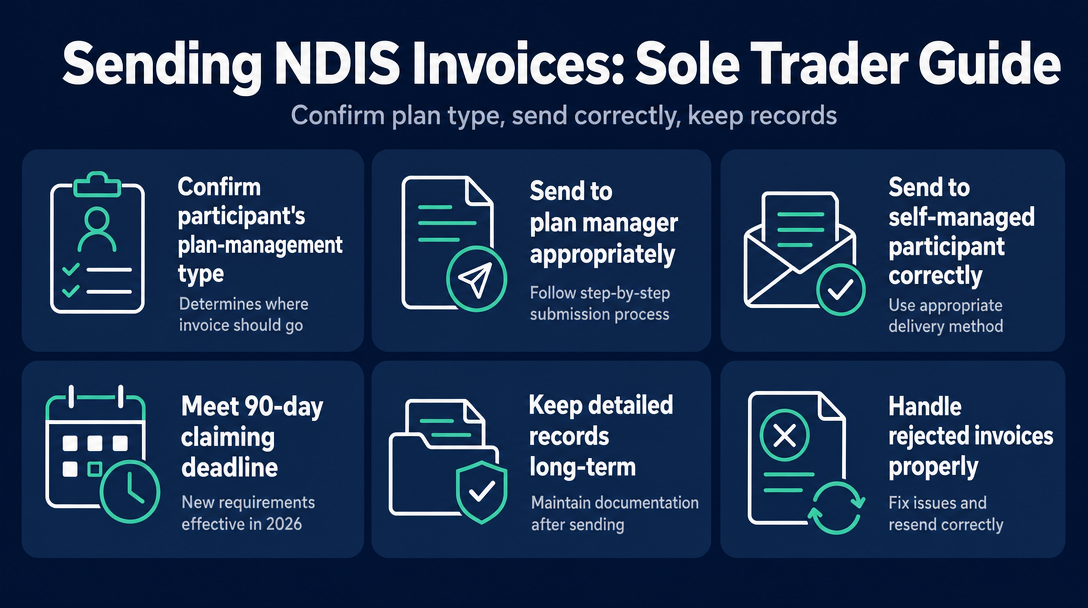
You have built your invoice. The real question is: where does it actually go? For sole traders, the answer depends entirely on one thing - your participant's plan-management type. Get that wrong and your invoice sits in the wrong inbox, or never arrives at all. This guide covers the exact sending path for each plan type, what to write, what to keep, and what to do when things go wrong.
Before You Send: Confirm Your Participant's Plan-Management Type
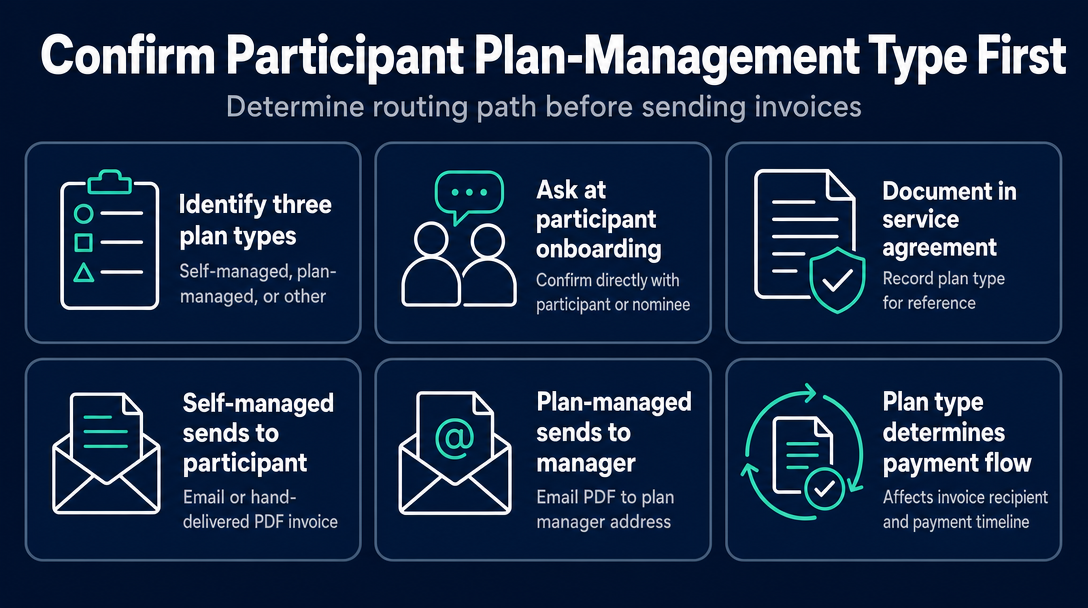
The moment you confirm a new participant, confirm their plan-management type. Everything downstream - who receives your invoice, how you deliver it, and how quickly you get paid - branches from this single fact. Think of it as Route-Before-You-Build: the plan type determines your sending path, so knowing it before you even open your invoice tool saves you from sending to the wrong place.
There are three types. Ask the participant (or their nominee) directly at onboarding, confirm it in the service agreement, and record it. The participant always knows, or their guardian/nominee does.
The Routing Table
| Participant's Plan Type | Who Receives Your Invoice | How to Send | Typical Payment Timeframe |
|---|---|---|---|
| Self-managed | The participant (or their nominee) directly | Email or hand-delivered PDF | Participant pays you first, then claims NDIA reimbursement (usually within 2 business days of their claim submission) |
| Plan-managed | The participant's plan manager | Email to the plan manager's invoicing address (PDF attachment) | Most plan managers process within one to two weeks of receiving a correct invoice |
| NDIA-managed (agency-managed) | Not applicable - no invoice sent | Registered providers submit a payment request via PRODA and the myplace provider portal | Two to three business days after an approved portal claim |
Important for unregistered sole traders: You can work with self-managed and plan-managed participants only. NDIA-managed participants require a registered provider. If your participant is agency-managed, you will need to either become a registered provider through the NDIS Quality and Safeguards Commission or explain to the participant that a change to self- or plan-management would be needed to engage your services.
Self-Managed: Invoice Goes to the Participant (or Their Nominee)
Your invoice goes directly to the individual - the same way you would invoice any private client. The participant handles payment from their own NDIS funds and then seeks reimbursement from the NDIA separately.
Plan-Managed: Invoice Goes to the Plan Manager
You never invoice the participant directly. You invoice the plan manager - a registered financial intermediary who holds and processes the participant's funding on their behalf. The plan manager pays you and then reconciles with the NDIA.
NDIA-Managed: No Invoice - You Submit a Claim (Registered Providers Only)
If you are a registered provider working with an NDIA-managed participant, you do not issue a traditional invoice. Instead, you submit a payment request through the myplace provider portal via PRODA. For unregistered sole traders, this path is not available.
How to Send an Invoice to a Plan Manager (Step by Step)
Plan-managed is the most common arrangement for unregistered sole traders. Follow these steps in order.
Step 1 - Get the invoicing email address at service-agreement stage. Do not wait until after you have delivered the support to ask where to send your invoice. Different plan management organisations use different addresses - some have a dedicated invoices@ address, others route through a portal. Confirm this upfront and record it in your service agreement notes.
Step 2 - Validate your invoice before you send it. Before attaching anything to an email, confirm every support item code and price is current under the NDIS Pricing Arrangements and Price Limits. An outdated code or an above-cap rate is the fastest route to rejection. NDISInvoice.com.au checks every line item against the current pricing schedule before you export - catching those errors before they become a problem.
Step 3 - Export as a PDF. Plan managers require a PDF attachment. Do not paste the invoice inline in the email body, and do not send an editable file. A clean PDF is the standard.
Step 4 - Email it with a clear subject line. See the subject line format below.
Step 5 - Record the date sent. Note it in your records immediately. This matters for the 90-day deadline covered in the next section and for follow-up if payment is delayed.
What to Write in the Subject Line
A clear, structured subject line makes your invoice instantly searchable in the plan manager's inbox and reduces the chance of it being missed or miscategorised. Use this format:
[Your Full Name] - NDIS Invoice - [Participant First Name] - [Invoice Number] - [Service Date Range]
Example: Jordan Smith - NDIS Invoice - Marcus - INV-047 - 18 Aug to 1 Sep 2026
Keep it precise. Plan managers process invoices from many providers - an ambiguous subject line ("Invoice attached") creates unnecessary friction.
What to Do If the Plan Manager Does Not Respond
If you have received no acknowledgement or payment within five business days of sending, follow up. Email first with the original invoice number in the subject line. If no response within two more business days, call. Have your invoice number, participant name, and the date you sent it ready. Most delays resolve quickly once the plan manager locates the invoice.
How to Send an Invoice to a Self-Managed Participant
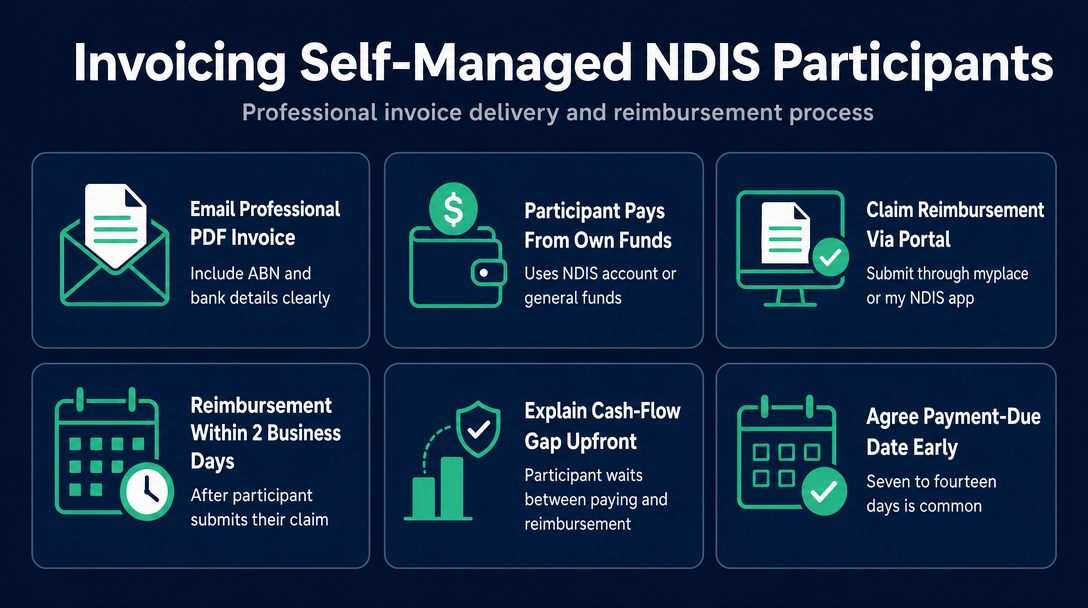
Email your PDF invoice directly to the participant or their nominee. Treat it as you would any private client invoice - professional, clearly formatted, with your ABN and bank details included.
How the Participant Pays You and Claims Back from the NDIA
Self-managed participants pay you from their own funds first - either from a dedicated NDIS bank account they manage or from their general funds. They then submit a claim for reimbursement through the myplace participant portal or the my NDIS app. According to the NDIS, reimbursement is usually processed within 2 business days of the participant submitting their claim.
This means the participant carries a short-term cash-flow gap between paying you and being reimbursed. Make sure they understand this at the service agreement stage - it is not unusual, but it can surprise participants who are new to self-management.
Agree on a payment-due date in the service agreement. Seven to fourteen days is common. Many sole traders send a polite reminder if payment has not arrived within five days of the due date.
Why Sending a Receipt (Paid Invoice) Matters
Once the participant pays you, send them a receipt - or reissue the invoice with a "PAID" stamp and the payment date. This is not optional courtesy. The participant needs a paid invoice or receipt as supporting evidence when they submit their NDIA reimbursement claim. Without it, the NDIA may decline the claim, leaving the participant out of pocket and your professional relationship under strain.
The 90-Day Claiming Deadline - What Changed in 2026
Previously, NDIS providers had up to two years after delivering a support to submit a payment request. That window has been significantly shortened.
The Securing the NDIS for Future Generations Bill passed the House of Representatives on 2 July 2026 and the Senate on 19 August 2026. Among its changes, the legislation reduces the provider payment-request submission window from two years to 90 days. You can read the full legislation on the NDIS laws page.
For sole traders working with plan-managed or self-managed participants, the practical implication is direct: do not sit on your invoices. The longer your invoice takes to reach the plan manager or participant, the less time they have to process it and submit to the NDIA before their own deadline. Delays compound.
The practical rule: invoice within the same fortnight as service delivery. For most sole traders running fortnightly billing cycles, this aligns naturally. If you deliver a support and do not invoice for two months, you are now working against a tighter clock than before.
Details of how this reform is being operationalised for the 2026-27 financial year are still being finalised - check the NDIS website for updates as the scheme implements the changes.
After You Send - What Records to Keep (and for How Long)
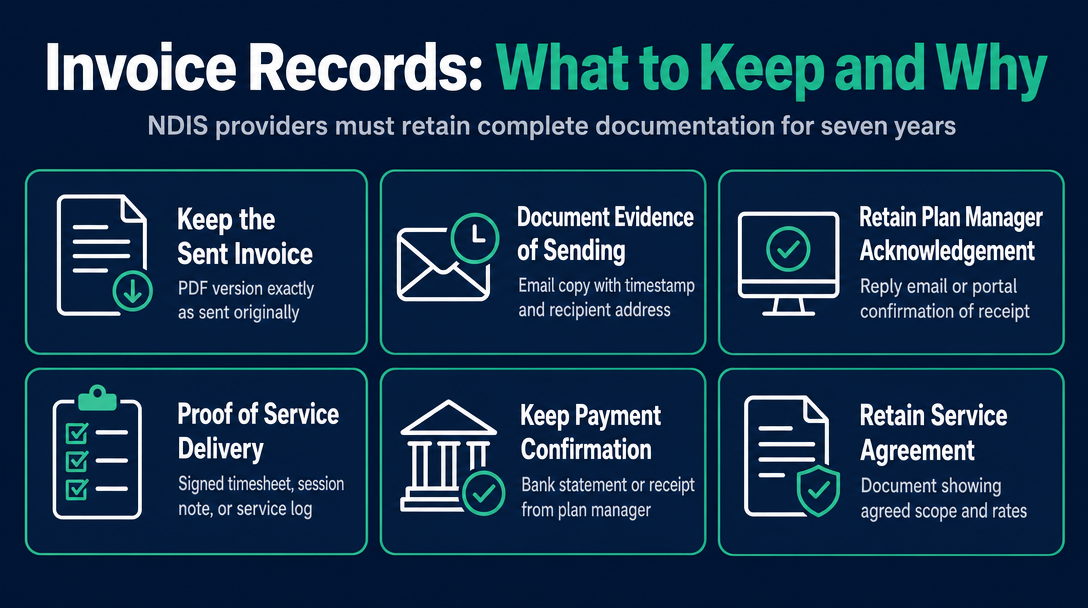
Sending the invoice is not the finish line. Under reforms passed in 2026, NDIS providers are required to retain records for a minimum of seven years. The NDIS record-keeping requirements page sets out what providers must retain.
For every invoice you send, keep the following:
- The sent invoice (PDF) - the exact version sent, not a later edit
- Evidence of sending - a copy of the email, including timestamp and recipient address
- Any acknowledgement from the plan manager - a reply email or portal confirmation
- Proof of service delivery - a signed timesheet, session note, or service log for the dates billed
- Payment confirmation - a bank statement entry or receipt from the plan manager or participant
- The service agreement - confirming the agreed scope and rates for that support period
The NDIA can request these records at any time. If you cannot produce a service delivery record that corresponds to a submitted invoice, that invoice may be subject to a payment review or clawback. As a sole trader, you are both provider and support worker - you sign the service log and the participant countersigns where required.
NDISInvoice.com.au keeps your draft and sent invoices in your account, stored in Sydney, Australia, so you can reopen or reprint them later.
Invoice Rejected? How to Fix It and Resend Correctly
Rejections are common for sole traders who are new to NDIS billing, and they are fixable. The key is identifying the exact cause, correcting only that element, and resending with the right protocols.
Most common rejection causes:
- Outdated support item number (codes change with each pricing update)
- Price above the current cap in the NDIS Pricing Arrangements and Price Limits
- Duplicate invoice number - either with a previous invoice, or the same number used for a different participant
- Participant name does not match the name on the NDIS plan
- ABN missing or incorrect
- Service date falls outside the participant's current plan period
The resend protocol:
- Read the rejection notification carefully - the plan manager or participant will usually identify the specific field.
- Correct only the flagged field. Do not alter dates or amounts that were not rejected.
- Assign a new, unique invoice number. Never reuse the rejected invoice's number - not even with corrections applied. And never use the same number for two different participants (for example, "Invoice 001" for one participant and "Invoice 001" for another will create a conflict in the NDIA payment system).
- In the email body, reference the original rejected invoice number: "This invoice replaces the previously submitted INV-047, which was rejected due to [reason]. Please process INV-048 in its place."
- Re-send to the same invoicing address.
Validating support item codes and prices before you send the first time eliminates most rejection causes before they occur. NDISInvoice.com.au flags outdated codes and above-cap prices against the live pricing schedule - the check takes seconds.
For a full breakdown of what fields belong on a compliant invoice in the first place, see the article "What Must Be on an NDIS Invoice? The 9 Required Fields" and, for the complete setup picture as a sole trader, the cornerstone guide How to Set Up as an NDIS Sole Trader Support Worker in Australia: The Complete Invoicing Checklist.
Frequently Asked Questions
Can an unregistered sole trader invoice NDIA-managed participants?
No. Unregistered sole traders can only work with self-managed and plan-managed participants. For NDIA-managed (agency-managed) participants, the provider must be registered with the NDIS Quality and Safeguards Commission and submit payment requests through the PRODA and myplace provider portal - not via a standard invoice.
How do I find out what plan-management type my participant is on?
Ask the participant directly during your onboarding conversation, and confirm it in your service agreement. The participant (or their nominee or plan nominee) will know, as it is a feature of their NDIS plan. You can also ask them to show you the relevant section of their plan if there is any uncertainty.
How long do I have to send my invoice after delivering the support?
Under the Securing the NDIS for Future Generations Bill, which passed Parliament in August 2026, the timeframe for submitting a payment request has been reduced from two years to 90 days. Invoice as soon as practical after delivery - within the same billing fortnight wherever possible.
What happens if I send a corrected invoice after rejection - do I use the same invoice number?
No. When resending a corrected invoice, assign a new, unique invoice number. Never reuse the rejected invoice number, and never use the same number for two different participants. Reference the original rejected invoice number in the cover email so the plan manager can link the two documents.
Does a self-managed participant pay me before or after claiming from the NDIA?
The participant pays you first from their own funds, then claims reimbursement from the NDIA separately. According to the NDIS, reimbursement is usually processed within 2 business days of the participant submitting their claim. Make sure the participant has a paid invoice or receipt from you to attach as evidence when they lodge their claim.
Before you send your next invoice, make sure every line item is validated against the current NDIS Pricing Arrangements and Price Limits. NDISInvoice.com.au checks your support item codes, prices, and day/time classifications in real time - free, in your browser. Build and validate your invoice
More articles
- How to Create Your First NDIS Invoice in Under 5 Minutes (Step-by-Step Video Companion)
- NDIS Plan Manager Turnaround Times: How Long Should You Wait to Be Paid After Submitting an Invoice?
- NDIS Invoice Numbering: Do You Need a Sequential System? (And What Happens If You Don't Have One)
- How to Handle a Rejected NDIS Invoice: Diagnosis, Correction, and Resubmission Step by Step
- NDIS Allied Health Invoicing: How Physiotherapy, Speech Therapy, and OT Codes Work in the Price Guide