Free NDIS Compliant Invoice Tool for Sole Traders Australia: A Plain-English Walk-Through
If you're an Australian sole trader providing NDIS supports, you face a specific problem: you need to send compliant invoices regularly, but subscription
Free NDIS Compliant Invoice Tool for Sole Traders Australia: A Plain-English Walk-Through
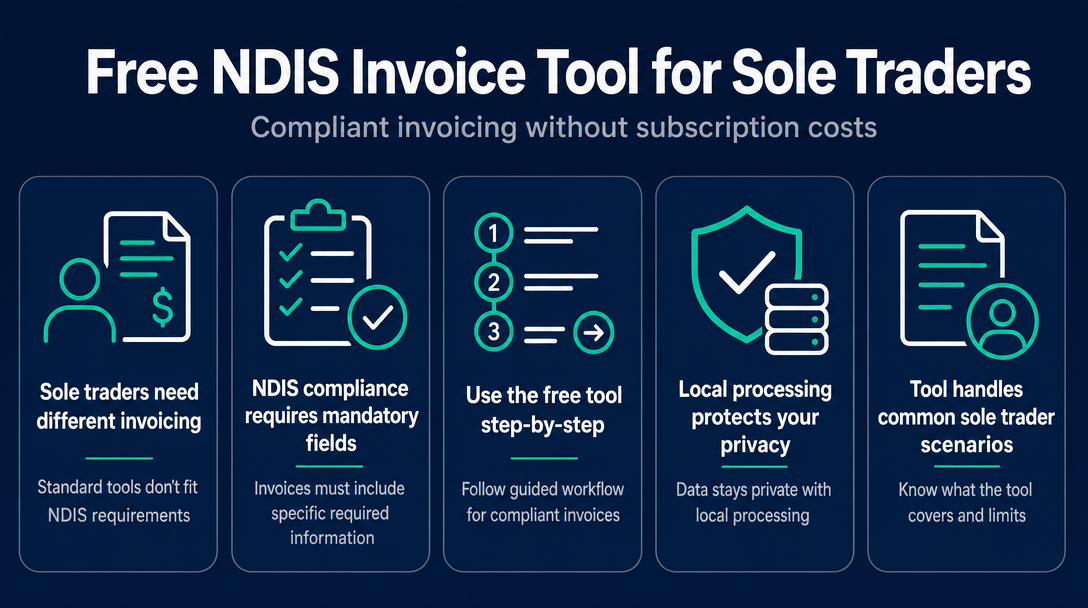
If you're an Australian sole trader providing NDIS supports, you face a specific problem: you need to send compliant invoices regularly, but subscription invoicing platforms cost money, require account setup, and store sensitive participant data on remote servers. A free, browser-based tool with no account requirement and local-only processing solves all three of those friction points at once. This walk-through shows you exactly how to use one, from opening the tool to downloading your finished invoice.
The Three Friction Points That Make Standard Invoicing Tools Wrong for Sole Traders
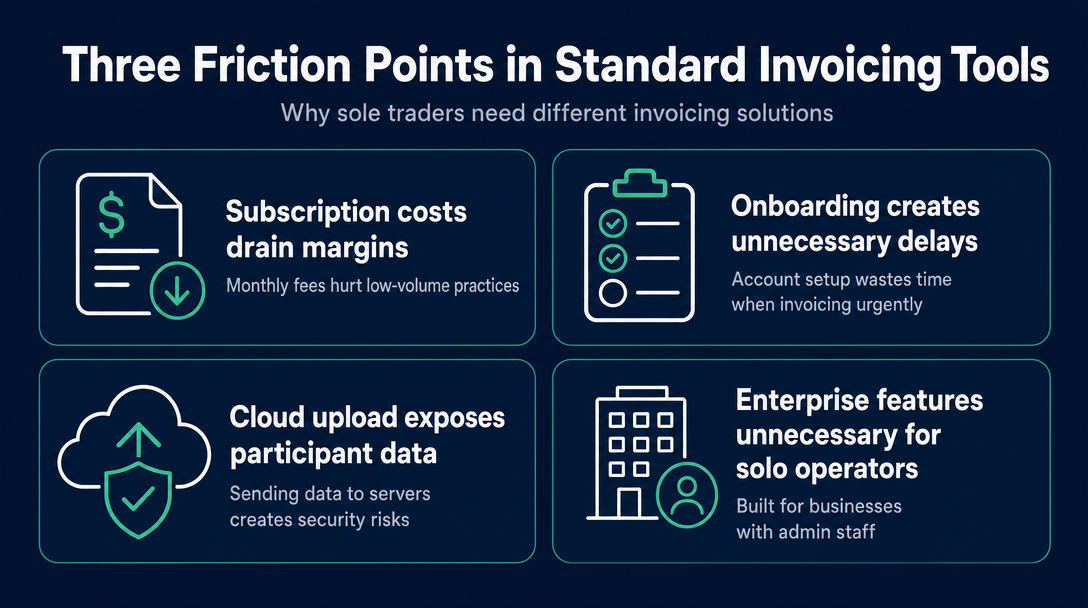
Most invoicing software is built for businesses with admin staff, IT policies, and predictable monthly volumes. As a sole trader seeing a handful of participants per week, you're paying for infrastructure you don't need - and accepting risks you may not have considered.
Friction Point 1: Subscription cost. Subscription platforms typically charge a monthly fee that eats into margins when you're operating a low-volume practice. For a sole trader sending 5-15 invoices a week, a recurring fee for invoicing alone rarely stacks up.
Friction Point 2: Account and onboarding overhead. Creating an account, verifying an email, exploring a dashboard, and learning a new platform takes time. When you need to send an invoice today, onboarding friction is the last thing you need. A browser-based tool that opens and works immediately removes that entirely.
Friction Point 3: Server-upload exposure of participant data. This is the friction point most sole traders overlook. When you type a participant's name, NDIS number, and support description into a cloud-based platform, that data travels to the vendor's servers and sits in their database. Your participant's disability-related information is now subject to the vendor's security posture, breach response, and terms of service - not just yours.
The rest of this article shows how a locally processed, account-free browser tool resolves all three - and how to use it.
Why Sole Traders Have Different Invoicing Needs Than Registered Providers
Registered and unregistered sole traders both work without admin teams, billing staff, or enterprise software. But the compliance landscape they navigate is slightly different, and understanding the distinction shapes how you set up your invoices.
Registered vs. Unregistered: What Changes on Your Invoice
Registered providers include their NDIS provider registration number on invoices and can claim directly through the NDIS portal for NDIA-managed participants.
Unregistered providers do not include a registration number - your ABN is your identifying number. Critically, as the NDIS explains in its Guide to Getting Paid, you send invoices directly to the participant or their plan manager rather than through the portal. Under NDIS rules, plan-managed participants may engage unregistered providers, but those providers must still adhere to the price limits set in the NDIS Pricing Arrangements and Price Limits. For self-managed participants, price caps are not legally binding, but following them is professional practice that avoids payment disputes.
The NDIS Quality and Safeguards Commission oversees registration and enforces the NDIS Code of Conduct - unregistered sole traders are still subject to the Code, even without a registration number. The NDIS Amendment (Integrity and Safeguarding) Act 2025 has introduced new registration requirements for some support types; sole traders should verify whether the supports they deliver still permit unregistered operation from 1 July 2026 onward.
For a full breakdown of how each funding management type routes invoices and what each expects from a provider, see the previously published article "Plan-Managed vs. Agency-Managed vs. Self-Managed: NDIS Invoicing Requirements Explained."
What "NDIS-Compliant" Actually Means on an Invoice - The Mandatory Fields
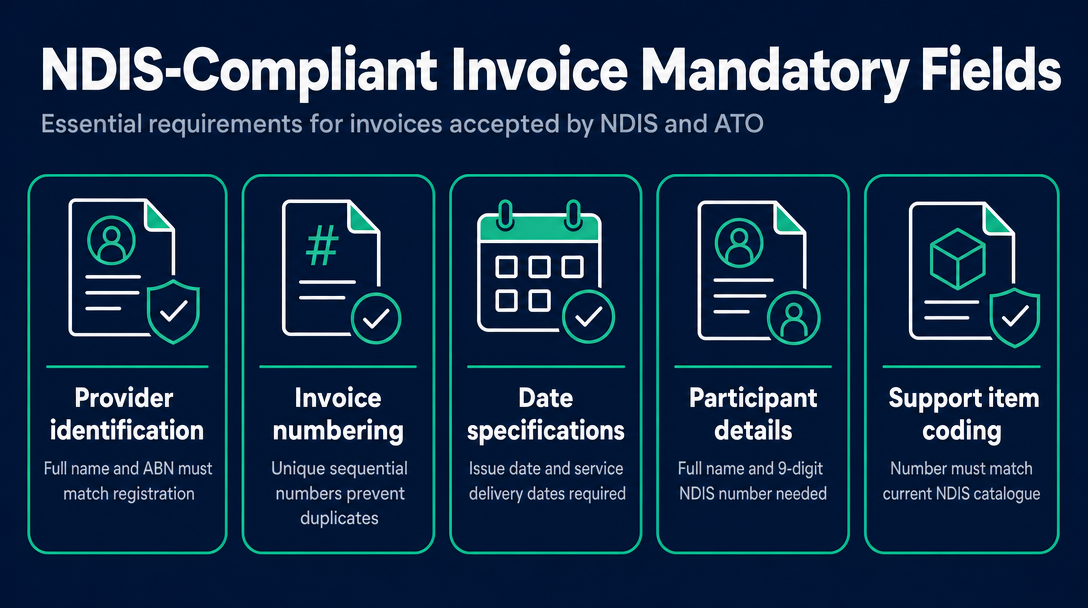
Before walking through the tool workflow, it helps to understand what the tool is validating against. The table below covers every field a compliant NDIS invoice must include, who requires it, and what sole traders specifically need to know.
| Field | Required By | Sole Trader Note |
|---|---|---|
| Provider's full name / trading name | NDIS, ATO | Must match your ABN registration exactly |
| Australian Business Number (ABN) | NDIS, ATO | Mandatory. Plan managers may withhold payment if absent. |
| Invoice number (unique) | ATO | Sequential numbering prevents duplicates |
| Invoice date | ATO | Date of invoice issue, not service delivery date |
| Service date(s) | NDIS | Each line item needs the date the support was delivered |
| Participant's full name | NDIS | As registered with the NDIA |
| Participant's NDIS number | NDIS | The 9-digit number from their plan |
| Support item number | NDIS Pricing Arrangements | Must match the current catalogue (e.g., 01_011_0107_1_1) |
| Support item description | NDIS | Plain-language description of what was delivered |
| Unit of measure | NDIS Pricing Arrangements | Hours, each, day - as specified in the catalogue |
| Quantity | NDIS | Hours or units delivered |
| Unit price | NDIS Pricing Arrangements | Must not exceed the current cap for that item and day type |
| Total amount | ATO | Line totals and overall invoice total |
| GST status | ATO | Most NDIS supports are GST-free; label each line accordingly |
| Bank details | Practical | BSB, account number, account name for payment |
For the complete pre-send review process against these fields, see the NDIS Invoice Compliance Checklist.
GST and NDIS Invoices - The Rule Sole Traders Most Often Get Wrong
Most NDIS disability supports are GST-free under Division 38-B of the A New Tax System (Goods and Services Tax) Act 1999 - but only when the supply meets specific qualifying conditions: it must be made by a registered or approved provider, to a person with a disability, for a disability support, and funded under an NDIS plan.
As an unregistered sole trader, whether your supplies qualify as GST-free depends on those conditions. If you're unsure, confirm with an accountant or check the ATO's guidance rather than assuming.
There's a separate, commonly confused point: if your annual turnover is below the $75,000 GST registration threshold, you are not registered for GST and cannot charge it regardless. In that case, you issue a standard invoice - not a "tax invoice" - and your invoice simply has no GST component. The tool prompts you to confirm GST status per line item, which prevents the common error of labelling a GST-free supply incorrectly.
How to Use the Free NDIS Invoice Tool - Step-by-Step Workflow
This is the complete operational walkthrough. Every step maps to what actually happens inside the tool.
Step 1 - Open the Tool (No Account, No Download Required)
Open ndisinvoice.com.au in any browser - Chrome, Safari, Firefox, or Edge. There is nothing to install, no email address to submit, and no trial period counting down. The tool loads immediately and is ready to use.
All data you enter stays on your device. Nothing is transmitted to a server at any point. This makes it suitable for entering participant names and NDIS numbers without introducing additional privacy exposure - more on the architecture in the section below.
Step 2 - Enter Your Provider Details
Fill in your name or trading name, ABN, and contact details. The tool pre-populates the invoice number and date, which you can edit if needed.
If you're an unregistered sole trader, there is no provider registration number field to complete - your ABN is your identifying number on the invoice. The tool accommodates both registered and unregistered formats.
Step 3 - Enter Participant Details
Enter the participant's full name and 9-digit NDIS number. The tool confirms the NDIS number format.
If your participant is plan-managed, enter the plan manager's name and address as the bill-to entity - this is the organisation that will process and pay the invoice. For self-managed participants, bill the participant directly.
Step 4 - Add Line Items and Validate Against the Pricing Schedule
This is the most important step - and the one where unassisted invoicing most often goes wrong.
Enter the support item number (for example, 01_011_0107_1_1). The tool checks that number against the NDIS Pricing Arrangements and Price Limits 2025-26 catalogue, which is loaded locally at page startup. It returns the support description, the applicable unit of measure, and the current price cap.
Then the tool prompts you to classify the shift type: weekday standard, weekday evening, Saturday, Sunday, or public holiday. This is where sole traders most commonly miscategorise shifts - a Saturday shift carries a different rate cap than a standard weekday, and entering the wrong classification either underpays you or creates a compliance breach. The tool applies the correct cap for the classification you select and compares it against the unit price you enter.
If your price exceeds the cap for that item and day type, the tool flags the line before you generate anything.
If you need help identifying the right support item number before this step, see How to Find Your NDIS Support Item Code.
Step 5 - Review the Validation Summary
Before the PDF is generated, the tool presents a validation summary: all required fields present, support codes confirmed in the current catalogue, prices within cap, and GST status flagged for review where applicable.
Any issues appear as plain-language warnings - not error codes. If something is wrong, you fix it before the invoice leaves your hands. For a breakdown of what each error type means for your payment timeline, see Common NDIS Invoice Errors That Delay Payment.
Step 6 - Download the PDF and Send
One click generates and downloads the completed invoice as a PDF. It's ready to email directly to the plan manager or participant.
Nothing is saved on a server. The PDF lives on your device. Next time, you re-enter the details or use browser autofill for your own provider information.
The Privacy Advantage of a Locally Processed Invoice Tool
No page-one result for this topic addresses what happens to participant data when you type it into an invoicing platform. That omission matters.
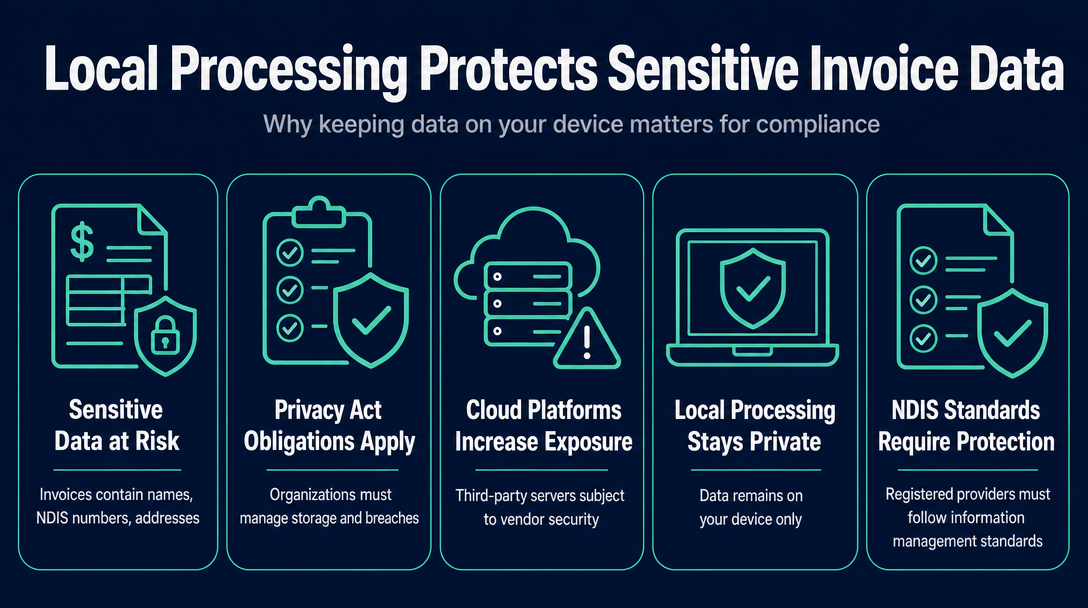
Sole traders handle genuinely sensitive information: a participant's full name, NDIS number, disability-related support descriptions, and sometimes address details. Under the Privacy Act 1988 (Cth), organisations that handle personal information have obligations around collection, storage, and breach notification - and depending on your size and operations, those obligations may apply to you. Registered providers are also subject to NDIS Practice Standards covering information management.
Cloud-based invoicing platforms send this data to third-party servers. The data sits in a vendor's database, subject to their security practices, their staff access policies, and their breach response capability. For a sole trader without an IT department, evaluating those risks for every platform you use is impractical.
What "No Data Leaves Your Device" Actually Means
With a locally processed browser tool, the mechanism is straightforward. The NDIS Pricing Arrangements catalogue is loaded into your browser when the page opens. When you enter a support item number or a price, validation runs in JavaScript on your device - no API call is made to an external server. Your participant's name and NDIS number are never transmitted anywhere.
This does not eliminate all privacy obligations. The PDF you download must still be stored securely and sent via a secure channel - an unencrypted email attachment to the wrong address is a privacy incident regardless of the tool you used to create the invoice. But the tool itself introduces zero additional exposure.
Common Sole-Trader Scenarios - What the Tool Handles and What It Doesn't
Rather than a generic feature list, here are the actual situations sole traders encounter.
Scenario A - Unregistered sole trader, plan-managed participant: The tool generates a compliant invoice without a registration number field. The bill-to entity is the plan manager. Price validation against the current price caps applies per line item. Handled.
Scenario B - Unregistered sole trader, self-managed participant: The invoice goes directly to the participant. The tool still validates support item codes and prices against the Pricing Schedule - following the caps is professional practice even where it's not legally required for self-managed participants. Handled.
Scenario C - Registered sole trader, NDIA-managed participant: Registered providers claiming for NDIA-managed participants do so through the NDIS portal (currently the PACE system), not via a PDF invoice. This tool is not a substitute for portal claims. Not the right tool for this scenario.
Scenario D - Mixed shifts in one invoice (weekday plus Saturday): Each line item carries its own day/time classification. The tool validates each line independently at its applicable cap. Handled.
Scenario E - Travel time or kilometre claims: If you enter a travel-related support item number, the tool validates against the allowable travel line items in the catalogue. Confirm your service agreement with the participant covers travel claims before including them.
When You Outgrow a Free Browser Tool
If you're issuing more than around 15-20 invoices per month, managing several participants simultaneously, or need payroll processing, BAS preparation, or rostering, a subscription platform will repay its cost in time saved. For a side-by-side comparison of what free tools and subscription platforms each handle best, see Free NDIS Invoice Tools vs. Subscription Software: What Sole Traders Actually Need.
Frequently Asked Questions
Do I need to be a registered NDIS provider to use this tool?
No. The tool works for both registered and unregistered sole traders. If you're unregistered, leave the provider registration number field blank - your ABN is the required identifier. As an unregistered provider, you can only invoice self-managed or plan-managed participants; NDIA-managed participants require a registered provider.
Is it safe to enter my participant's details into a free online invoice tool?
With this tool, yes - because nothing you enter is sent to a server. All processing happens locally in your browser. The tool does not store, transmit, or log participant names or NDIS numbers. Your only responsibility is securing the PDF you download and how you send it.
Does this tool work for both plan-managed and self-managed participants?
Yes. For plan-managed participants, enter the plan manager as the bill-to entity. For self-managed participants, bill the participant directly. The tool validates support item codes and prices in both cases.
Do I need to charge GST on NDIS invoices?
Most NDIS disability supports are GST-free, provided they meet the conditions under Australian tax law. If you're not registered for GST because your turnover is below the $75,000 threshold, you cannot charge GST regardless. The tool prompts you to confirm GST status per line item. If you're unsure whether your services qualify as GST-free, speak to an accountant or check the ATO's guidance directly.
How does the tool know if my price is over the NDIS price cap?
The current NDIS Pricing Arrangements and Price Limits catalogue is loaded into the tool at startup. When you enter a support item number, a unit price, and a shift classification (weekday, Saturday, Sunday, etc.), the tool compares your price against the catalogue cap for that specific combination. If you're over the cap, it flags the line before you generate the PDF.
What if the pricing schedule updates mid-year?
The NDIS can and does issue mid-year updates to the Pricing Arrangements - the 2025-26 document has already been through one revision. The tool displays which version of the pricing schedule it's validating against. If an update has been announced recently, check the current version on ndis.gov.au before invoicing to confirm the tool is running the latest catalogue.
Can I use this instead of Xero or MYOB for my NDIS business?
For invoicing only - yes, for most sole traders with a small caseload. This tool does not handle bank feeds, expense tracking, BAS preparation, or payroll. If you need a full accounting solution alongside your invoicing, a dedicated accounting platform is more appropriate.
The Three Friction Points - subscription cost, account overhead, and server-upload exposure - are structural problems with tools built for larger businesses. A browser-based, locally processed invoice tool with no account requirement directly addresses all three, and the step-by-step workflow above shows exactly how it works in practice for an unregistered sole trader.
Ready to create your first NDIS-compliant invoice in minutes - no account, no subscription required? Open the free NDIS Invoice Tool at ndisinvoice.com.au
More articles
- How to Send Your NDIS Invoice After Creating It: A Step-by-Step Guide for Sole Traders
- Cloud-Based NDIS Invoicing vs. Local Processing: Why Privacy Matters for Participant Data
- NDIS Invoice Builder vs. Static Template: Why a Live Price-Guide Check Changes Everything
- NDISInvoice.com.au vs. Earni: Free Browser Tool vs. App Subscription for NDIS Support Workers
- NDISInvoice.com.au vs. Billability: Which Free-Tier NDIS Invoicing Tool Fits Your Needs?