NDIS Plan Management Explained: How Plan-Managed, Agency-Managed, and Self-Managed Funding Changes Your Invoicing
Written by Cory Nathan, founder of NDIS Invoice · Last reviewed
You deliver a support session and then you need to get paid. Simple enough - except the invoicing process that follows looks completely different
12 min read
NDIS Plan Management Explained: How Plan-Managed, Agency-Managed, and Self-Managed Funding Changes Your Invoicing
You deliver a support session and then you need to get paid. Simple enough - except the invoicing process that follows looks completely different depending on how your participant's NDIS plan is managed. Send your invoice to the wrong place, use the wrong portal, or skip a required step, and you are looking at delayed payment or an outright rejection.
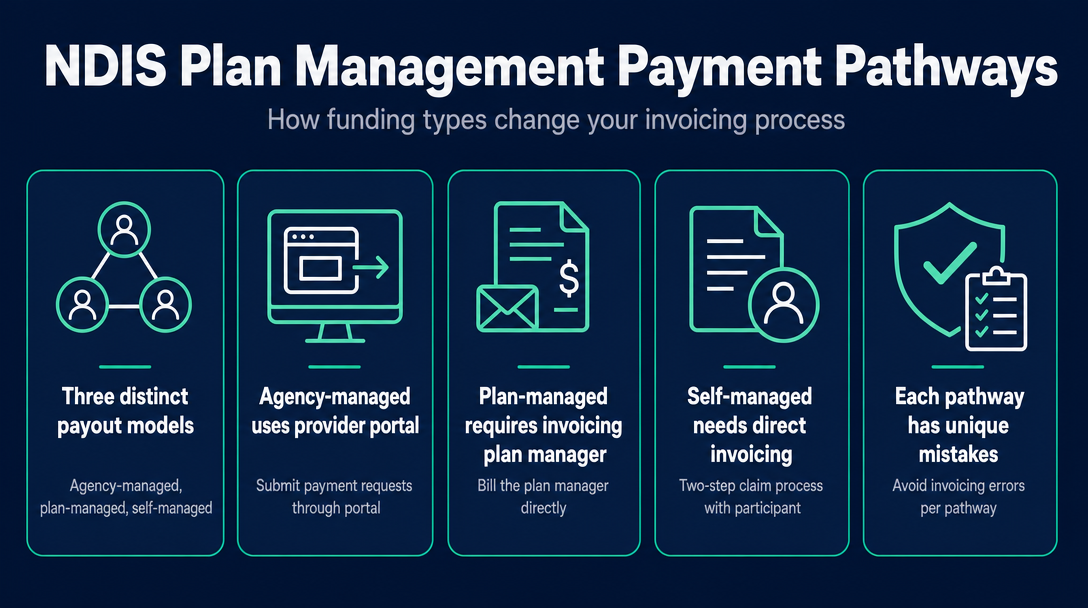
This guide introduces what we call the Three-Path Payout Model: agency-managed, plan-managed, and self-managed funding are not just three participant preferences - they are three entirely separate invoicing workflows, each with a different recipient, payment mechanism, and processing timeline. This article is written for service providers and sole-trader support workers, not for participants deciding which management type to choose.
For the mandatory fields every NDIS invoice must include regardless of management type, see NDIS Invoice Requirements: Every Mandatory Field Explained.
The Three-Path Payout Model: A Quick-Reference Comparison
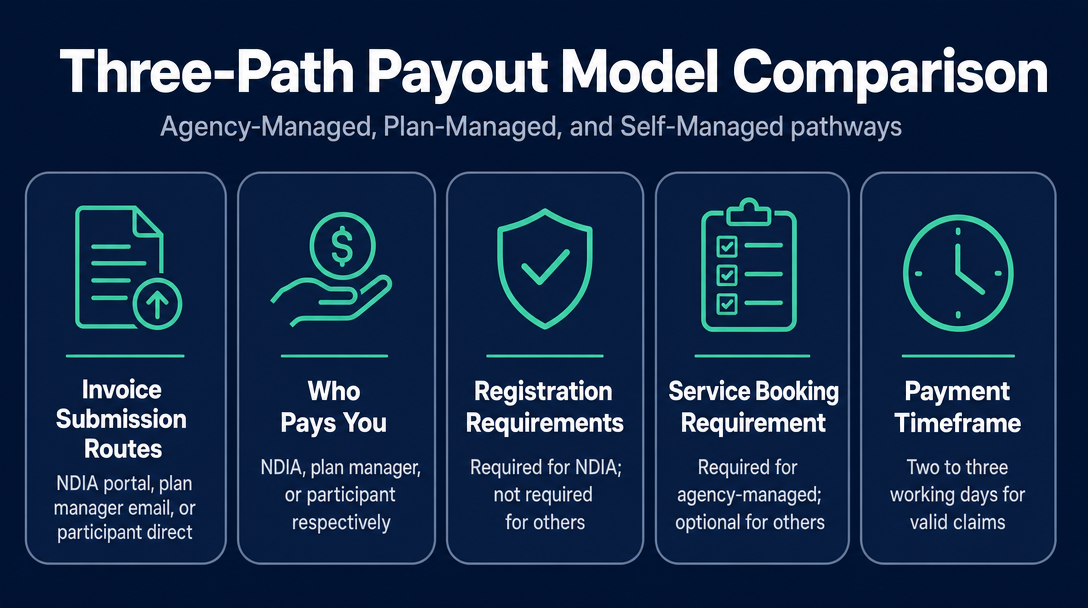
Before diving into each pathway, here is how the three management types stack up from a provider's operational standpoint:
| Agency-Managed (NDIA-Managed) | Plan-Managed | Self-Managed | |
|---|---|---|---|
| Where your invoice goes | Nowhere - you submit a payment request via the myplace provider portal directly to the NDIA | Direct to the plan manager (typically by email) | Direct to the participant (or their nominee) |
| Who pays you | The NDIA | The plan manager (from a trust account) | The participant (from their own funds, then reimbursed by the NDIA) |
| Registered provider required? | Yes - unregistered providers cannot access the portal | No - unregistered providers can invoice plan managers | No - unregistered providers can invoice self-managed participants |
| Service booking required first? | Yes - a service booking must exist in the portal before you can claim | Not required (though recommended) | Not required |
| Payment timeframe | 2-3 working days for valid claims; up to 10 business days if the NDIA needs to verify accuracy | A few business days - varies by plan manager and invoice accuracy | Variable - depends on when the participant lodges their reimbursement claim |
| Submission deadline | Within 90 days from the end of the service booking | Check your plan manager's terms | Within the participant's plan period |
The sections below explain each pathway in the detail you need to invoice correctly the first time.
Agency-Managed Participants: How the Provider Portal Payment Request Works
What "agency-managed" means for your invoicing
Agency-managed (NDIA-managed) funding is when the NDIA is responsible for paying providers and managing financial records on the participant's behalf. From your perspective as a provider, this means you do not send an invoice to the participant at all. Instead, you log into the myplace provider portal and submit a payment request directly to the NDIA.
Step-by-step: submitting a payment request via the myplace provider portal
Before you can submit any payment request, a service booking must exist in the portal. A service booking is a record that allocates funds from the participant's plan to your specific service category. Without one, the portal will not accept your claim - full stop. If you are starting work with a new agency-managed participant, confirm the service booking is in place before you deliver your first session, not after.
Once the service booking is active, you have two options for submitting claims:
- Single claims: Use the "payment request" tile in the myplace provider portal to submit one claim at a time.
- Bulk claims: For providers working with multiple agency-managed participants, the "bulk payment request upload" tile lets you submit a CSV file covering multiple participants in one go - a significant time-saver if you have volume.
Portal access is authenticated through PRODA (Provider Digital Access) or myGovID - you need this set up before you can log in.
For valid claims, the NDIA typically processes payment within 2-3 working days. However, payment can take up to 10 business days if the NDIA needs to verify the accuracy of your claim - for example, if you are not yet recorded as the participant's provider in the system.
The 90-day submission rule
Providers must submit payment requests within 90 days from the end of the service booking. Miss this window and you cannot claim for those sessions - there is no appeal pathway for late submissions caused by administrative oversight. If you have outstanding sessions from an old service booking, check the dates now.
Why unregistered providers are locked out
Unregistered providers - including most sole-trader support workers who have not completed the NDIS quality auditing and registration process - cannot access the myplace provider portal. That means they cannot serve agency-managed participants at all. If you are unsure whether you hold registered provider status, see How to Set Up as an NDIS Sole Trader Support Worker in Australia: The Complete Invoicing Checklist.
One mistake worth flagging here: submitting a payment request for a participant who has since switched to plan-managed funding. The portal will reject the claim. Always confirm the current management type before submitting.
Plan-Managed Participants: Invoicing the Plan Manager
Where to send your invoice and what the plan manager checks
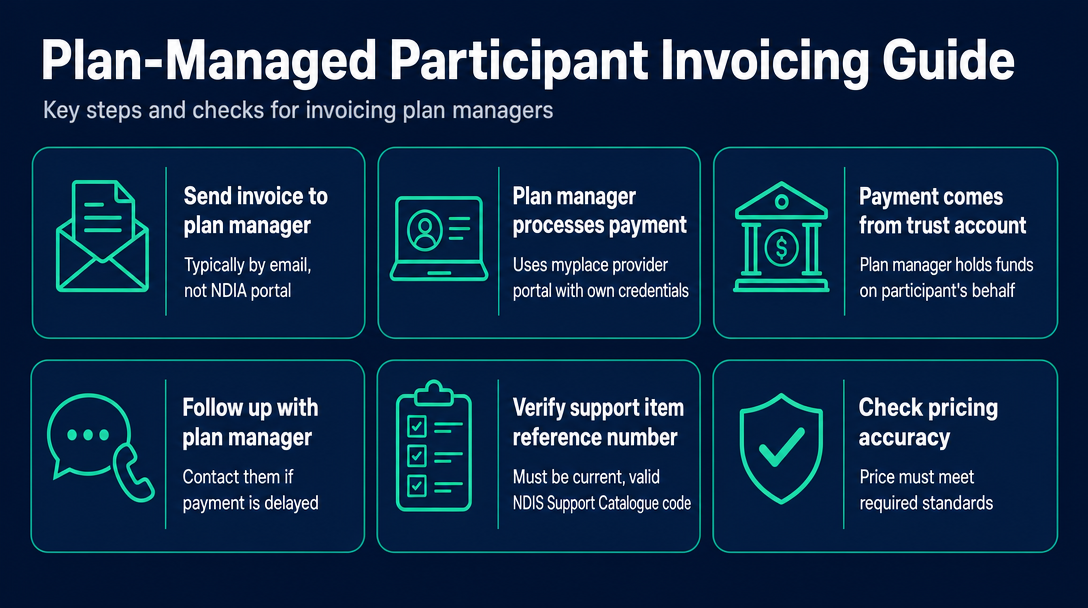
For plan-managed participants, your invoice goes directly to the plan manager - typically by email. You never interact with the NDIA portal yourself for this pathway. The plan manager processes your payment through the myplace provider portal using their own credentials and pays you from a trust account they hold on the participant's behalf.
This distinction matters: if payment is delayed, it is the plan manager you follow up with - not the participant and not the NDIA directly. The plan manager holds the funds and is the intermediary between you and the NDIA system.
This pathway is open to unregistered providers. Most sole-trader support workers invoice plan managers for exactly this reason.
Before paying your invoice, the plan manager will check:
- Support item reference number - it must be a current, valid code from the NDIS Support Catalogue. An outdated or incorrect code will trigger a rejection.
- Price - it must be at or below the applicable cap in the NDIS Pricing Arrangements and Price Limits. Charging above the cap is a compliance issue, not just an invoicing error.
- Date of service - must fall within the participant's plan period and within the service agreement dates.
- Participant's NDIS number - must match the plan manager's records exactly.
An error on any of these triggers a correction cycle: the plan manager contacts you, you resubmit a corrected invoice, and your payment is delayed by the length of that back-and-forth. Before you email your invoice to a plan manager, validate your support item codes and rates for free at NDISInvoice.com.au - catching a single error before it reaches the plan manager's inbox saves days of back-and-forth. For a focused walkthrough of the validation process, see How to Validate NDIS Support Item Codes Before Invoicing (Free Tool).
Typical payment timeframes - and why accuracy is the biggest lever
Most plan managers pay within a few business days of receiving a compliant invoice, though processing speed varies between plan management organisations. The biggest variable is not the plan manager's internal processing time - it is the accuracy of your invoice. A clean invoice moves through in days; an invoice with a wrong code or an over-cap rate sits in a correction queue.
Plan managers must keep all invoices and records for every claim they submit. For your own records, keep a copy of every invoice you send and note the date sent.
A service agreement with the participant is strongly recommended before you begin billing. Locking in the support item codes, agreed rates, and service scope in writing before you start means there are no surprises when your first invoice arrives.
Self-Managed Participants: Direct Invoicing and the Two-Step Claim
"Pay first, claim later" vs "claim first, pay later"
Self-managed funding is when the participant, their nominee, or representative pays providers and manages financial records themselves. Your invoice goes directly to the participant. You are not touching any NDIA portal - that is the participant's responsibility.
Self-managed participants have two ways to handle the transaction:
- Pay first, claim later: The participant pays your invoice from their own money, then submits a reimbursement claim to the NDIA via the myplace participant portal or the my NDIS app. The NDIA deposits the reimbursement into the participant's bank account within 2-3 business days of the claim being submitted.
- Claim first, pay later: The participant requests the funds from the NDIA before paying you. Once the NDIA approves and deposits the funds, the participant then pays your invoice.
Note that the myplace participant portal is a different system from the myplace provider portal - they are separate platforms with different login credentials and different functions. This distinction confuses many new providers.
Your role as provider: what a compliant invoice to a self-managed participant needs
Your job is straightforward: send a correct, compliant invoice. You are not carrying the compliance burden for the participant's claim, but an incorrect invoice - wrong support item code, price above the current cap - can cause the participant's reimbursement claim to be rejected, which means you wait longer to be paid.
Always include the support item reference number on invoices to self-managed participants, even though they are paying you directly. Participants need this code to lodge their own NDIS claim. Omitting it is one of the most common and easily avoidable delays in self-managed payment.
After the participant pays your invoice, send them a receipt. This helps them acquit the expense against their plan and keeps their financial records clean for any NDIA audit.
Fastest path to payment for self-managed clients
Agree on payment terms in a service agreement before you start. There is no plan manager or NDIA processing layer mediating the speed of payment - you are relying on the participant to lodge their claim and pay your invoice promptly. Clear terms upfront make that process predictable for both parties.
Invoicing Mistakes Specific to Each Pathway
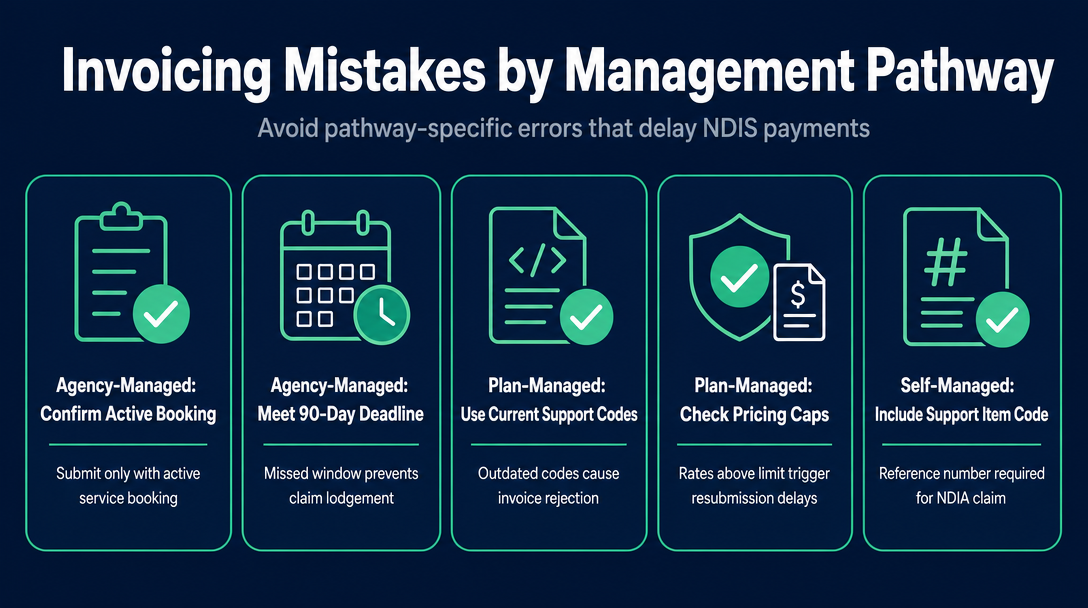
Each management type has its own failure mode. These are the pathway-specific errors to watch for - not a general invoice error list (for that, see Common NDIS Invoice Errors That Delay Payment).
Agency-managed: Submitting a payment request without an active service booking results in immediate portal rejection. Confirm the service booking exists before you deliver the session, not after. Also watch for the 90-day submission deadline - a missed window means the claim cannot be lodged.
Plan-managed: Using an outdated support item code, or pricing above the current NDIS Pricing Arrangements and Price Limits cap, causes the plan manager to reject the invoice and request a corrected version. Days of payment delay follow. Validate codes and rates at NDISInvoice.com.au before sending.
Self-managed: Sending an invoice without a support item reference number. The participant cannot lodge their NDIA claim without it. Always include the code, even on invoices that go directly to the participant rather than a plan manager or portal.
Wrong pathway entirely: Attempting to bill the NDIA directly when your participant is plan-managed (or vice versa) is a surprisingly common error when a participant changes management type mid-plan. If a payment request via the portal fails unexpectedly, confirm the participant's current management type before troubleshooting further.
Frequently Asked Questions
Can I choose which management type my client uses? No - the participant's management type is set in their NDIS plan by the NDIA in consultation with the participant. Your role as a provider is to adapt your invoicing process to whichever type applies. Participants wanting to change their management type need to discuss that with their Local Area Coordinator or NDIS planner.
What if I don't know how my client's plan is managed? Ask the participant directly, or request to see the relevant section of their plan. If a participant is plan-managed, the plan manager will usually identify themselves when you onboard a new client. You can also ask the participant to confirm in writing as part of your service agreement process.
Can I work with participants on all three management types? Registered providers can work across all three management types. Unregistered providers - including most sole-trader support workers - can only work with plan-managed and self-managed participants. Agency-managed participants require the provider to hold registration and portal access.
Is there a deadline for submitting NDIS invoices? For agency-managed participants, providers must submit payment requests within 90 days from the end of the service booking. For plan-managed and self-managed participants, check with your plan manager or participant respectively - similar timeframes typically apply within the participant's plan period, but the formal 90-day rule is specifically documented for agency-managed claims.
Do NDIS invoices attract GST? Most NDIS disability supports are GST-free under the ATO's rules for NDIS supplies. Your invoice should state the GST-free status of the supply. Your ABN must still appear on every invoice regardless of GST status. For complex situations - such as mixed supplies or services that may not qualify - consult the ATO's guidance on NDIS and GST or speak with a registered tax adviser.
Once you know which invoicing pathway applies to your participant, the next step is making sure every line item is compliant before you send it. NDISInvoice.com.au lets you build and validate your NDIS invoice directly in your browser. It checks your support item codes and rates against the current NDIS Pricing Arrangements automatically, so plan managers and participants receive a clean invoice the first time. Whether you are invoicing a plan manager by email, submitting a portal payment request, or billing a self-managed participant directly, the Three-Path Payout Model starts with a compliant invoice.
Create your free NDIS invoice at NDISInvoice.com.au
More articles
- How to Create Your First NDIS Invoice in Under 5 Minutes (Step-by-Step Video Companion)
- NDIS Plan Manager Turnaround Times: How Long Should You Wait to Be Paid After Submitting an Invoice?
- NDIS Invoice Numbering: Do You Need a Sequential System? (And What Happens If You Don't Have One)
- How to Handle a Rejected NDIS Invoice: Diagnosis, Correction, and Resubmission Step by Step
- NDIS Allied Health Invoicing: How Physiotherapy, Speech Therapy, and OT Codes Work in the Price Guide