NDIS Price Guide 2026-27: How to Find the Right Support Item Code for Any Service You Deliver
Written by Cory Nathan, founder of NDIS Invoice · Last reviewed
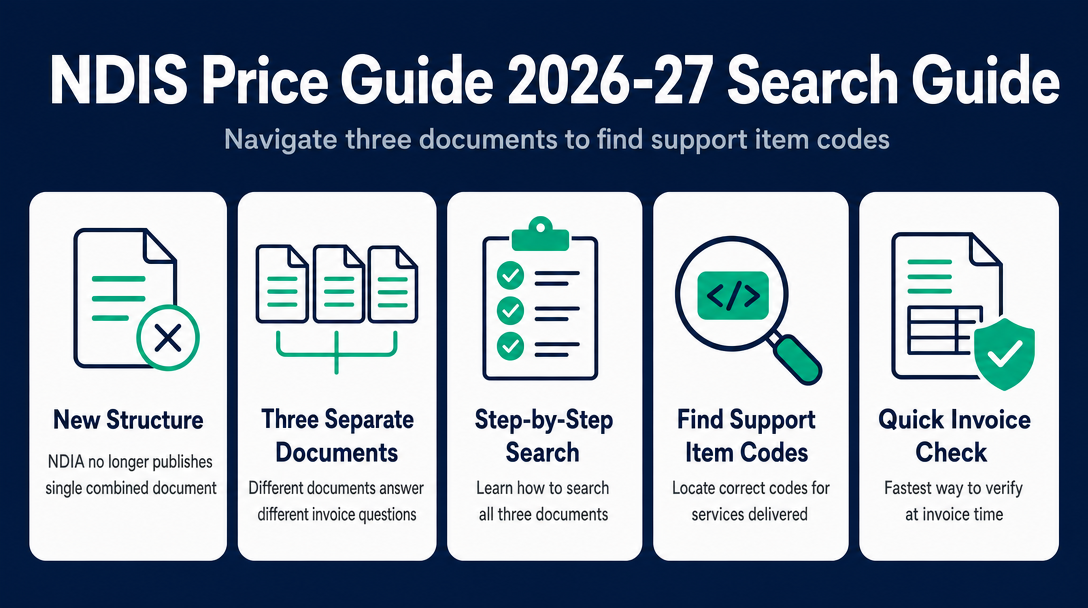
The 2026-27 NDIS pricing search is fundamentally different from every prior year. The NDIA no longer publishes a single combined document. Instead
9 min read
NDIS Price Guide 2026-27: How to Find the Right Support Item Code for Any Service You Deliver
The 2026-27 NDIS pricing search is fundamentally different from every prior year. The NDIA no longer publishes a single combined document. Instead, pricing information is split across three separate publications - and knowing which document answers which question before you type a rate onto an invoice is the difference between a compliant claim and one that gets rejected.
This guide explains the Three-Document Problem, maps each document to the specific invoice-moment questions it answers, and shows you exactly how to search each one.
Why the 2026-27 NDIS Price Guide Search Is Different This Year
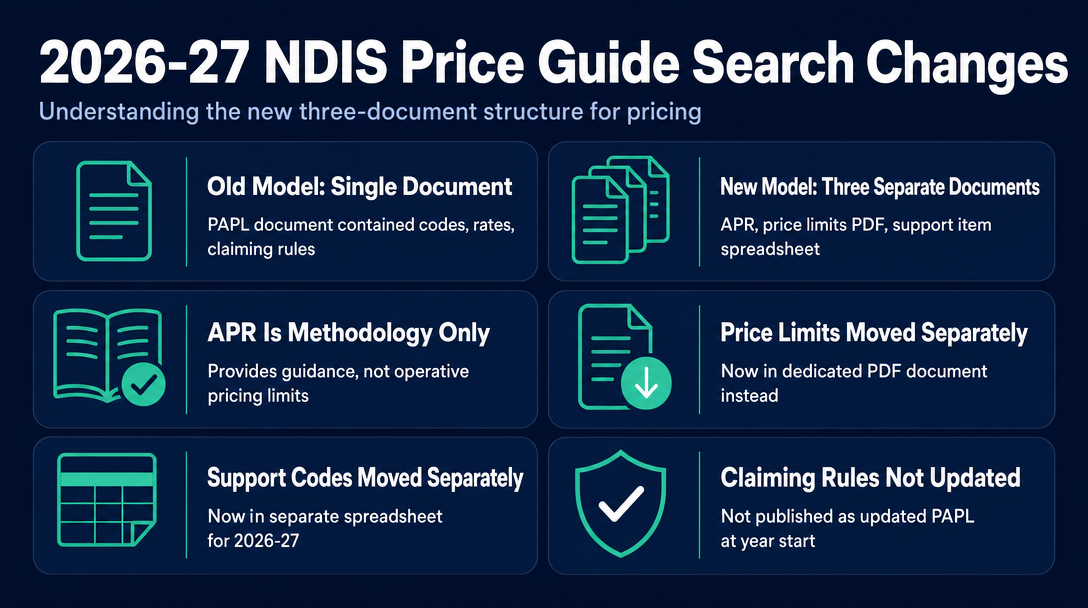
For years, the NDIS Pricing Arrangements and Price Limits (PAPL) document served as a single source of truth: codes, rates, and claiming rules in one place. That model ended for 2026-27.
The NDIA released the Annual Pricing Review (APR) for 2026-27, noting it "provides guidance on what we consider appropriate NDIS prices for 2026-27." But the APR is not the operative pricing document - it is the methodology report. The actual price limits live in a separate PDF. The support item codes live in a separate spreadsheet. And the claiming rules that govern travel, cancellations, and non-face-to-face supports were not published as an updated PAPL document at the start of the financial year.
This is the Three-Document Problem: to invoice correctly in 2026-27, a sole trader must consult the right document for each specific question - or risk billing an inactive code, a rate that belongs to the wrong geographic tier, or applying claiming rules that no longer govern the item.
There is a secondary issue worth naming: the Fair Work Commission's wage review feeds into the pricing schedule each year, and rate increases flow through to the documents described below - not to third-party rate summaries, which can lag official updates.
The Three Documents at a Glance
| Document | Published by | What It Answers | Format |
|---|---|---|---|
| Annual Pricing Review (APR) | NDIA | Why prices were set at these levels; methodology and reasoning | PDF report |
| NDIS Pricing Schedule 2026-27 | NDIA | Maximum price limits per item: National, Remote, Very Remote - effective 1 July 2026 | PDF download |
| NDIS Support Catalogue 2026-27 | NDIA | Every valid support item code, its name, unit, claim type, and registration group | XLSX spreadsheet |
The Pricing Schedule and Support Catalogue should be used together. As the NDIS website states, the Catalogue "should be used in conjunction with the NDIS pricing schedule."
Which Document Answers Which Question at Invoice Time
Before you type a dollar amount on a line item, you are asking one of three questions. Here is which document answers each one.
Question 1: "Is this support item code still active in 2026-27 - and what is its official name?" Open the NDIS Support Catalogue 2026-27 (XLSX). The Catalogue lists every currently valid support item number. If a code you used last financial year is missing from the Catalogue, it has been retired, renamed, or merged. Do not invoice a code that does not appear in the current Catalogue - it will not be accepted.
Question 2: "What is the maximum price limit I can charge, and does my participant's location affect the rate?" Open the NDIS Pricing Schedule 2026-27 (PDF). This is the operative document for price limits. Do not take a rate from a third-party summary website without confirming it against the official PDF - summary sites may lag updates, especially mid-year corrections.
Question 3: "What claiming rules apply - can I claim travel, a cancellation, or a report-writing item alongside this support?" For now, refer to the 2025-26 PAPL claiming rules in the interim. The Pricing Schedule contains price limits only. Claiming conduct rules - the provisions governing what you can and cannot bill alongside direct supports - were not updated in a new PAPL document at the start of the 2026-27 financial year. Check ndis.gov.au/providers/pricing-and-payments/pricing/pricing-arrangements for any updates to this position.
Separately, if you work in allied health, note that 2026-27 introduced changes to how therapy services are claimed - including new modifier items connected to therapy unbundling. If your work spans allied health categories, cross-check the Catalogue's claim types carefully before invoicing.
National vs. Remote vs. Very Remote - Which Rate Applies to Your Participant?
The geographic pricing tier is determined by where the support is delivered, not where the participant lives. This matters for sole traders who travel to participants in regional or remote areas.
The NDIS uses the Modified Monash Model (MMM) classification system:
- MMM 1-5 (metro and regional towns): National price limits apply
- MMM 6 (remote): Remote price limits apply - this tier carries a 40% loading above the National rate
- MMM 7 (very remote): Very Remote price limits apply - this tier carries a 50% loading above the National rate
Using the National rate when delivering in an MMM 6 area means underbilling. Using Remote rates for a metropolitan participant means exceeding the price cap - a compliance issue regardless of intent. Confirm your delivery location's MMM classification before applying a rate.
How to Search the Three Documents (Step-by-Step)
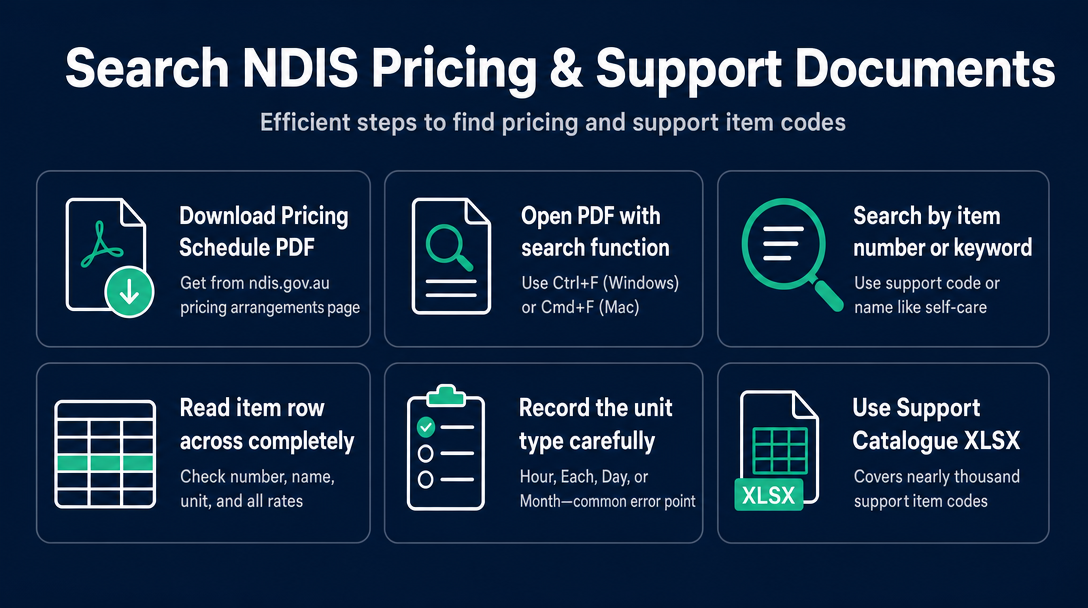
Neither the Pricing Schedule PDF nor the Support Catalogue XLSX is small. The Support Catalogue covers nearly a thousand support item codes across all support categories. Here is how to search each one efficiently.
Searching the Pricing Schedule PDF
- Go to ndis.gov.au - Pricing arrangements and download the NDIS Pricing Schedule 2026-27 (PDF), effective 1 July 2026.
- Open the PDF in any PDF viewer (Adobe Acrobat, Preview, Chrome's built-in viewer).
- Press Ctrl+F (Windows) or Cmd+F (Mac) to open the search bar.
- Search by support item number (e.g., "01_011_0107_1_1") or by a keyword from the support name (e.g., "self-care" or "community access").
- Locate your item's row and read across: Support Item Number - Support Item Name - Unit - National - Remote - Very Remote.
- Record the unit carefully (Hour, Each, Day, Month). Billing the wrong unit is a common error even when the rate itself is correct.
Searching the Support Catalogue XLSX
- Go to ndis.gov.au - What is the support catalogue and download the NDIS Support Catalogue 2026-27 (XLSX).
- Open in Microsoft Excel or Google Sheets.
- Use Ctrl+F to search by support item number or support item name. Alternatively, select the header row, enable Filters (Data - Filter in Excel), then type in the filter field for Column A (Support Item Number) or Column B (Support Item Name).
- Confirm: Is the item listed? What Registration Group does it belong to? What Claim Type is shown (Direct, Irregular SIL, Quotable)?
- Cross-reference the price limit against the Pricing Schedule PDF. If the two documents appear to show different figures, the Pricing Schedule is the governing document for maximum price limits - the Catalogue should be used alongside it, not instead of it.
If you cannot locate a code, try searching by a partial keyword from the support name rather than the full code string. Codes changed between 2025-26 and 2026-27 for some support categories, particularly in some allied health and Support Coordination items. If the code is genuinely absent, do not assume it still applies - treat it as potentially retired and investigate before invoicing.
The Fastest Way to Run This Check at Invoice Time
Searching three separate documents each time you create an invoice - one PDF, one XLSX, and an interim PAPL rules document from the prior year - adds friction and creates real opportunity for the wrong version to slip in.
NDISInvoice.com.au collapses this into a single step at the moment you build a line item. As you enter a support item code and rate, the tool validates it against the current 2026-27 Pricing Schedule in real time. If the code is inactive, the rate exceeds the price cap, or the rate is wrong for the day/time classification, the tool flags the issue before the invoice is finalised.
For sole traders who handle sensitive participant information, this matters: you get real-time validation without uploading anything.
That is the practical resolution to the Three-Document Problem at invoice time: instead of switching between documents manually, the validation step happens as you type.
For a full walk-through of how the tool handles code validation specifically, see the companion article on validating NDIS support item codes before invoicing.
Frequently Asked Questions
Is there still a PAPL document for 2026-27?
As of 1 July 2026, the NDIA has not published an updated PAPL (Pricing Arrangements and Price Limits) rules document for 2026-27. The NDIS Pricing Schedule (price limits) and the Support Catalogue (item codes and claim types) have been released. For claiming rules covering travel, cancellations, and non-face-to-face supports, providers are currently advised to refer to the 2025-26 PAPL claiming rules in the interim. Check ndis.gov.au/providers/pricing-and-payments/pricing/pricing-arrangements for any updates.
Do the 2026-27 prices apply from 1 July 2026?
Yes. The NDIS Pricing Schedule 2026-27 is effective from 1 July 2026. Services delivered on or after that date must be invoiced at the new price limits, not the 2025-26 rates.
How do I know if a support item code has changed since 2025-26?
Download the 2026-27 Support Catalogue (XLSX) from ndis.gov.au and search for your code. If it does not appear, the item may have been retired, renamed, or merged. Do not invoice a code that is absent from the current Catalogue.
What is the difference between the Annual Pricing Review and the Pricing Schedule?
The Annual Pricing Review (APR) is the NDIA's explanatory document - it sets out why prices have been set at certain levels and the methodology applied. The Pricing Schedule is the operative document that lists the actual maximum price limits. Providers use the Pricing Schedule to set their rates; they reference the APR to understand the reasoning behind changes.
My participant lives in a city, but I deliver supports at a remote location. Which price limit applies?
The price limit is based on the location where the support is delivered, not where the participant resides. If you deliver supports in an MMM 6 area, Remote price limits apply. If delivery is in an MMM 7 area, Very Remote price limits apply. Confirm the MMM classification of your delivery location against the Pricing Schedule before invoicing.
Can I use a third-party rate table instead of downloading the official Pricing Schedule?
You can use third-party summaries as a reference, but confirm any rate against the official NDIS Pricing Schedule PDF at ndis.gov.au before invoicing. Third-party sites may not reflect mid-year corrections or clarifications, and the Pricing Schedule is the document that governs what constitutes a compliant price limit.
Stop switching between three documents every time you invoice.
NDISInvoice.com.au validates your support item codes and rates against the current 2026-27 Pricing Schedule as you build each line item - in your browser. The Three-Document Problem becomes a single check at the moment you type. Validate your first invoice now at NDISInvoice.com.au
More articles
- How to Create Your First NDIS Invoice in Under 5 Minutes (Step-by-Step Video Companion)
- NDIS Plan Manager Turnaround Times: How Long Should You Wait to Be Paid After Submitting an Invoice?
- NDIS Invoice Numbering: Do You Need a Sequential System? (And What Happens If You Don't Have One)
- How to Handle a Rejected NDIS Invoice: Diagnosis, Correction, and Resubmission Step by Step
- NDIS Allied Health Invoicing: How Physiotherapy, Speech Therapy, and OT Codes Work in the Price Guide