NDIS Support Worker Hourly Rate 2026-27: What You Can Actually Charge (National vs. Remote)
The hourly rate you write on an NDIS invoice is the NDIS price limit for the specific shift type you delivered - not your personal pay expectation, not
NDIS Support Worker Hourly Rate 2026-27: What You Can Actually Charge (National vs. Remote)
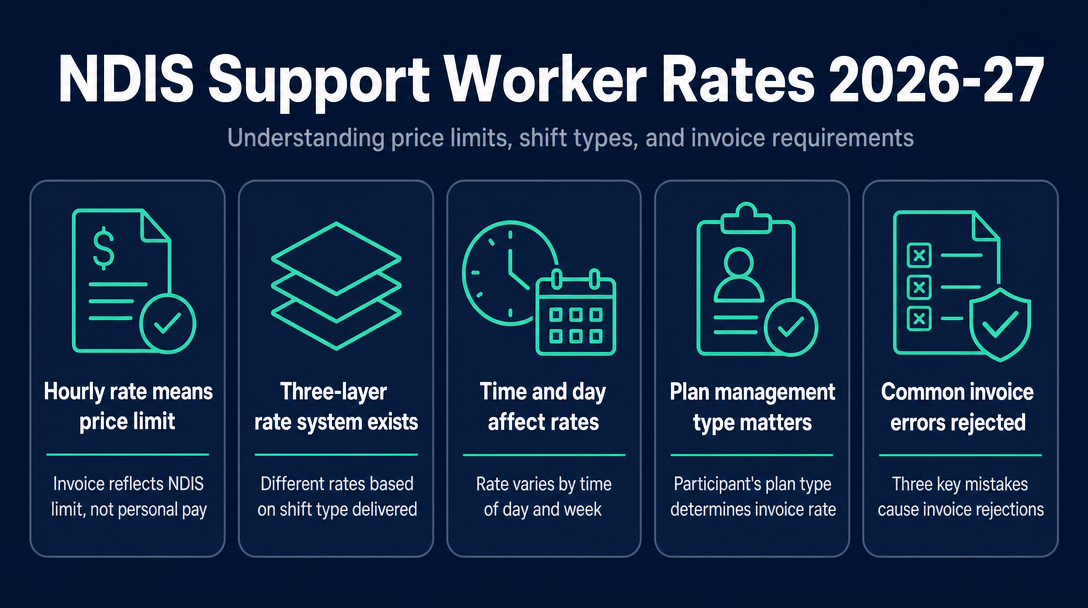
The hourly rate you write on an NDIS invoice is the NDIS price limit for the specific shift type you delivered - not your personal pay expectation, not the SCHADS Award minimum, and not a number you choose freely.
2026-27 NDIS Support Worker Price Limits - Quick Reference
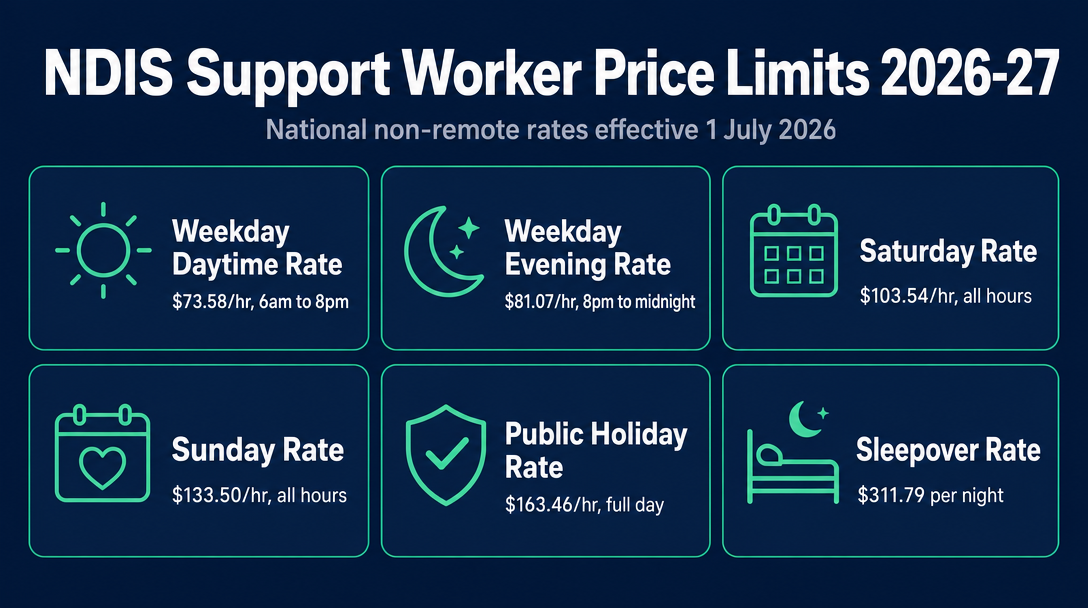
These are the national (non-remote) price limits effective 1 July 2026, under the NDIS Pricing Schedule 2026-27 published by the NDIA. For the most common support category - Assistance with Daily Activities, standard intensity (support item 01_011_0107_1_1 series) - the ceilings are:
| Shift Type | Price Limit (National) | Notes |
|---|---|---|
| Weekday Daytime | $73.58/hr | Starts 6:00 am, ends by 8:00 pm weekday |
| Weekday Evening | $81.07/hr | Starts 8:00 pm, ends by midnight weekday |
| Saturday | $103.54/hr | All hours on a Saturday |
| Sunday | $133.50/hr | All hours on a Sunday |
| Public Holiday | $163.46/hr | Full calendar day - time of day is irrelevant |
| Sleepover | $311.79/night | Per night flat rate - separate item code |
These are price ceilings, not fixed fees. A registered provider or sole trader working with a plan-managed participant cannot invoice above these figures. Sole traders working with self-managed participants may agree a different rate in their service agreement - see H2 4 below for the nuance.
Remote and very remote rates are higher. Participants located in Modified Monash Model (MMM) category 6 (remote) attract a 40% loading above the national rate; MMM 7 (very remote) attracts a 50% loading. The support item code changes for remote claims - confirm your participant's location tier before you invoice.
Standard intensity vs. high intensity - the two rate tiers
The table above covers standard-intensity support. A separate, higher rate tier applies to complex or high-intensity support delivery. If your participant requires high-intensity supports, refer to the NDIS Pricing Schedule 2026-27 for the applicable codes and ceilings - they are listed under the same support categories with distinct item numbers.
What "Hourly Rate" Actually Means on an NDIS Invoice - The Three-Layer Rate System
No competitor on this SERP has named this clearly. Understanding the relationship between three distinct numbers - each from a different document, each with a different purpose - is the core skill for getting your invoice rate right.
Layer 1 - The NDIS Price Limit This is the number that goes on your invoice. It is published annually by the NDIA in the Pricing Schedule (effective each 1 July) and represents the maximum a provider may claim from a participant's NDIS plan for a given support type and shift. For 2026-27, the weekday daytime standard rate is $73.58/hr. This is the ceiling, not a wage.
Layer 2 - The SCHADS Award Rate The Social, Community, Home Care and Disability Services Industry Award - administered by the Fair Work Commission, which reviews it annually - sets the minimum hourly wage a support worker must be paid if employed. This figure is substantially lower than the price limit; the difference covers superannuation, workers compensation insurance, leave entitlements, and the provider's operating margin. The Fair Work Commission reviews the SCHADS Award annually, typically with changes flowing through after July each year.
Layer 3 - The Negotiated Rate For unregistered sole traders working with self-managed participants, the rate charged may be negotiated in a service agreement. This can sit below, at, or (in limited circumstances) above the NDIS price limit - but only for self-managed participants, and only when documented in a signed service agreement.
The invoicing implication of the Three-Layer Rate System: The rate field on your invoice always draws from Layer 1 - the NDIS price limit - unless you are operating under a specific self-managed arrangement (Layer 3). Writing the SCHADS Award rate (Layer 2) on an invoice is a common error: it under-charges the participant's plan and leaves money on the table. Writing above the price limit for a plan-managed participant will trigger a rejection.
For a full breakdown of SCHADS Award levels and every penalty rate by day and time, see NDIS Support Worker Pay Rates 2026-27: Every Rate by Time of Day, Day, and Support Category - this article does not reproduce those tables.
Why the price limit is a ceiling, not a fixed fee
You can choose to charge less than the NDIS price limit. Some sole traders do this to remain competitive or to accommodate a participant whose plan budget is running low. There is no minimum invoice rate imposed by the NDIS (the SCHADS minimum applies to employment wages, not to sole-trader invoices). The ceiling is real and enforced; the floor is not.
Self-managed participants - a different rule applies
Self-managed participants control their own plan funds and can agree with any provider - registered or not - to a rate that sits above the NDIS price limit, provided it is documented in the service agreement. However, the participant's total plan budget remains fixed. A higher rate depletes the plan faster and may leave the participant short later in the year. This is the participant's financial risk to manage, not yours to advise on - but being transparent about it is good practice.
How the Time of Day and Day of Week Determines the Rate You Invoice
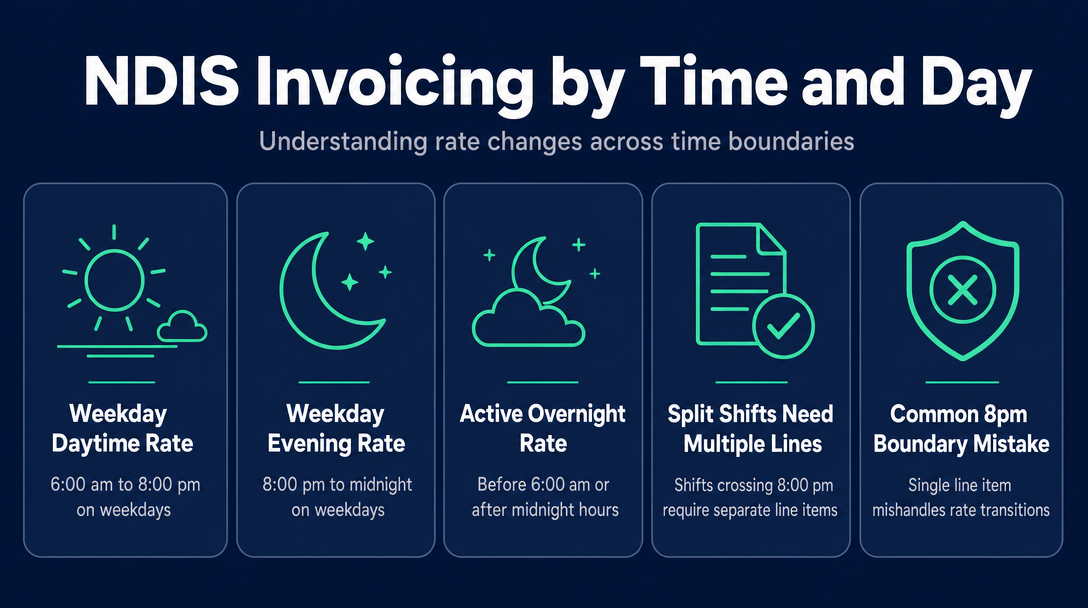
This is the most consistently mishandled area in NDIS invoicing, and no top-ranked competitor addresses what actually happens when your shift spans a time boundary.
The NDIS Pricing Schedule 2026-27 defines these time periods precisely:
- Weekday Daytime: Starts at or after 6:00 am and finishes at or before 8:00 pm on a weekday
- Weekday Evening: Starts at or after 8:00 pm and finishes at or before midnight on a weekday
- Active Overnight: Covers hours before 6:00 am or after midnight - triggers a different rate and a different item code
The 8 pm boundary - the most common invoicing mistake
When a shift crosses 8:00 pm on a weekday, one line item is not enough.
Scenario A: Tuesday shift, 6:00 pm to 9:00 pm
| Time Period | Hours | Rate | Line Item |
|---|---|---|---|
| 6:00 pm - 8:00 pm | 2 hrs | $73.58/hr (Weekday Daytime) | Line 1 |
| 8:00 pm - 9:00 pm | 1 hr | $81.07/hr (Weekday Evening) | Line 2 |
A single line item at $73.58/hr under-invoices the final hour. A single line item at $81.07/hr exceeds the daytime cap for the first two hours - a plan manager will reject it.
Scenario B: Thursday 11:00 pm to Friday 1:00 am
The pre-midnight portion (11:00 pm - midnight) is billed at the weekday evening rate under Thursday's date. The post-midnight portion (midnight - 1:00 am) crosses into active overnight territory and requires its own item code - check the Pricing Schedule for the applicable code. Again, two separate line items on the invoice, each with the correct date, time, duration, and rate.
Not sure which line items apply to a split shift? Use NDISInvoice.com.au to validate each segment against the current Pricing Schedule before you send.
Public holidays - the date, not the time, determines the rate
If any part of your shift falls on a public holiday, the public holiday rate of $163.46/hr applies to the entire shift for that calendar day - regardless of whether you started at 7:00 am or 9:00 pm. There is no time-of-day splitting on public holidays; the date classification overrides the time classification.
How Your Participant's Plan Management Type Affects the Rate on Your Invoice
Your participant's plan management type sets the effective ceiling on what you can invoice. For a detailed explanation of how each type works mechanically, see NDIS Plan Management Explained. Here is what each type means for the rate field specifically:
NDIA-managed (agency-managed): Only registered providers can deliver supports to these participants. The invoice rate must equal the NDIS price limit exactly - the NDIA portal enforces this and will not process claims above it. There is no negotiation. Some registered providers also include a Temporary Transformation Payment (TTP) loading where applicable - this is a distinct, separately documented add-on, not a variation to the base rate.
Plan-managed: Unregistered sole traders can work with plan-managed participants. Your invoice goes to the plan manager, not the NDIA portal. The plan manager applies the NDIS price limit as the ceiling - if your line item rate exceeds it, the plan manager will reject the invoice before releasing payment. The plan management type does not give you more flexibility than NDIA-managed; it gives you access as an unregistered provider, but the rate ceiling is the same.
Self-managed: The participant pays from their own plan funds and reconciles later with the NDIA. An unregistered sole trader may charge above the price limit if - and only if - the service agreement explicitly states the agreed rate. Any amount above the price limit is not reimbursable by the NDIA; the participant covers it from within their capped plan budget.
The practical rule: The only situation where you might write a figure above the published price limit on your invoice is for a self-managed participant with an explicit, signed service agreement confirming that rate. In every other situation, your invoice rate must not exceed the NDIS price limit for that shift type.
Three Invoice Rate Errors That Get Rejected - and How to Avoid Them
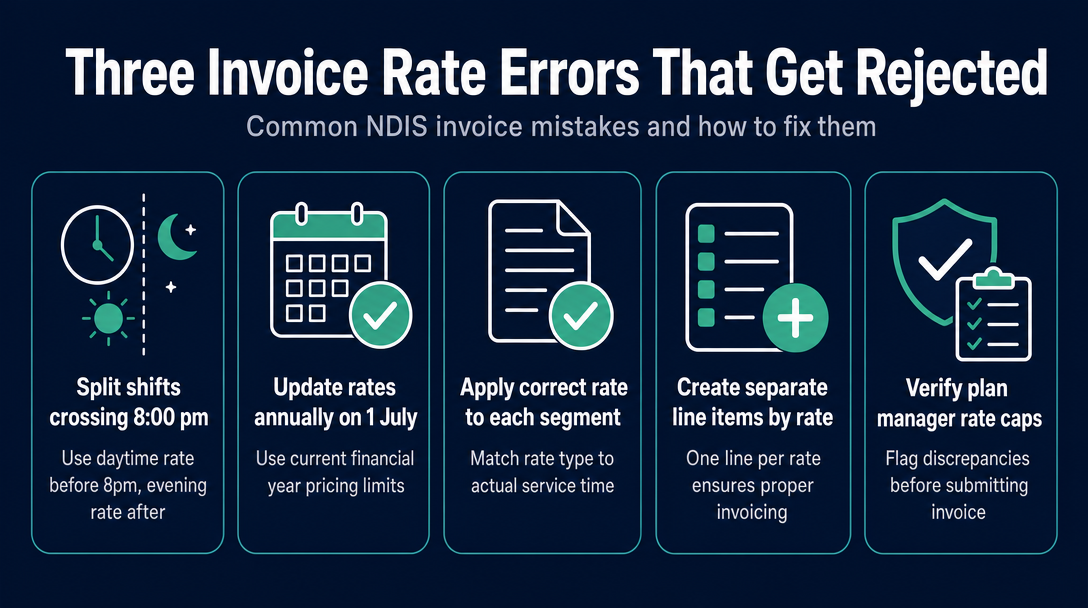
This article focuses on rate-field errors specifically. For errors across all invoice fields, see Common NDIS Invoice Errors That Delay Payment (And How to Catch Them Early). And for a reminder of every mandatory field your invoice must include, see NDIS Invoice Requirements: Every Mandatory Field Explained.
Error 1 - Using the daytime rate for a shift that ran into the evening
What happens: A plan manager receives a single line item from 6:00 pm to 9:00 pm at $73.58/hr. The post-8:00 pm segment exceeds the applicable daytime cap for that hour - the manager flags it and holds payment pending a corrected invoice.
Fix: Split the line item at the 8:00 pm boundary. Two line items, two rates, one invoice.
Error 2 - Using last financial year's price limits
What happens: The NDIS Pricing Schedule updates on 1 July each year. The 2026-27 weekday daytime rate rose from $70.23 to $73.58 per hour. An invoice submitted in July or August using the old $70.23 figure is technically valid (it is below the cap) but leaves $3.35 per hour unclaimed - across a full week of shifts, that is a meaningful shortfall. If rates had moved in the other direction for a given category, an outdated rate could sit above the new cap and trigger rejection.
Fix: Check the current NDIS Pricing Schedule at the start of each financial year, or use a tool like NDISInvoice.com.au that validates each line item against the current schedule automatically - no manual cross-checking required.
Error 3 - Applying one rate across multiple session types in a weekly invoice
What happens: A worker delivers 3 hours Monday daytime, 2 hours Sunday, and 1 hour on a public holiday, then writes all 6 hours on a single line item at the weekday daytime rate. The Sunday rate is substantially higher than the weekday daytime rate; the public holiday rate is higher still. Combining them under a single line item and a single rate massively under-invoices the participant's plan and cannot be validated by a plan manager against the correct codes.
Fix: Each session must appear as its own line item - separate date, separate time, separate duration, separate support item code, and the correct rate for that session type. For how to look up the right support item code for each session type, see NDIS Price Guide 2026-27: How to Find the Right Support Item Code for Any Service You Deliver - the cornerstone resource in this content series.
Frequently Asked Questions
What is the NDIS support worker hourly rate for a weekday in 2026-27?
The price limit for standard Assistance with Daily Activities on a weekday daytime is $73.58 per hour (national, non-remote rate, effective 1 July 2026 under the NDIS Pricing Schedule 2026-27). This is the maximum a provider may claim from a participant's NDIS plan for that shift type.
Is the NDIS hourly rate the same as what the support worker earns?
No. The price limit is what a provider or sole trader may invoice against the participant's plan. What the worker actually receives as wages is governed by the SCHADS Award minimum - a separate instrument set by the Fair Work Commission - which is substantially lower than the price limit. The difference between the two covers superannuation, insurance, leave entitlements, and provider overhead.
Can I charge above the NDIS price limit?
For NDIA-managed and plan-managed participants, no - the price limit is the hard ceiling. For self-managed participants, it is possible only if the service agreement explicitly documents the agreed rate. Any amount above the price limit for a self-managed participant is not reimbursable by the NDIA and draws down the participant's fixed plan budget.
My shift ran from 7:00 pm to 10:00 pm on a weekday. Which rate do I use?
You need two line items: 7:00 pm to 8:00 pm at the weekday daytime rate ($73.58/hr) and 8:00 pm to 10:00 pm at the weekday evening rate ($81.07/hr). A single line item at one rate will either under-invoice or exceed the applicable cap for one of the two periods.
Do remote and very remote locations attract a different rate?
Yes. Participants in Modified Monash Model category 6 (remote) locations attract a 40% loading above the standard national rate; MMM 7 (very remote) attracts a 50% loading. The support item code also changes for remote claims, so confirm your participant's location tier via the NDIS Pricing Schedule before invoicing.
What happens if my invoice rate is above the price limit?
For a plan-managed participant, the plan manager will reject the line item before releasing payment. For an NDIA-managed participant, the portal will not process the claim. For a self-managed participant, any above-limit amount cannot be reimbursed by the NDIA; the participant must absorb it from their capped plan budget, which can create disputes.
Every rate has a matching support item code. Every code has a price cap. Before you send your next invoice, NDISInvoice.com.au checks both against the current Pricing Schedule automatically - catching time-of-day mismatches, outdated rates, and code errors before they reach a plan manager. Free, browser-based, no login, no subscription.
Create a validated invoice at NDISInvoice.com.au
More articles
- NDIS Support Worker Pay Rates 2026-27: Every Rate by Time of Day, Day, and Support Category
- NDIS Plan Management Explained: How Plan-Managed, Agency-Managed, and Self-Managed Funding Changes Your Invoicing
- How to Set Up as an NDIS Sole Trader Support Worker in Australia: The Complete Invoicing Checklist
- NDIS Invoice Requirements: Every Mandatory Field Explained
- NDIS Price Guide 2026-27: How to Find the Right Support Item Code for Any Service You Deliver