NDIS Support Worker Pay Rates 2026-27: Every Rate by Time of Day, Day, and Support Category
Written by Cory Nathan, founder of NDIS Invoice · Last reviewed
The NDIS publishes a price cap for every shift type - weekday, evening, Saturday, Sunday, public holiday, sleepover, and active overnight. Yet sole-trader
15 min read
NDIS Support Worker Pay Rates 2026-27: Every Rate by Time of Day, Day, and Support Category
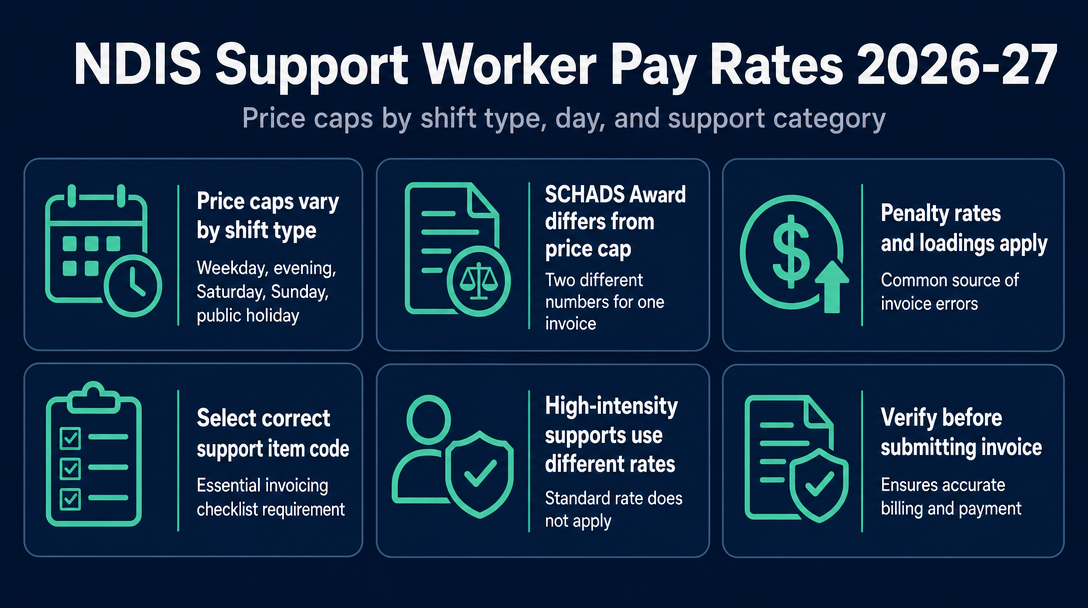
The NDIS publishes a price cap for every shift type - weekday, evening, Saturday, Sunday, public holiday, sleepover, and active overnight. Yet sole-trader support workers regularly invoice at the wrong rate, not because they misread the number, but because they selected the wrong support item code for the shift they actually worked. This article maps each time-band to its 2026-27 price cap, explains why each band uses a distinct code, and gives you a practical checklist for getting every invoice line item right before it reaches a plan manager.
NDIS Support Worker Price Caps at a Glance: 2026-27 Rates by Shift Type
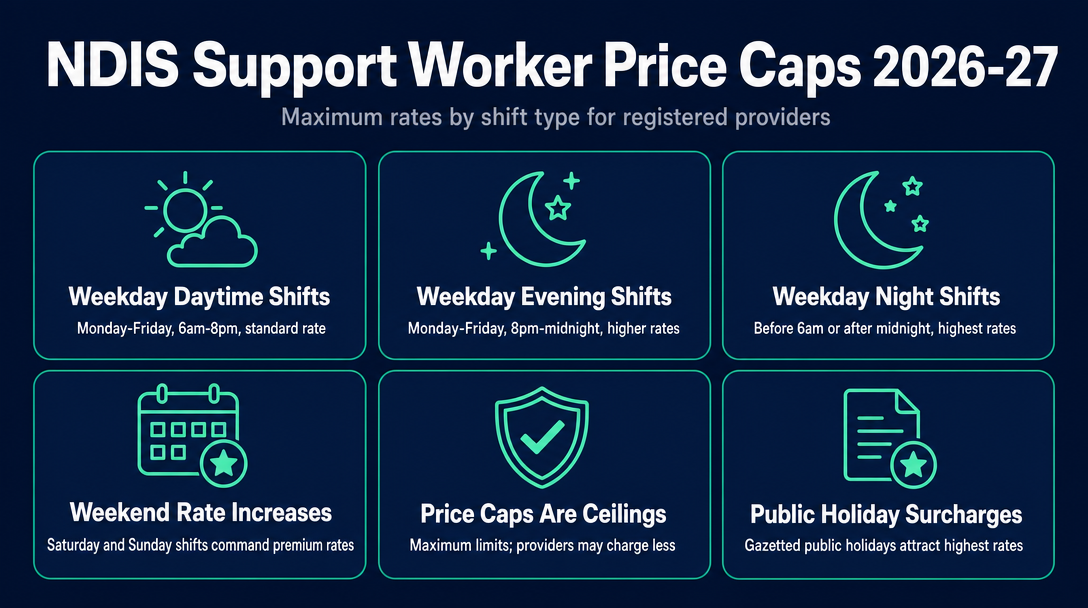
The NDIS Pricing Arrangements and Price Limits (PAPL) sets the maximum a registered or plan-managed provider can charge for each shift type. These are ceilings, not fixed rates - a sole trader may charge less, but not more, when invoicing plan-managed or NDIA-managed participants.
| Shift Type | Time Definition | Price Cap | Notes |
|---|---|---|---|
| Weekday Daytime | Mon-Fri, 6:00am-8:00pm, excl. public holidays | Check current PAPL | Standard band; most shifts fall here |
| Weekday Evening | Mon-Fri, 8:00pm-midnight | Higher than daytime | Separate code from daytime |
| Weekday Night | Starts at or before midnight on a weekday and continues into early morning, or starts before 6:00am | Higher again | Distinct code from evening |
| Saturday | Midnight Friday-midnight Saturday, excl. public holidays | Higher than weekday | Separate code |
| Sunday | Midnight Saturday-midnight Sunday, excl. public holidays | Higher than Saturday | Separate code |
| Public Holiday | Any gazetted public holiday | Highest hourly rate | State-by-territory variation applies |
| Sleepover | Per shift (not hourly) | Flat allowance | Worker present but sleeping |
| Active Overnight | Hourly, during active support hours overnight | Hourly rate | Separate code from sleepover |
Important: Always verify the current figures directly in the NDIS Pricing Arrangements and Price Limits. The table above reflects the shift-type structure; exact dollar figures update annually (and sometimes mid-year) and must be read from the official document, not from a third-party summary.
Remote locations (Modified Monash Model category 6) and very remote locations (MMM 7) attract loadings above national rates - refer to the current PAPL for the precise percentages.
What counts as "weekday daytime"?
Monday to Friday, 6:00am to 8:00pm, excluding public holidays. This is the baseline band and the one most standard community support shifts fall within. If your shift crosses the 8:00pm boundary, you cannot bill the entire shift at the daytime rate - the portion after 8:00pm uses the evening code.
What counts as "weekday evening"?
Monday to Friday, from 8:00pm to midnight, excluding public holidays. If a shift runs from 6:00pm to 10:00pm, the first two hours are daytime and the final two hours are evening - two separate line items, two separate codes.
What counts as "weekday night"?
The PAPL defines this as a shift that starts at or before midnight on a weekday and continues into the early hours, or starts before 6:00am on a weekday, excluding public holidays, Saturdays, and Sundays. It is categorically different from evening - not a later version of the same rate, but a distinct shift classification with its own code.
The SCHADS Award vs the NDIS Price Cap - Two Different Numbers, One Invoice
These two figures are frequently confused, and conflating them creates invoicing errors that are difficult to untangle later.
| SCHADS Award | NDIS Price Cap | |
|---|---|---|
| What it is | Minimum pay for employed disability support workers | Maximum a provider can charge a participant |
| Who it applies to | Workers employed by an agency or provider | All providers - registered, plan-managed, and unregistered |
| Applies to sole traders? | No - sole traders are independent contractors | Yes, always (for plan-managed and NDIA-managed participants) |
| Set by | Fair Work Commission | NDIA |
The NDIA expects providers to pay disability support workers in accordance with relevant awards and agreements. For sole traders operating as independent contractors, the SCHADS Award does not impose a legal minimum - but the NDIS price cap always caps what you can charge for plan-managed or NDIA-managed participants.
The gap between the SCHADS minimum wage for an employed Level 2.1 worker and the NDIS price cap for that same support type exists to cover agency costs: insurance, administration, payroll, superannuation, and workers' compensation. A sole trader operating without those agency overheads retains more of that margin - but still cannot invoice above the cap.
The 25% casual loading that agency-employed casual workers receive is not a separate invoice item for sole traders. A sole trader sets their own hourly rate to account for the absence of paid leave and employment benefits - but the price cap remains the ceiling regardless of how that rate is calculated.
Why sole traders need to understand both numbers
A sole trader invoicing a plan manager must stay at or below the NDIS price cap - no exceptions. A sole trader invoicing a self-managed participant can negotiate a higher rate, but the participant's NDIS plan will only reimburse up to the cap; the participant pays any excess from their own pocket. Getting this wrong does not just delay one invoice - it can affect the participant's plan budget and erode the working relationship.
For a full explanation of how funding type affects who you invoice and what payment terms apply, see the guide to plan-managed vs self-managed invoicing in this client's content library.
Penalty Rates, Loadings, and the Shift Types Most Likely to Cause Invoice Errors
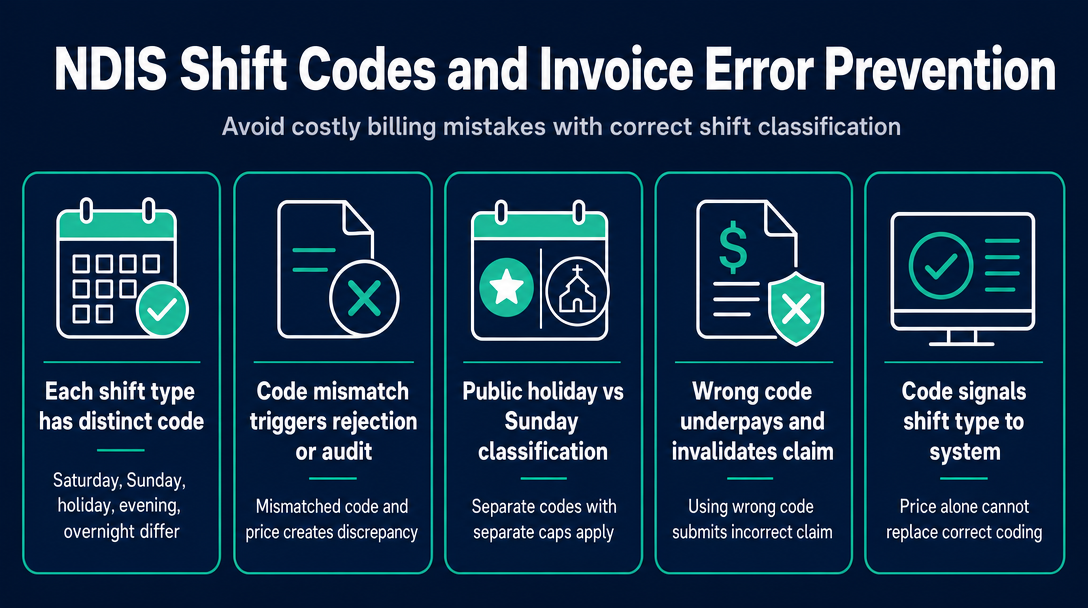
Here is the most practically important insight in this article, and the one competitors consistently omit: each shift type has its own distinct support item code in the NDIS Support Catalogue. Saturday, Sunday, public holiday, evening, and overnight shifts are not the same code with a higher price typed in - they are categorically different items with different code numbers.
Invoicing a Sunday shift using the weekday daytime code - even if you type in the Sunday rate - is an error. The code itself signals the shift type to the plan manager's claiming system. A mismatch between the code and the price, or between the code and the actual shift worked, creates a discrepancy that triggers rejection or audit scrutiny.
The three rate-driven invoice errors sole traders make most often:
Wrong day classification: Billing a public holiday at the Sunday rate. Public holiday and Sunday are separate codes with separate caps. The public holiday cap is higher - and using the Sunday code on a public holiday means you are both underpaying yourself and submitting an incorrect claim.
Wrong time-band: Billing an 8:00pm-to-midnight evening shift at the weekday daytime rate. The daytime code has a lower cap - so you are technically not exceeding the cap for that code, but you are billing a rate that does not accurately reflect the shift worked. Plan managers reviewing timesheets will identify the discrepancy.
Invoicing above the cap for the code used: Charging a rate appropriate for a Saturday shift, but the shift ended at 11:59pm Friday - which is still weekday evening territory. The claimed amount exceeds the price limit for the weekday evening code, and the claim is rejected.
Public holidays - the band most likely to be invoiced incorrectly
Public holidays attract the highest hourly cap of any shift type. They are also the band most prone to error because public holidays are declared state-by-state and territory-by-territory. A day that is a public holiday in Victoria (such as the AFL Grand Final Friday) is not automatically a public holiday in Queensland. A sole trader in Queensland billing a Victorian public holiday code for a shift that occurred on a normal Queensland working day is submitting an incorrect claim.
Before applying the public holiday code, check the gazetted public holiday calendar for the state or territory where the support was delivered - not where you are based.
Sleepover vs active overnight - different codes, very different rates
Sleepover support covers the worker being present and available overnight but sleeping. It is billed as a flat allowance per shift - not an hourly rate. If the participant requires support during the night while the worker is nominally on a sleepover, those active periods are billed separately under the active overnight code, at an hourly rate.
Billing a sleepover as multiple hours of active overnight support - or billing active overnight periods as part of a sleepover flat rate - is both financially inaccurate and a compliance error. The two codes exist because the nature of the support is genuinely different, and the Support Catalogue distinguishes them accordingly.
How to Choose the Right Support Item Code for Each Shift Type: An Invoicing Checklist
Before writing any NDIS invoice line item, run what we call the Three-Layer Rate Check:
- Cap check: Is the rate at or below the NDIS price limit for this specific support item and shift type?
- Code check: Does the support item code in the Support Catalogue match the actual shift type worked - weekday daytime, evening, night, Saturday, Sunday, public holiday, sleepover, or active overnight?
- Catalogue check: Is this code still active in the current version of the Support Catalogue?
All three layers must pass before the line item goes on the invoice. Here is how to work through them:
Identify the support category. Assistance with Daily Life is Category 01; Assistance with Social, Economic and Community Participation is Category 04, and so on. The category determines which section of the Support Catalogue to look in.
Identify the specific support type. Within Category 01, for example, "Assistance with Self-Care Activities - Standard - Weekday Daytime" is a distinct item (coded as something like 01_011_0107_1_1 for the weekday daytime variant). The code structure encodes the category, item type, support purpose, registration group, and purpose qualifier.
Match the code to the shift type actually worked. Each time-band is a separate line in the Support Catalogue. Saturday has its own code; Sunday has its own code. Do not pick the code that looks right and then adjust the price - pick the code that matches the shift, then the price should match the cap automatically.
Confirm the price does not exceed the national cap for that code. The Support Catalogue lists National, Remote, and Very Remote columns. Use the column that matches the location where the support was delivered.
Check the location for remote or very remote loading. The NDIA uses the Modified Monash Model to classify locations. Use the MMM classification for the service delivery location, not your home base.
Confirm whether the support is high-intensity. High-intensity daily activities (complex bowel care, ventilator management, tracheostomy management, and others) carry higher price caps and require different codes - and the worker must hold the relevant competencies. Do not bill a high-intensity code at a standard support code's rate, and do not bill a standard code at a high-intensity rate.
Validate the code and rate against the current Support Catalogue before submitting. The Support Catalogue is updated during the financial year - the 2025-26 arrangements were updated in October 2025, with changes taking effect 24 November 2025. A code that was correct in July may have been modified by November. For the support item code search workflow, the cornerstone guide "NDIS Price Guide 2026-27: How to Find the Right Support Item Code for Any Service You Deliver" covers that process in detail.
NDISInvoice.com.au runs the Three-Layer Rate Check automatically - validating your support item code, confirming the rate sits within the current price cap, and flagging if the code has changed since the last Support Catalogue update.
What happens if you invoice at the wrong rate?
Plan managers and the NDIS portal compare your claimed amount against the price limit for the code you submitted. If the amount exceeds the cap for that code: the claim is rejected. If the code is wrong for the shift type (for example, weekday code used for a Sunday shift): the claimed amount may exceed the price limit for that code, triggering rejection; or the plan manager's system flags a mismatch between the code and the support note or timesheet, requiring an amended invoice.
Downstream consequences include delayed payment, a formal request for an amended invoice, and - for registered providers - potential audit scrutiny if a pattern of incorrect codes is identified across multiple claims.
High-Intensity and Remote Supports - When the Standard Rate Does Not Apply
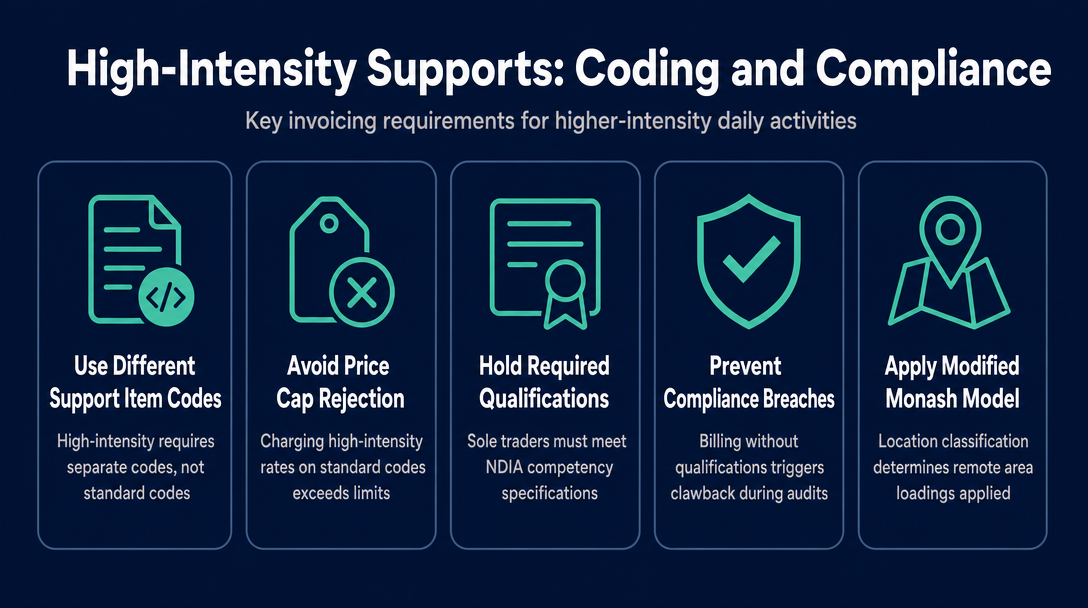
High-intensity daily activities carry higher price caps than standard supports in the same category, even for the same time-band. The important point for invoicing: higher-intensity supports use different support item codes - not the standard code with a higher price typed in. Using a standard code but charging a high-intensity rate produces a price that exceeds the cap for the code submitted, which triggers rejection.
Sole traders delivering high-intensity supports must hold the relevant qualifications and competencies as specified in the NDIA's Pricing Arrangements and Price Limits. Billing the high-intensity code without those competencies is both a compliance breach and, if identified during a plan audit, a grounds for clawback.
For location-based pricing, the Modified Monash Model (MMM) is the NDIA's classification system. Remote (MMM 6) and very remote (MMM 7) locations attract loadings above the national rate - refer to the current PAPL for the precise percentages, as these are set in the official document and should not be sourced from a third party.
The 2026-27 pricing arrangements also include national price limits for some allied health supports. These apply to allied health providers and differ from the disability support worker rate structure covered in this article - if you deliver both allied health and support work, check the PAPL sections separately for each support type.
Frequently Asked Questions
Can a sole trader charge up to the full NDIS price cap?
Yes. For plan-managed and NDIA-managed participants, the NDIS price cap is the ceiling, and a sole trader may charge anywhere up to it. For self-managed participants, a sole trader can negotiate a rate above the cap, but the participant's NDIS plan will only reimburse up to the cap - the participant covers any excess from their own funds. Sole traders should be transparent about this distinction when agreeing on rates with self-managed participants.
Do I need a separate invoice for each shift type?
Not necessarily a separate invoice document, but each shift type must be a separate line item with its own support item code and the correct time-band rate. Combining a Saturday shift and a weekday evening shift on a single line item at a blended rate is an error - the Support Catalogue codes are shift-specific, and each line item must map to exactly one code.
What changed in the NDIS support worker pay rates from 1 July 2025?
The NDIS Pricing Arrangements and Price Limits 2025-26 took effect 1 July 2025. A further update (v1.1) took effect 24 November 2025, following release in October 2025. Key changes in the 2025-26 period included indexation adjustments to some support worker rates, the introduction of national price limits for certain allied health supports, and removal of some COVID-19 temporary provisions.
Is the SCHADS Award the same as the NDIS price cap?
No. The SCHADS Award is an employment award that sets the minimum pay an agency or provider must pay an employed disability support worker. The NDIS price cap is the maximum a provider can charge a participant. For sole traders operating as independent contractors, the SCHADS Award does not legally apply to their own pay - but the NDIS price cap always applies to what they can charge plan-managed and NDIA-managed participants. The two numbers are related but serve entirely different functions.
How do I know if my support item code is still valid for the current financial year?
The NDIS Support Catalogue is the definitive reference, and it updates during the year - not just on 1 July. The most reliable approach is to validate your codes against the current catalogue version before every invoice, not just at the start of the financial year. NDISInvoice.com.au checks each line item against the current catalogue automatically, flagging any code that has been removed, modified, or repriced since the last update.
What is the difference between a sleepover and active overnight support for invoicing purposes?
A sleepover is billed as a flat allowance per shift - it covers the worker being present and available but sleeping. Active overnight support is billed at an hourly rate for the specific periods during the night when the worker is actively supporting the participant. They use different codes and different pricing structures. If a participant needs active support during what was intended to be a sleepover, those active periods must be broken out as a separate line item under the active overnight code.
Invoice with Confidence Before You Submit
Knowing the rate is only half the job - invoicing it correctly means matching every shift to the right support item code, confirming that code is still active, and keeping the price within the current cap. That is the Three-Layer Rate Check, and it is exactly what NDISInvoice.com.au runs for you in the browser before you finalise anything.
No subscription. Create your validated NDIS invoice now at NDISInvoice.com.au.
More articles
- How to Create Your First NDIS Invoice in Under 5 Minutes (Step-by-Step Video Companion)
- NDIS Plan Manager Turnaround Times: How Long Should You Wait to Be Paid After Submitting an Invoice?
- NDIS Invoice Numbering: Do You Need a Sequential System? (And What Happens If You Don't Have One)
- How to Handle a Rejected NDIS Invoice: Diagnosis, Correction, and Resubmission Step by Step
- NDIS Allied Health Invoicing: How Physiotherapy, Speech Therapy, and OT Codes Work in the Price Guide