What Must Be on an NDIS Invoice? The 9 Required Fields (with a Free Checklist)
Written by Cory Nathan, founder of NDIS Invoice · Last reviewed
An NDIS-compliant invoice must include your ABN, business name, a unique invoice number, the participant's full name and 9-digit NDIS number, service
12 min read
What Must Be on an NDIS Invoice? The 9 Required Fields (with a Free Checklist)
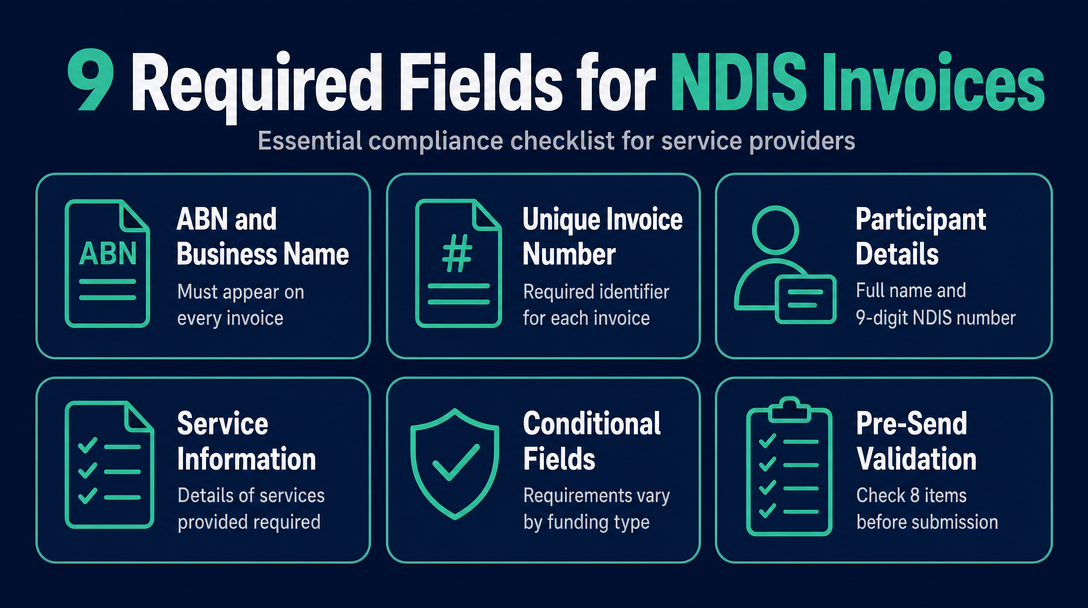
An NDIS-compliant invoice must include your ABN, business name, a unique invoice number, the participant's full name and 9-digit NDIS number, service delivery dates, the support item number from the current NDIS Support Catalogue, quantity, unit price, line totals, GST status, total amount payable, and your payment details. Some fields vary depending on whether your participant is plan-managed, NDIA-managed, or self-managed.
This article gives you both passes of what we call the Two-Pass Invoice Check: the full field checklist to build a compliant invoice, and an eight-point pre-send validation pass to catch errors before the plan manager does.
What Makes an NDIS Invoice Different From a Standard Tax Invoice
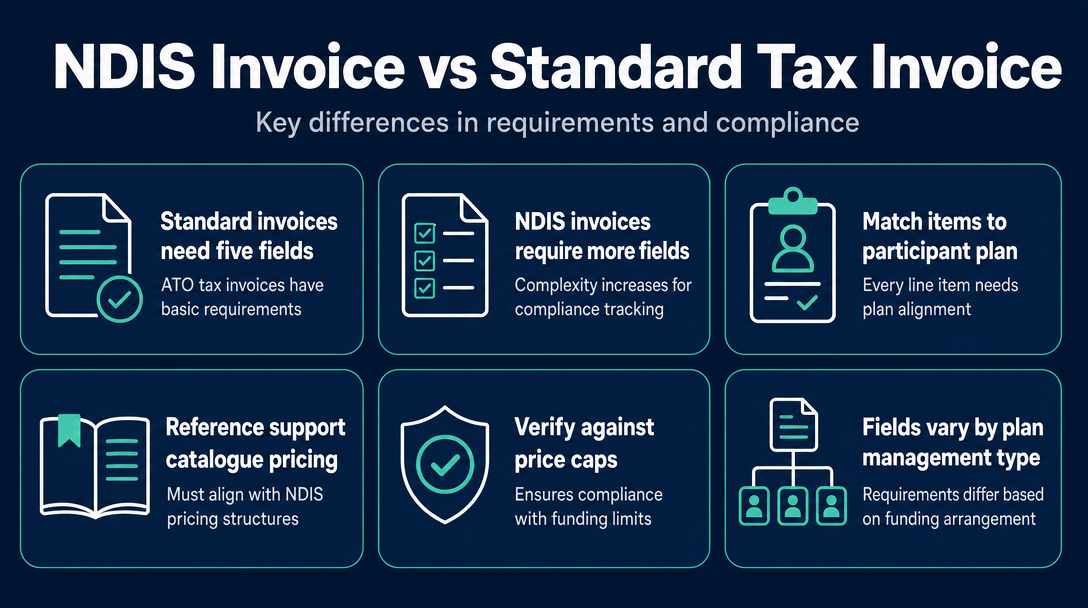
A standard ATO tax invoice requires roughly five fields. An NDIS invoice requires more because every line item must be matched against a specific participant plan, a specific support from the NDIS Support Catalogue, and a specific price cap - making it a compliance document for audited public funding, not just a payment request.
The required fields also shift slightly depending on how a participant's plan is managed. For the full explanation of how plan-managed, agency-managed, and self-managed funding work, see our prior article on NDIS plan management and invoicing. The conditional differences are summarised in the table in Section 3 below.
The NDIS Invoice Requirements Checklist - Every Mandatory Field, In Order
Work through these 18 fields in document order. Each explanation is kept brief by design - where a field has its own complexity (GST, rates, codes, travel), a link points to the article that covers it in full.
1. Your business name Your trading name as registered with ASIC or shown on your ABN registration. It must match exactly - a mismatch between your invoice name and your ABN registration is a common query trigger for plan managers.
2. Your ABN (Australian Business Number) Your 11-digit ABN, not the participant's and not the plan manager's. The NDIS states that "the invoice must include a valid Australian Business Number (ABN) - unless you are exempt from providing an ABN". As a sole trader, you must use your own ABN. For ATO exemption conditions, see ato.gov.au.
3. "Tax Invoice" label The document must be headed "Tax Invoice." Under ATO rules, this wording is required for invoices above $82.50. Even where your NDIS services are GST-free, the "Tax Invoice" heading still applies.
4. Unique invoice number Your own sequential numbering scheme - for example, INV-2026-001. Plan managers track invoice numbers to detect duplicates. Re-using a number, or submitting the same number twice after a correction, will cause a rejection. If you resubmit after an error, confirm with the plan manager whether they want a corrected invoice under the original number or a new number.
5. Invoice date The date you issue the invoice - not the date the service was delivered. These are often different, and both must be present.
6. Your contact details A postal address or email address is sufficient. Plan managers need a way to contact you if they have a query before processing payment.
7. Participant's full name As it appears in their NDIS plan. Middle names are not always needed, but the name must be consistent with what the plan manager holds on file.
8. Participant's NDIS number The 9-digit number assigned to the participant. Plan managers cannot process a payment without it. A single transposed digit is one of the most common rejection causes - always copy it directly from the participant's plan letter rather than from memory.
9. Service delivery date(s) The actual date(s) the support was delivered. For multiple sessions billed on one invoice, each line item should carry its own date or a clear date range. Dates must fall within the participant's active plan period.
10. Support item number
The alphanumeric code from the current 2026-27 NDIS Support Catalogue - for example, 01_011_0107_1_1. The NDIS pricing arrangements page confirms that "the NDIS pricing schedule includes the support item number, support item name, price limits, and claim types," and that requirements specified in the Support Catalogue are part of the pricing arrangements. For how to find a code by plain words, see our NDIS support item code lookup guide. For choosing between weekday, evening, weekend, and public holiday codes, see our day and time classification article.
11. Support item description The plain-English name matching the catalogue entry - for example, "Assistance with Self-Care Activities - Weekday Daytime." Copy it from the catalogue rather than writing your own wording.
12. Quantity For time-based supports, the number of hours in decimal format (e.g., 2.5 hours). For non-time-based supports - consumables, group-based items, or activity-based units - quantity means the number of units delivered, not hours. Getting this wrong on consumables or group supports is a common error for sole traders branching beyond standard hourly care.
13. Unit price The rate charged per hour or per unit. As of 1 July 2026, you can use the 2026-27 NDIS pricing schedule to set your prices. Your unit price must not exceed the price limit for that item, location, and time period. For the rate figures themselves, see our NDIS support worker hourly rate guide or pay rates by time of day article. For what happens if you charge above the cap, see our NDIS invoice above price guide limit article.
14. Line total Quantity multiplied by unit price, shown per line item. Do not show only a grand total - plan managers verify each line individually.
15. GST status Most NDIS supports are GST-free. You must indicate this clearly - either by labelling the line "GST-free" or by showing a GST amount of $0.00. Where GST does apply, it must be itemised separately. For the full rules on when GST applies to NDIS invoices, see our GST on NDIS invoices article.
16. Total amount payable The sum of all line totals. Show it clearly at the bottom of the invoice - do not make the plan manager calculate it.
17. Payment details Your BSB and account number for EFT payment. Most plan managers pay by EFT only. Without these details, payment cannot be processed even if everything else is correct.
18. Claim type (conditional - see the table below) For supports involving travel, non-face-to-face time, short-notice cancellations, or report writing, the claim type must be specified on a separate line. The five claim types are:
- Direct - face-to-face support delivered in person
- Travel - provider travel time to/from the participant
- Non-Face-to-Face - support coordination or case management work done remotely
- Cancellation - short-notice cancellation claimed under NDIS rules
- Report Writing - time spent on reports required by the participant's plan
For travel invoicing rules and codes, see our NDIS provider travel invoicing guide. For cancellations, see our NDIS cancellation invoice article.
Conditional Fields - What Changes Based on Funding Type
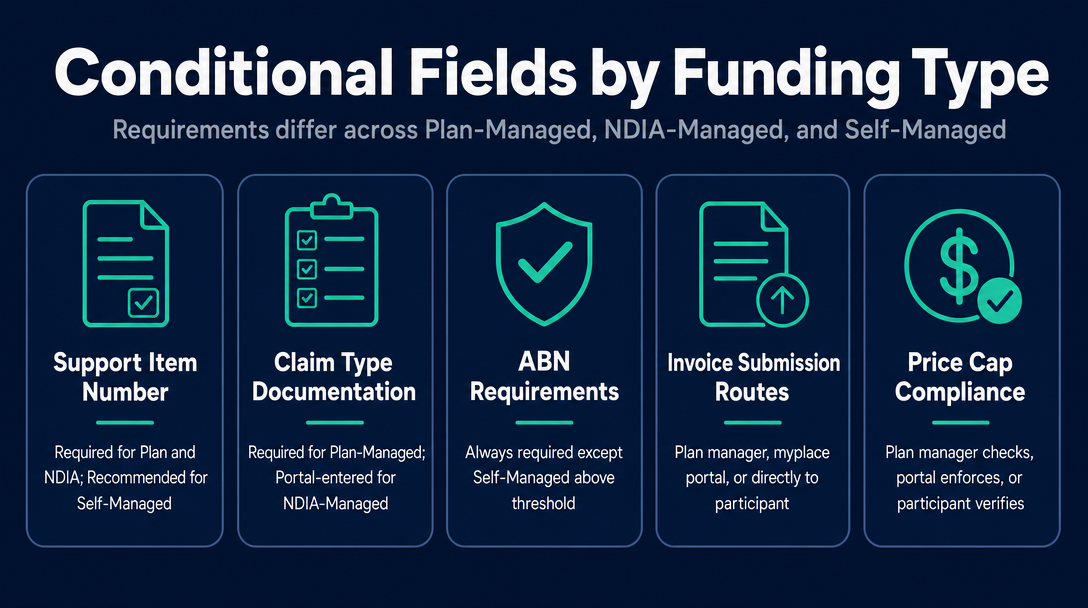
Not every field above applies in identical form across all three funding arrangements. The table below shows where the requirements differ.
| Field | Plan-Managed | NDIA-Managed (Agency) | Self-Managed |
|---|---|---|---|
| Support item number | Required | Required - entered in myplace portal | Recommended; participant may not enforce it |
| Claim type | Required for travel, cancellations, non-face-to-face, report writing | Required - entered in myplace portal; not on a PDF | Not required on the invoice |
| ABN | Required | Required | Required for payments above $82.50 threshold |
| Participant NDIS number | Required | Not on invoice - entered in myplace portal | Strongly recommended for audit |
| Invoice sent to | Plan manager (not the participant) | myplace provider portal - no PDF invoice sent | Participant directly |
| Price cap compliance | Checked by plan manager before payment | Enforced automatically by myplace portal | Participant's responsibility to verify |
Important note for NDIA-managed participants: If your participant is agency-managed (NDIA-managed), you do not send a PDF invoice to anyone. Instead, you make a payment request directly in the myplace provider portal. You enter fields such as the support item number, claim reference, and dates into the portal - the portal entry is the claim. High-volume providers with many NDIA-managed participants can also submit claims via bulk CSV upload through the portal. The invoice document fields in Section 2 above apply to plan-managed and self-managed participants; for agency-managed participants, the portal replaces the invoice entirely.
The Pre-Send Validation Pass - 8 Things to Check Before You Submit
Once the invoice is built, run this second pass before you send it. Think of it as a 60-second check that catches the errors plan managers flag most often.
Does the support item number exist in the current 2026-27 Support Catalogue? Codes are retired each July. An outdated code will be rejected. See our guide to outdated NDIS support item codes.
Is your unit price at or below the price limit for that item, location, and time period? Exceeding the cap means the plan manager cannot approve it. See our NDIS invoice above price guide limit article.
Does your day/time classification match when the support was actually delivered? Evening, weekend, and public holiday codes carry different price limits. Using the wrong classification overstates or understates your claim. See our weekday vs. evening vs. weekend vs. public holiday rates article.
Is the invoice number unique - not a duplicate of any previous invoice? Check your records before sending.
Do the participant name and NDIS number match exactly what the plan manager holds? Read the NDIS number digit by digit. One transposed digit means the payment cannot be processed.
Do the service dates fall within the participant's current plan period? Billing outside the plan period is a common rejection. If you are unsure of the plan end date, ask the plan manager before submitting.
If you provided travel, have you added the correct travel claim type on a separate line? Travel cannot be bundled into the main support line. See our NDIS provider travel invoicing guide.
Have you included your BSB and account number? Without payment details, an otherwise perfect invoice will still delay your payment.
Record-Keeping - What to Keep Alongside the Invoice
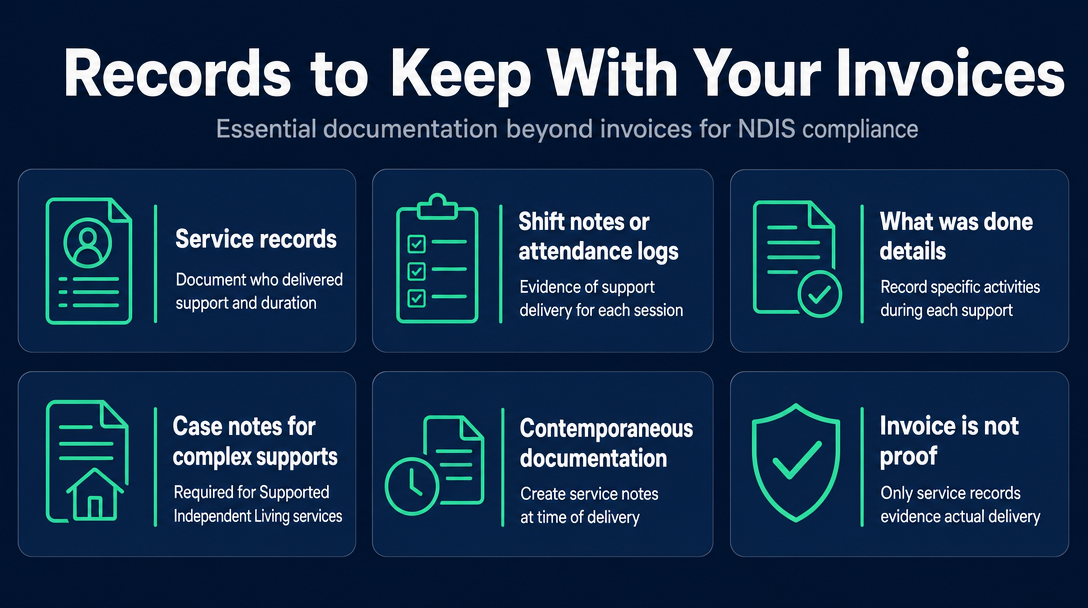
An invoice is a request for payment - it is not evidence that a support was actually delivered. The NDIS states that "you need to give participants an invoice after delivering a support or service", but the invoice sits alongside a separate set of records, not instead of them.
The NDIS Quality and Safeguards Commission requires registered providers to keep records of supports delivered. That means a service record, shift note, or attendance log for each session - something that evidences the support happened, who delivered it, for how long, and what was done. For complex core supports such as Supported Independent Living, additional case notes or progress reports may be required under NDIS guidelines.
If a plan manager or auditor asks for evidence that a service was delivered, the invoice cannot serve as that proof. Only a contemporaneous service record can. Building the habit of creating a service note at the time of each support - and filing it alongside the invoice - protects you if a claim is queried later.
Frequently Asked Questions
Can I use a standard Word or Excel invoice template for NDIS billing?
Yes, but a standard template will almost always be missing at least two NDIS-specific fields: the participant's NDIS number and the support item number. Before using any template, check it against the 18-field checklist above and add any missing fields. A generic template with those gaps will be rejected by most plan managers.
What happens if my invoice is rejected by a plan manager?
The plan manager will notify you of the specific field that is missing or incorrect. You then reissue the invoice - either corrected under the original invoice number or as a new invoice with a new number, depending on the plan manager's preference (it is worth asking upfront what they prefer). Resubmission does not automatically restart the payment clock, so the sooner you reissue, the sooner you are paid.
Is the "claim reference" in the myplace portal the same as my invoice number?
No. For NDIA-managed participants, you do not send a PDF invoice. You enter a Claim Reference - your own reference, up to 50 characters - directly in the myplace provider portal. That portal entry is the claim. For plan-managed and self-managed participants, your invoice number is a field on a document you send to the plan manager or participant - the two systems are separate.
Do I need to break out each service session as a separate line item?
Generally yes. Each distinct service date or support type should appear on its own line. Bundling multiple sessions into a single line without individual dates makes it harder for plan managers to match your claim against the participant's plan usage and increases the chance of a query or rejection.
Can I validate my invoice fields before sending?
Yes. NDIS Invoice is a free, browser-based tool that lets you validate each line item against the current 2026-27 NDIS Pricing Schedule before you send. It checks for outdated support item codes, prices above the current cap, and wrong day/time classifications.
Before you send your next invoice, run it through NDIS Invoice - a free, browser-based tool that validates every line item against the current 2026-27 NDIS Pricing Schedule. It catches outdated support codes, over-cap prices, and wrong day/time classifications in seconds. Check your invoice now at ndisinvoice.com.au.
More articles
- How to Create Your First NDIS Invoice in Under 5 Minutes (Step-by-Step Video Companion)
- NDIS Plan Manager Turnaround Times: How Long Should You Wait to Be Paid After Submitting an Invoice?
- NDIS Invoice Numbering: Do You Need a Sequential System? (And What Happens If You Don't Have One)
- How to Handle a Rejected NDIS Invoice: Diagnosis, Correction, and Resubmission Step by Step
- NDIS Allied Health Invoicing: How Physiotherapy, Speech Therapy, and OT Codes Work in the Price Guide