How NDIS Funding Types Affect Your Invoice Format: A Side-by-Side Comparison for Support Workers
Written by Cory Nathan, founder of NDIS Invoice · Last reviewed
If you are a sole trader support worker in Australia, the funding type your participant uses does not just change who pays you - it changes what document
15 min read
How NDIS Funding Types Affect Your Invoice Format: A Side-by-Side Comparison for Support Workers
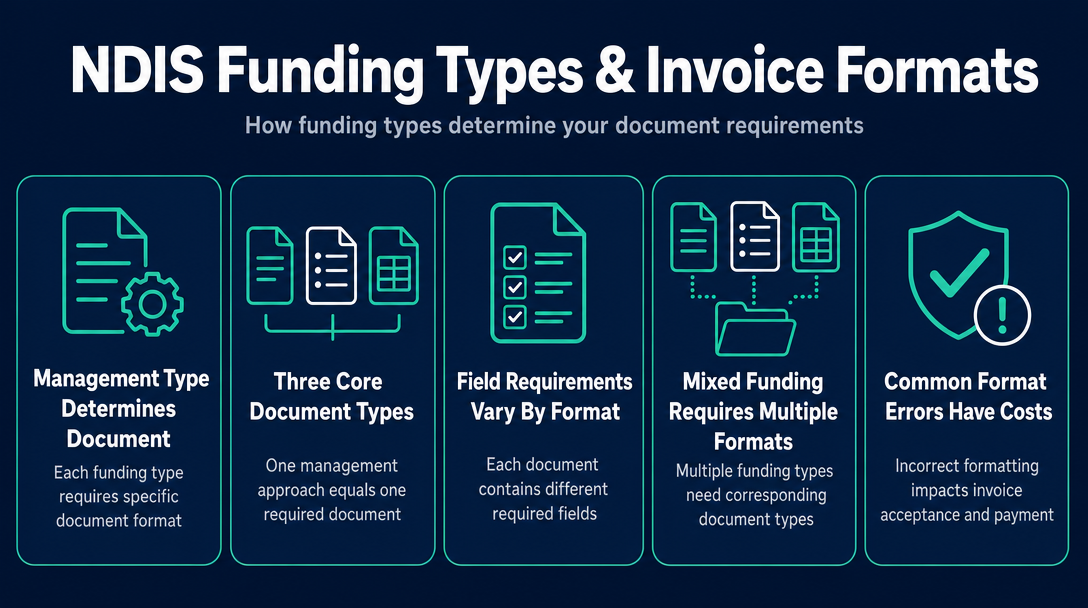
If you are a sole trader support worker in Australia, the funding type your participant uses does not just change who pays you - it changes what document you create, what fields appear on it, and how you submit it. Using the wrong format for the wrong management type is one of the most common reasons invoices are delayed or rejected. This article is a field-by-field reference you can bookmark and come back to every time you start a new invoice.
For the full picture of how plan-managed, agency-managed, and self-managed funding works as a system, see the pillar guide NDIS Plan Management Explained: How Plan-Managed, Agency-Managed, and Self-Managed Funding Changes Your Invoicing. What follows is the document-level detail that guide does not go into.
The Three-Document Rule: One Management Type, One Document Type
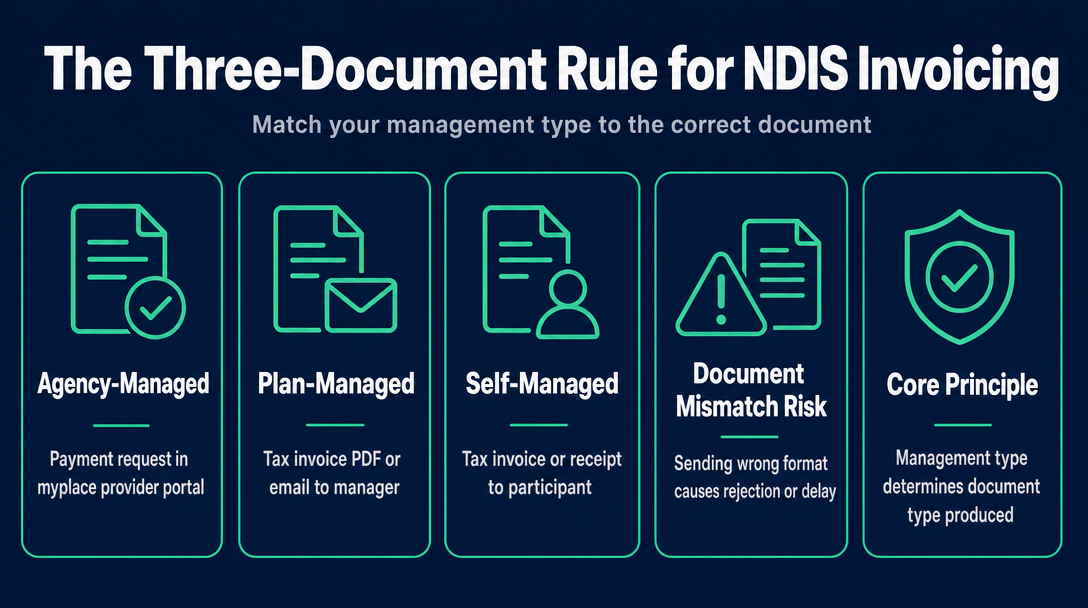
Here is the principle that ties everything together. The management type does not just determine who pays you - it determines which of three distinct document types you produce:
- Agency-managed - a payment request entered into the myplace provider portal (not a PDF document sent to anyone)
- Plan-managed - a tax invoice (PDF or email) addressed to the plan manager
- Self-managed - a tax invoice or provider receipt addressed to the participant
These are not interchangeable. Sending a PDF invoice where a portal entry is required, or addressing a tax invoice to the participant when the plan manager is the payer, creates a document mismatch that guarantees either rejection or delay. This distinction - the Three-Document Rule - is the single most important concept to internalise before you open any invoicing tool.
Why "invoice" is the wrong word for agency-managed
For agency-managed (NDIA-managed) participants, there is no PDF invoice. A registered provider enters claim data directly into the myplace provider portal as structured fields - participant number, support item code, service dates, quantity, price - and submits a payment request. There is no document that goes to the participant or anyone else. For large providers submitting multiple claims at once, a Bulk Payment Request (BPR) CSV upload is available through the portal, but the output is still structured data, not a free-form invoice document.
Unregistered sole traders cannot access this pathway at all - that is a registration question, not a format question. For why unregistered providers are locked out of agency-managed funding, see the previously published article on agency-managed invoicing.
What the myplace portal requires vs. what a plan-managed invoice requires
The myplace portal takes mandatory data as discrete structured fields: NDIS participant number, support item code, service dates, quantity, and price. There is no layout, no letterhead, no "Bill To" section. The plan-managed invoice, by contrast, is a free-form document that must contain all of those same data points plus additional fields specific to the plan manager - their entity name, their ABN, and often a reference number or purchase order number assigned to that participant's supports. Same underlying data; very different document structure.
The Invoice Format Comparison Matrix
This table is the reference point for every section that follows. Each row is a concrete field or element. Each column is a management type.
| Field / Element | Agency-Managed (NDIA) | Plan-Managed | Self-Managed |
|---|---|---|---|
| Document type | Portal payment request (myplace) | Tax invoice (PDF / email) | Tax invoice or provider receipt |
| Addressed to | NDIA (via portal - no named recipient) | Plan manager (named entity) | Participant (named person) |
| Provider ABN required | Yes (portal data entry field) | Yes (on invoice header) | Yes (on invoice header) |
| Provider registration number required | Yes (registered providers only) | No (unregistered providers permitted) | No (unregistered providers permitted) |
| Participant NDIS number required | Yes | Yes | Yes |
| Participant name required | Yes (portal field) | Yes | Yes |
| Support item code required | Yes (portal field - wrong code rejected immediately) | Yes (plan manager checks on receipt) | Yes (best practice; participant may not catch an error, but their own NDIA claim will fail) |
| Service date(s) required | Yes | Yes | Yes |
| Quantity / hours required | Yes | Yes | Yes |
| Unit price (price cap applies) | Yes (cap enforced automatically by portal) | Yes (provider must self-enforce) | Yes (cap applies; participant may not check) |
| GST treatment stated | Yes (GST field in portal) | Yes (GST-free notation required on document) | Yes (GST-free notation required on document) |
| Plan manager reference / PO number | N/A | Often required (varies by plan manager) | N/A |
| Plan manager ABN | N/A | Yes (invoice is addressed to plan manager) | N/A |
| Payment terms stated | N/A (portal-driven) | Yes (typically 7-14 days) | Optional |
| Claim submission route | myplace provider portal | Email / plan manager portal | Email or post to participant |
| Who pays you | NDIA directly | Plan manager | Participant (then participant claims from NDIA) |
| Typical payment timeline | 2-5 business days | 5-14 business days | Variable (participant-dependent) |
| 90-day claim rule applies to provider | Yes (90 days from end of service booking) | No (PM submits the NDIA claim; your obligation ends at a valid invoice) | No (participant submits the claim) |
| Unregistered sole trader can use | No | Yes | Yes |
The table above shows the baseline requirements. Individual plan managers routinely add their own requirements on top of these. The section below covers the fields where format differences create real errors.
Field-by-Field: What Each Document Must Actually Contain
Provider ABN - same on all three, but positioned differently
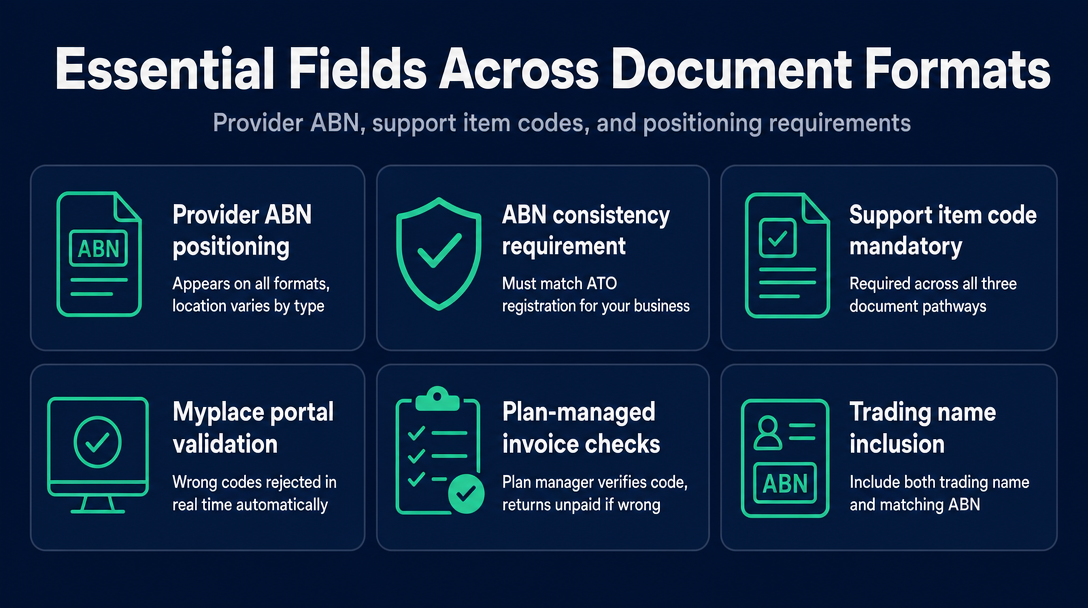
Your ABN as a sole trader appears on every format, but where it sits differs. On the myplace portal, it is a data entry field. On a plan-managed or self-managed invoice, it must appear in the document header alongside your trading name. If you operate under a trading name, include both the trading name and the ABN - the ABN must match the one registered with the ATO for your business. The ATO's ABN registration guidance covers sole trader specifics if you need to confirm your registration type.
Support item code - where format differences create real errors
The support item code is mandatory across all three pathways, but the consequences of a wrong code differ by management type. On the myplace portal, a wrong code is rejected in real time before any claim processes. On a plan-managed invoice, the plan manager checks it and returns the invoice unpaid - resetting your payment clock entirely. On a self-managed invoice, the participant may not notice the error, but when they submit their own claim to NDIA, the mismatched code causes that claim to fail.
Support item codes follow a structured format. Using 01_011_0107_1_1 as an example:
01- support category (Assistance with Daily Life)011- support purpose identifier0107- registration group1- support type1- claim type
Codes change when the NDIS Pricing Schedule is updated - the 2026-27 schedule took effect 1 July 2026. Always verify your codes against the current NDIS Pricing Arrangements before sending any invoice.
GST treatment - GST-free notation is required on every invoice document
NDIS supports are GST-free under section 38-38 of the A New Tax System (Goods and Services Tax) Act 1999. On the myplace portal, GST is handled as a structured data field. On a plan-managed or self-managed invoice, you must include an explicit GST-free notation on the document itself. A line such as:
GST: $0.00 - GST-free supply under s38-38 GST Act 1999
is standard. Omitting this notation is one of the most common reasons a plan manager's accounts payable team queues an invoice rather than processing it immediately, and it creates a potential ATO compliance question for your records. None of the popular generic invoice templates include this notation automatically - an NDIS-specific tool does.
The plan manager reference number - the field most commonly missing
Many plan managers assign their own internal reference number or purchase order number to a participant's funded supports. This reference number is how the plan manager's system matches your invoice to the participant's budget allocation. If the number is missing, your invoice sits in a manual matching queue rather than processing automatically - and your 5-14 business day payment window does not start until the invoice clears that queue.
This is not a universal NDIS requirement. It is a plan-manager-specific field that varies by organisation. The practical rule: before you deliver your first session with any plan-managed participant, contact the plan manager directly and ask:
- What name and entity should the invoice be addressed to?
- What is your invoicing email address?
- Do you require a reference number or purchase order number, and if so, where do you get it?
Asking these questions once saves you from delayed payment on every invoice you send that participant.
When One Participant Uses More Than One Format (Mixed Management)
A participant's plan can have different management types for different support categories. For example, a participant's Core Supports might be plan-managed while their Capacity Building is self-managed. As the provider, you need to create two completely separate invoice documents: a tax invoice addressed to the plan manager for the Core Supports, and a separate tax invoice addressed to the participant for the Capacity Building.
Combining both categories on a single invoice and sending it to the plan manager will result in the self-managed line items being returned - plan managers can only process and submit claims for the supports within their managed categories. The participant is then left to reconcile what was and was not paid, which creates unnecessary confusion and delays.
How to identify which management type applies to each support line item
The clearest source is the participant's service agreement or their LAC (Local Area Coordinator) letter, which should specify how each funded support category is managed. When that information is not clear, ask the participant directly - or ask the plan manager if plan management is involved. Do not assume that all supports for a given participant are managed the same way.
Producing separate invoices per management type
Create a separate invoice document for each management type and give each a unique invoice number. A simple naming convention helps both you and the plan manager keep records straight - for example, INV-2026-047-PM for the plan-managed document and INV-2026-047-SM for the self-managed one. NDIS Invoice is built to handle this at the document level, letting you generate separate compliant documents for each management type without manual reformatting.
The Most Common Format Errors - and What Each One Costs You
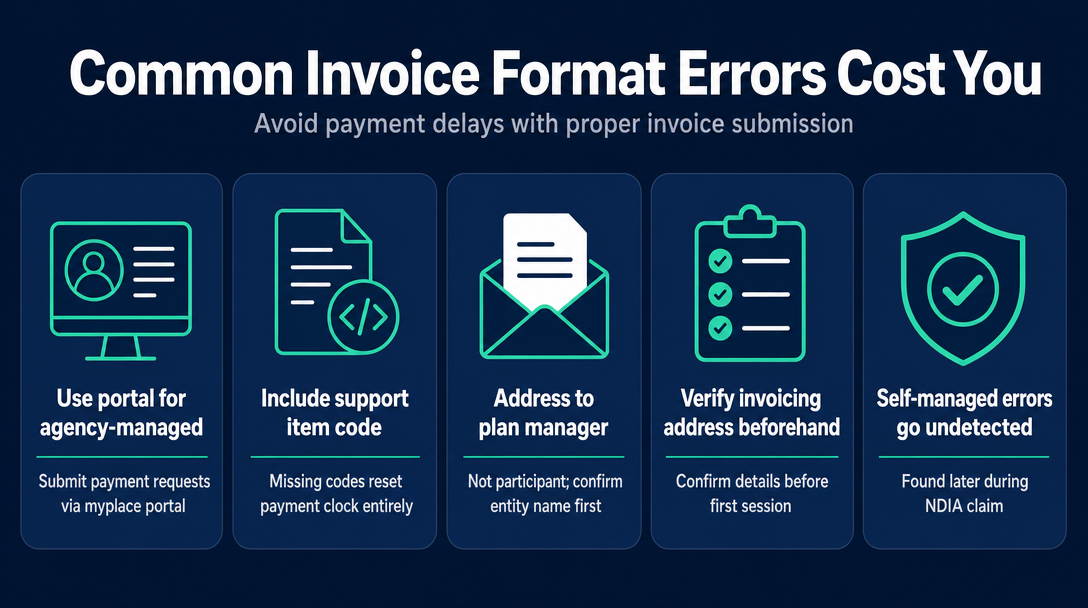
1. Sending a PDF invoice to an agency-managed participant (agency-managed) There is no PDF invoice in the agency-managed pathway. A registered provider submits a payment request through the myplace portal. If you are preparing to send a document to an agency-managed participant, stop - if you are unregistered, you cannot work with this participant in this funding category at all. This is a registration problem before it is a format problem.
2. Omitting the support item code (plan-managed, primarily) Plan managers flag missing support item codes and return the invoice. Because payment terms of 5-14 business days begin from receipt of a valid invoice, an incomplete invoice resets the payment clock entirely. The same error on a self-managed invoice passes undetected until the participant's own NDIA claim fails.
3. Addressing the plan-managed invoice to the participant (plan-managed) The participant may forward it, but payment is delayed and the paper trail is unclear. Always confirm the plan manager's entity name and invoicing address before your first session.
4. Using a support item code from last year's Pricing Schedule (all types) Codes are reviewed annually and the 2026-27 NDIS Pricing Schedule took effect 1 July 2026. A code valid in 2025-26 may be invalid or renumbered now. Verify codes against the current NDIS Pricing Arrangements before every invoice run, not just at the start of the financial year.
5. Combining plan-managed and self-managed line items on one invoice (mixed management) As covered above - the plan manager cannot process self-managed lines. They are either returned or simply left unpaid without explanation. Always create separate documents.
6. Not stating GST-free treatment (plan-managed and self-managed) Generic invoice templates designed for non-NDIS use do not include s38-38 notation. Plan managers' accounts payable teams routinely queue invoices that lack this notation for manual review. The fix is to use a template - or a tool - built specifically for NDIS invoicing.
7. Missing the 90-day claim window (agency-managed only) The NDIS Guide to Getting Paid states that registered providers must submit a payment request through the myplace portal within 90 days from the end of the service booking. This is an agency-managed-specific rule. When you invoice a plan manager, the plan manager is responsible for submitting the claim to NDIA within their own timeframes. Your obligation as the provider is to send a valid invoice promptly - the 90-day deadline rests with the plan manager, not with you.
Quick Reference - Which Document Format Do I Use?
Before you open any invoicing tool, work through this in order:
- Ask the participant how this specific support is funded - plan-managed, self-managed, or agency-managed. If they are unsure, ask their plan manager or LAC.
- If agency-managed: Are you a registered NDIS provider? If yes, log into the myplace portal and submit a payment request - no PDF document. If no, you cannot provide this support under this funding category.
- If plan-managed: Get the plan manager's entity name, ABN, invoicing email, and any reference number they require. Create a tax invoice addressed to the plan manager with all mandatory fields including your ABN, support item code, service dates, quantity, price, and GST-free notation.
- If self-managed: Create a tax invoice or receipt addressed to the participant. Include your ABN, support item code, service dates, quantity, rate, GST-free notation, and total. The participant pays you and then claims reimbursement from NDIA using your invoice as the supporting document.
- If mixed management: Create separate documents for each management type. Never combine on one invoice.
Frequently Asked Questions
Can I use the same invoice template for plan-managed and self-managed participants?
Almost - but the "Addressed to" field differs (plan manager entity vs. participant name), and plan-managed invoices often need a plan manager reference number that is irrelevant for self-managed participants. A template with a plan manager reference field that you leave blank for self-managed works fine. A template that hard-codes the participant in the "Bill To" field needs to be updated for plan-managed use.
Do I need a different ABN for plan-managed vs. self-managed invoicing?
No. Your ABN as a sole trader is the same regardless of management type. It must match the ABN registered with the ATO for your business and should appear in the header of every invoice document you produce.
Why did my plan manager reject an invoice that had the right support item code?
The most common reasons are a missing plan manager reference number, an incorrect plan manager entity name in the "Bill To" field, or a price that exceeds the current rate cap. Some plan managers also reject invoices that do not correspond to a signed service agreement. Confirm the plan manager's specific invoicing requirements before sending your first invoice to each participant.
Does the 90-day claim rule apply when I invoice a plan manager?
The NDIS Guide to Getting Paid applies the 90-day claim window to payment requests submitted through the myplace portal - that is, the agency-managed pathway for registered providers. When you invoice a plan manager, the plan manager is the entity responsible for submitting the claim to NDIA. Your obligation as the provider ends at delivering a valid invoice promptly. The claim deadline rests with the plan manager, not with you.
Can my NDIS invoice be handwritten?
NDIS legislation does not explicitly prohibit handwritten invoices, but plan managers routinely reject them because they require machine-readable data - support item codes, dates, amounts - to enter efficiently into their systems. Self-managed participants may accept them, but a structured, typed invoice is best practice for every management type and creates a cleaner audit trail for your own records.
Build the Right Invoice Format the First Time - Free, in Your Browser
NDIS Invoice is a free, browser-based tool built specifically for Australian sole-trader support workers. It generates a correctly structured tax invoice for plan-managed and self-managed participants, validates every support item code against the current NDIS Pricing Schedule 2026-27, and applies GST-free treatment under s38-38 automatically - so the notation is on every document without you having to remember to add it.
Create a compliant NDIS invoice now at ndisinvoice.com.au
More articles
- How to Create Your First NDIS Invoice in Under 5 Minutes (Step-by-Step Video Companion)
- NDIS Plan Manager Turnaround Times: How Long Should You Wait to Be Paid After Submitting an Invoice?
- NDIS Invoice Numbering: Do You Need a Sequential System? (And What Happens If You Don't Have One)
- How to Handle a Rejected NDIS Invoice: Diagnosis, Correction, and Resubmission Step by Step
- NDIS Allied Health Invoicing: How Physiotherapy, Speech Therapy, and OT Codes Work in the Price Guide