How to Handle a Rejected NDIS Invoice: Diagnosis, Correction, and Resubmission Step by Step
Written by Cory Nathan, founder of NDIS Invoice · Last reviewed
Getting a rejection notification is frustrating - but it is fixable. The process follows three phases: Diagnose (find the exact error before touching
11 min read
How to Handle a Rejected NDIS Invoice: Diagnosis, Correction, and Resubmission Step by Step
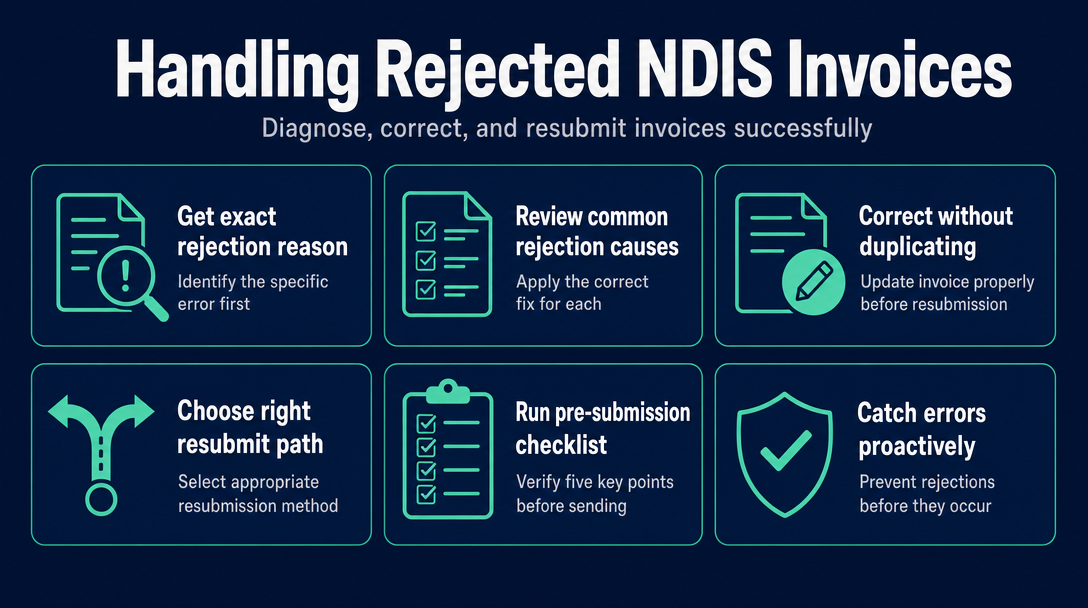
Getting a rejection notification is frustrating - but it is fixable. The process follows three phases: Diagnose (find the exact error before touching anything), Correct (fix only what caused the rejection and issue a new invoice number), and Resubmit (use the right path for the participant's funding management type). This guide walks through each phase step by step, including the mechanics competitors skip - like how to number a corrected invoice and why you do not issue a credit note for a rejected one.
Step 1 - Get the Exact Rejection Reason Before You Touch Anything
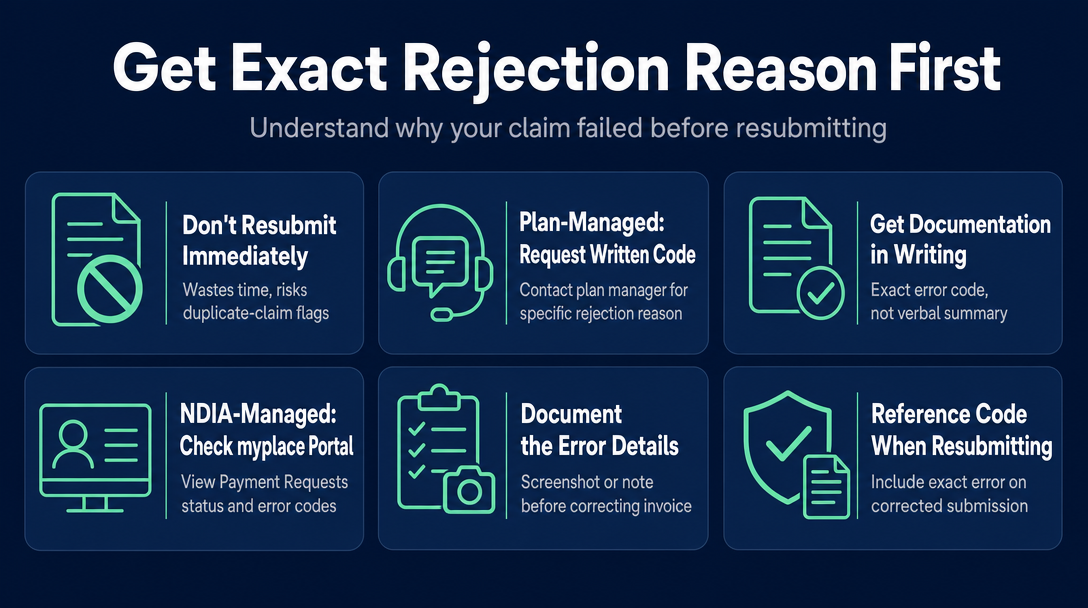
Do not edit or resend anything until you know precisely what failed. Resubmitting the same flawed invoice wastes time, risks a duplicate-claim flag, and in a plan-managed context can prompt additional compliance scrutiny.
Where you find the rejection reason depends on the participant's funding type:
Plan-managed: Ask the plan manager for the written rejection code
The plan manager receives the rejection notification from the NDIA. Contact them directly and ask for the specific reason in writing - not a verbal summary, but the exact error or code. You need this in writing so you can correct the right field and reference it on the corrected invoice.
NDIA-managed: Find the error in the myplace provider portal
Log in to the myplace provider portal, navigate to Payment Requests, and check the status column. Rejected payment requests display a rejection reason or error code alongside the status. Screenshot or note this before proceeding. The NDIA's own troubleshooting guide for claims and payments is the authoritative first step and covers the most common portal-specific codes.
For self-managed participants, the invoice goes directly to the participant - the participant submits a reimbursement claim in their own portal. If the invoice is rejected at that stage, the participant will need to advise you of the reason; your correction process is the same once you have it.
The 8 Most Common NDIS Invoice Rejection Causes - and the Exact Fix for Each
Once you have the rejection reason, match it to the table below. Correct only the identified field - do not change unrelated dates, amounts, or descriptions.
| # | Cause | Why it is rejected | How to fix it |
|---|---|---|---|
| 1 | Wrong support item number | The code does not exist in the current NDIS Support Catalogue, or it was valid in a prior financial year but has since been retired or replaced. | Download the current NDIS Support Catalogue from ndis.gov.au and cross-check your code. Never rely on a saved copy from a prior year - codes change at the start of each financial year and sometimes mid-year. |
| 2 | Rate above the price cap | The hourly or unit rate exceeds the maximum set in the NDIS Pricing Arrangements and Price Limits for that support item, state, day type, and time of day. The current document is the NDIS Pricing Schedule 2026-27 (v1.1), in force from 1 July 2026. | Open the current Pricing Arrangements and Price Limits, find the exact price limit for the item, and adjust your rate down to the cap or below. |
| 3 | Wrong claim type | The claim type field does not match how the service was delivered. The four valid types are Standard service (STAN), short-notice cancellation (CANC), non-face-to-face support (NF2F), and provider travel (TRAN). A common error is billing STAN when the participant cancelled with less than the required notice and CANC is the correct type. | Identify how the service was actually delivered and reissue with the matching claim type. CANC applies when a participant cancels with less than the agreed notice period; NF2F covers phone and video supports; TRAN covers provider travel time where eligible. |
| 4 | Participant details mismatch | The NDIS number, participant name, or date of birth on the invoice does not match NDIA records. Even a single transposed digit in the NDIS number causes a rejection. | Verify the participant's NDIS number directly with the participant or their plan manager - do not retype it from memory. Cross-check against your signed service agreement. |
| 5 | Service date outside plan dates | The date of service falls before the participant's plan start date or after the plan end date. Services delivered in the gap between a plan expiring and a new plan being approved cannot be claimed under either plan. | Confirm the current plan start and end dates with the participant or plan manager before resubmitting. If the service date genuinely falls outside an active plan period, discuss the situation with the plan manager. |
| 6 | Duplicate invoice or claim | The same invoice number has already been submitted, or a claim for the same support on the same date already exists in the portal. | Issue a new invoice with a new, unique invoice number (see Step 2 below). Never reuse an invoice number - even across different participants. |
| 7 | Insufficient funds or no service booking | For NDIA-managed claims, a service booking must exist and have sufficient funds in the relevant support category before a payment request can be processed. | Contact the plan manager (or the participant, for self-managed) to confirm available funds. For NDIA-managed participants, confirm the service booking is in place before resubmitting. |
| 8 | Missing required fields | Common omissions include ABN, invoice number, support description, or unclear GST treatment. Most NDIS supports are GST-free - if you are unsure how to classify GST on your invoice, check the ATO's guidance at ato.gov.au before resubmitting. | Add every mandatory field. Use the pre-submission checklist in Step 3 of this guide before you send. |
For a broader overview of how these errors arise in the first place, the cornerstone article "Why NDIS Invoices Get Rejected: The 7 Most Common Errors (and How to Check Yours Before Sending)" covers the prevention side in depth.
Step 2 - How to Correct the Invoice Without Creating a Duplicate
This is the step most guides skip. They say "fix the error and resubmit" without explaining how to handle the actual document - and that gap is where a second rejection often comes from.
New invoice number - a naming convention that keeps your records clean
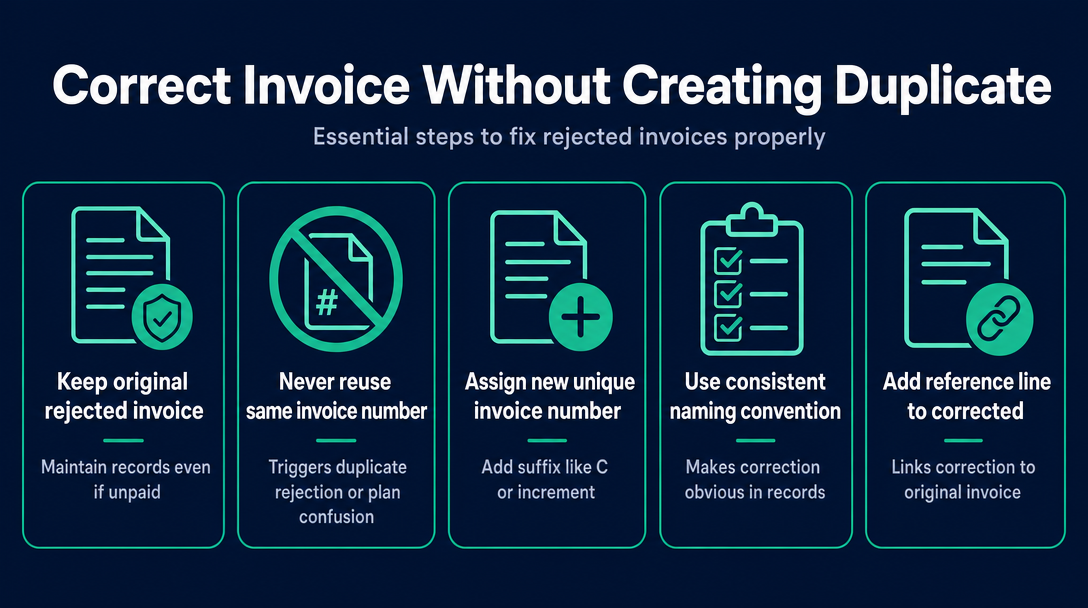
The single most important rule: do not edit the original invoice file and save it with the same invoice number. Reusing the number will either trigger a duplicate-claim rejection in the portal or create confusion in the plan manager's records.
The correct process:
- Keep the original rejected invoice on file. Even though it was rejected and never paid, your record-keeping obligation still applies - refer to the guide on NDIS record-keeping for sole traders for details on retention requirements.
- Assign a new, unique invoice number. If the original was INV-045, the corrected version becomes INV-045C or INV-046. Choose a convention and apply it consistently - the "C" suffix approach makes it immediately obvious which invoice is a correction.
- Add a reference line to the corrected invoice. Include a line such as: "Correction of invoice INV-045, rejected [date]. Reason for correction: [specific error corrected]." This protects you if the plan manager or NDIA ever queries two invoice numbers for the same service.
- Fix only the field that caused the rejection. Do not change dates, amounts, or descriptions that were not part of the rejection reason - unexplained changes to unrejected fields can raise unnecessary questions.
- Do not issue a credit note. Credit notes apply to accepted invoices that need to be reversed - for example, if you were overpaid and need to return funds. A rejected invoice was never paid, so there is nothing to credit. Issuing a credit note for a rejected invoice creates a false paper trail.
Is resubmitting a corrected invoice fraudulent? (Short answer: no)
Correcting an administrative error - wrong code, wrong rate, wrong claim type - and resubmitting is standard practice. It is not fraud. Fraud involves claiming for services that were not delivered, or deliberately misrepresenting what was provided. An honest correction of a coding or pricing error, backed by a valid service agreement and delivery records, is entirely legitimate. If you have any doubt about the specific circumstances, contact the plan manager or the NDIA directly before resubmitting - but an administrative correction does not require a fraud disclaimer.
Step 3 - Choosing the Right Resubmit Path
Competitors treat resubmission as a single universal action. It is not - the person who presses "submit" and the system they use depend on how the participant's funding is managed.
Plan-managed: Send the corrected invoice to the plan manager, not to the NDIA directly. Reply to the plan manager's rejection notification with the corrected invoice attached, and ask them to confirm receipt and their expected processing timeframe. The plan manager submits the claim to NDIA on your behalf.
Self-managed: Send the corrected invoice directly to the participant (or their nominee). The participant uses their myplace portal to lodge a reimbursement claim using the corrected invoice. Your role ends at delivery of the invoice; the participant handles the portal submission.
NDIA-managed (registered providers only): Log into the myplace provider portal and create a new payment request - do not attempt to edit the existing rejected one. Enter all corrected details in the new request. Note that unregistered providers cannot submit payment requests for NDIA-managed participants at all - see the agency-managed NDIS invoicing guide for detail on registered versus unregistered provider rules.
Bulk upload note: Registered providers who submit claims via the PACE system using bulk CSV upload should resubmit the corrected line item in a new batch file. Do not correct and re-upload the same file - this can cause duplicate-processing errors.
Before You Hit Send Again - the 5-Point Pre-Submission Checklist
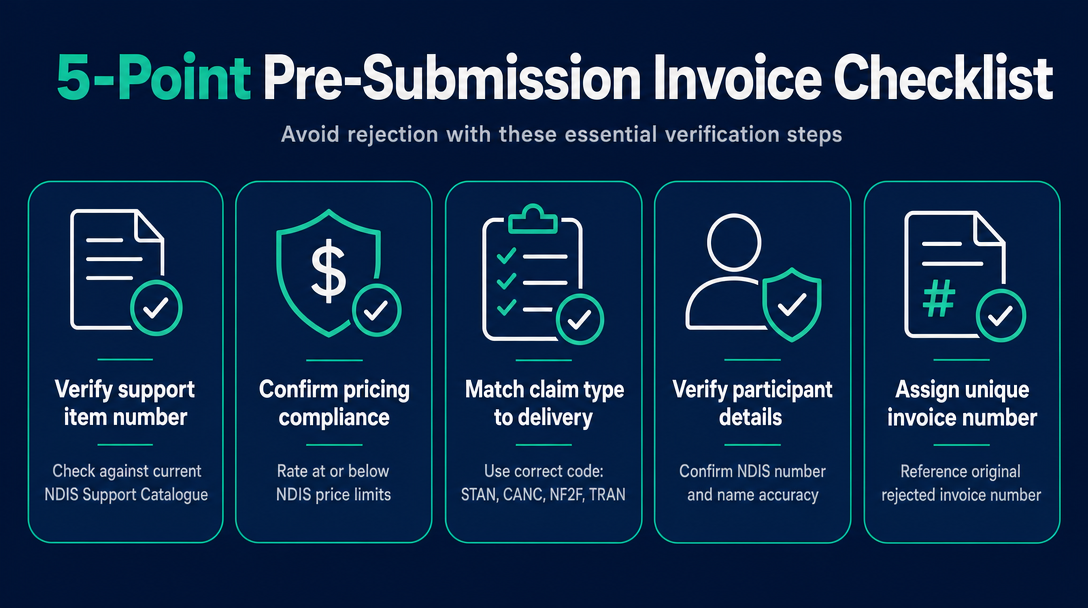
Run every corrected invoice through these five checks before sending. A second rejection is avoidable.
- Support item number verified against the current NDIS Support Catalogue, downloaded from ndis.gov.au within the past 30 days. The catalogue updates regularly - do not rely on a saved copy.
- Rate at or below the price limit in the current NDIS Pricing Arrangements and Price Limits, checked for the correct state, day type, and time of day.
- Claim type matches how the service was delivered - STAN for standard direct support, CANC for short-notice cancellation, NF2F for non-face-to-face, TRAN for provider travel.
- Participant NDIS number and name confirmed - verified against the service agreement, not typed from memory.
- New, unique invoice number assigned - with a reference back to the original rejected invoice number in the document body.
Running all five checks manually across multiple participants and support types is time-consuming. A validation tool that checks item codes and rates against the current Support Catalogue automatically - before you send - eliminates causes 1 and 2 before they become a rejection. That is exactly what NDIS Invoice does: every line item is validated in your browser.
Frequently Asked Questions About Rejected NDIS Invoices
How long do I have to resubmit a rejected NDIS invoice?
For NDIA-managed participants, the NDIS payment guide states that payment requests must be submitted within 90 days from the end of a service booking. For plan-managed and self-managed participants, there is no hard statutory resubmission deadline, but delaying correction risks the participant's plan year expiring before the claim is processed - act promptly.
Do I need a new invoice number when I resubmit a corrected invoice?
Yes, always. Assign a new, unique invoice number to the corrected version and include a reference line on the document pointing back to the original rejected invoice number. Reusing the same number risks a duplicate-claim rejection and creates confusion in the plan manager's records.
What is the difference between a rejected invoice and a payment on hold?
A rejected invoice has been assessed and declined - you need to correct it and resubmit. A payment on hold means the NDIA has received the claim but needs additional information before processing. Do not resubmit a claim that is on hold; wait for the NDIA or plan manager to tell you what they need.
Can I just send the same invoice again after fixing the error?
No - not with the same invoice number. The corrected version needs a new invoice number and a reference to the original. Sending an identical document or reusing the same invoice number will likely be flagged as a duplicate.
Will resubmitting a corrected invoice be treated as fraud?
No. Correcting an administrative error such as a wrong support code, a rate above the cap, or an incorrect claim type - and resubmitting - is standard invoicing practice. Fraud involves deliberately claiming for services not delivered or intentionally misrepresenting a service. An honest administrative correction is not fraud.
Catch These Errors Before They Become a Rejection
The most common rejection causes - wrong item code, rate above the cap, outdated support number, wrong claim type - can be spotted before you send. NDIS Invoice validates every line item against the current NDIS Support Catalogue and Pricing Arrangements automatically, directly in your browser. Validate your next invoice for free at ndisinvoice.com.au.
More articles
- How to Create Your First NDIS Invoice in Under 5 Minutes (Step-by-Step Video Companion)
- NDIS Plan Manager Turnaround Times: How Long Should You Wait to Be Paid After Submitting an Invoice?
- NDIS Invoice Numbering: Do You Need a Sequential System? (And What Happens If You Don't Have One)
- NDIS Allied Health Invoicing: How Physiotherapy, Speech Therapy, and OT Codes Work in the Price Guide
- NDIS Respite (Short-Term Accommodation) Invoicing: Codes, Rates, and Common Errors