How to Invoice a Plan-Managed NDIS Participant: Who Gets the Invoice and What It Must Include
Written by Cory Nathan, founder of NDIS Invoice · Last reviewed
The most common first-invoice mistake for sole-trader support workers is what you might call "The Plan-Manager Gap" - sending the invoice to the wrong
12 min read
How to Invoice a Plan-Managed NDIS Participant: Who Gets the Invoice and What It Must Include
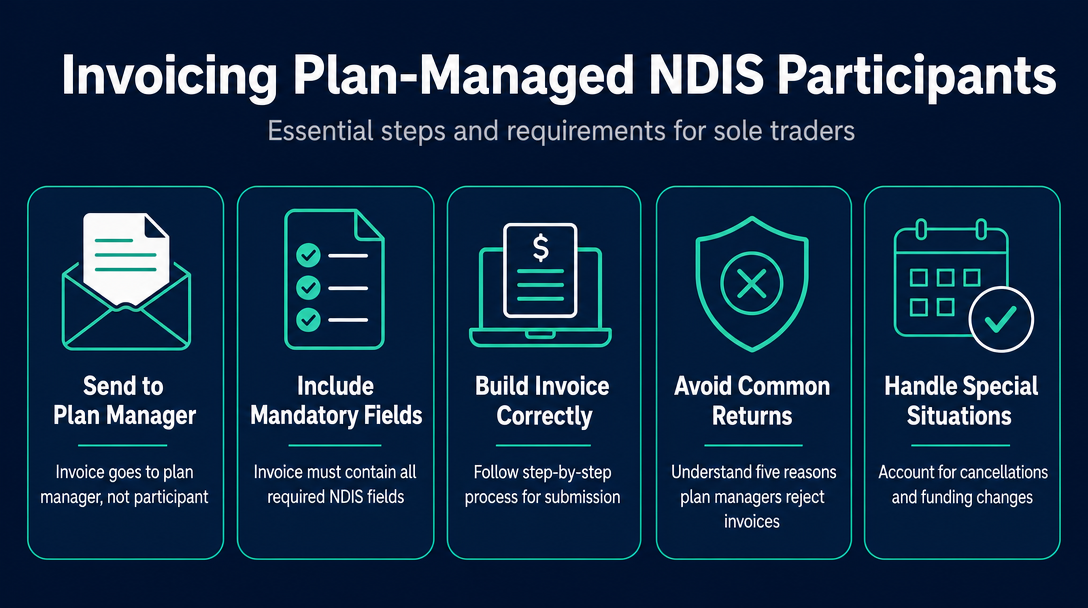
The most common first-invoice mistake for sole-trader support workers is what you might call "The Plan-Manager Gap" - sending the invoice to the wrong place. For plan-managed participants, your invoice goes to the plan manager, not to the NDIA's myplace portal, and not to the participant themselves. Get that one thing right, and the rest of this guide shows you exactly how to build an invoice the plan manager can process without sending it back.
Plan-Managed Invoicing Is Different - Here's Why It Matters for Sole Traders
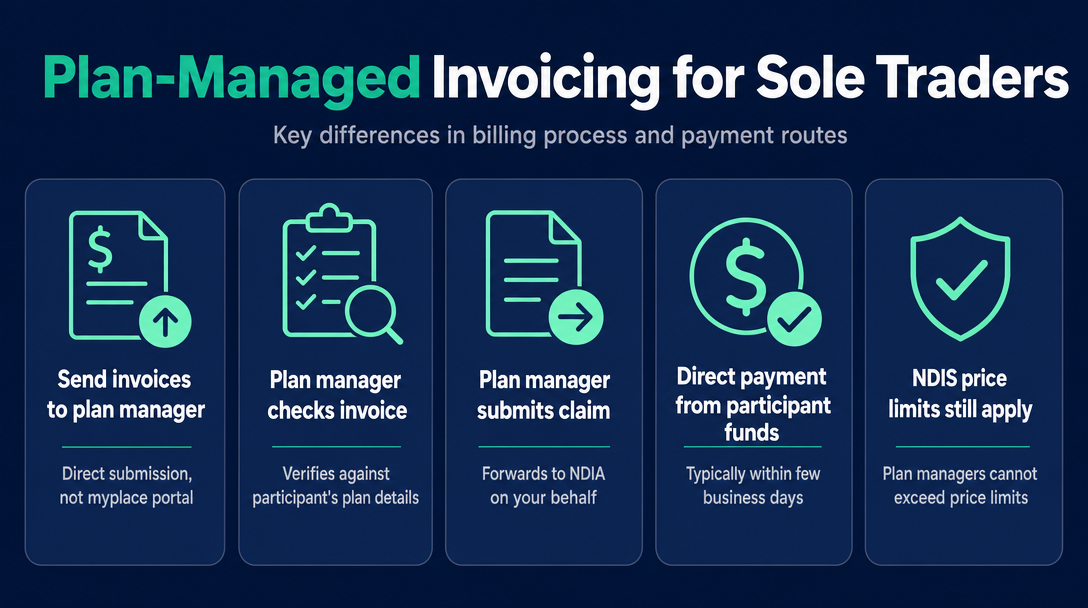
When a participant's NDIS plan is plan-managed, a registered plan management provider handles their budget on their behalf. That plan manager receives your invoice, checks it against the participant's plan, and submits the claim to the NDIA. You never touch the myplace provider portal for plan-managed participants - that portal is for NDIA-managed (agency-managed) billing only.
The plan manager then pays you directly from the participant's funds, typically within a few business days of receiving a valid invoice. As the NDIS guide to getting paid states: "You need to send invoices directly to a participant's plan manager if they have a plan manager helping them."
The NDIS Pricing Arrangements and Price Limits (PAPL) still apply in full. Per official NDIS guidance: "As registered providers, plan managers cannot pay invoices where the price is more than the NDIS price limit. This rule applies regardless of whether the participant purchases the support from a registered or an unregistered provider." There is no workaround.
This article is about plan-managed billing only. Self-managed participants pay you directly - a different process entirely.
Do I need to be NDIS registered to invoice a plan manager?
No. Unregistered sole traders can invoice plan-managed participants. NDIS registration is only required to claim via the myplace portal for NDIA-managed participants. For plan-managed participants, you need a valid ABN - not a registration number. If you are unregistered, simply state "unregistered provider" where a registration number field appears.
The Mandatory Invoice Fields for a Plan-Managed Participant
Every field below is required. A missing or wrong entry is the most common reason plan managers return invoices. The NDIS record-keeping requirements and guide to getting paid set the baseline.
| Field | Why it matters - and what happens if it's missing |
|---|---|
| Your ABN | Mandatory. Plan managers cannot legally process a claim without it. If you don't yet have one, attach an ATO Statement by Supplier - but almost every operating sole trader will have an ABN. |
| Your business or trading name | Must match your ABN registration exactly. Mismatches cause plan manager system errors. |
| Unique invoice number | Never duplicate across participants or billing periods. Duplicate numbers trigger automatic rejection. |
| Invoice date | The date you created the invoice, not the service date. |
| Participant's full legal name | Must match their NDIS records. A preferred name or nickname will cause a mismatch - even "Matt" instead of "Matthew" can delay processing. |
| Participant's NDIS number | The 9-digit number that links your invoice to the correct plan and budget. One transposed digit means the plan manager cannot match it. |
| Service date(s) | List each date separately. Do not group a week of shifts into one line. |
| Support item reference number | The NDIS Support Catalogue code for the specific support delivered (for example, a code like 01_011_0107_1_1 for Daily Activities assistance). Look these up at the NDIS pricing arrangements page. |
| Support item description | The plain-English description that matches the code - copy it from the Support Catalogue. |
| Unit rate | Must not exceed the current price cap for that support item in the PAPL. |
| Quantity / hours | The number of units delivered (hours, visits, etc.) for each line. |
| Line item total | Rate multiplied by quantity, calculated correctly. |
| GST status | Write "GST-free supply" - see the H3 below for why the wording matters. |
| Your BSB and account number | Frequently overlooked by sole traders. Without it, the plan manager has no way to pay you electronically. |
| Your contact details | A phone number or email so the plan manager can query an item without rejecting the whole invoice. |
GST on NDIS invoices: why almost all are GST-free (and what to write)
Most NDIS supports are GST-free under the A New Tax System (Goods and Services Tax) Act 1999, provided the service is: supplied to an NDIS participant, reasonable and necessary under their plan, and covered by a written agreement. Write "GST-free supply" on the invoice - not "$0 GST", not "N/A". The specific phrase signals to the plan manager that you have applied the exemption correctly.
If you are GST-registered and the specific supply is taxable (rare, but possible for some non-support services), mark it "Tax Invoice" and show GST as a separate line item. When in doubt, check with the ATO or your accountant.
Step-by-Step - How to Build and Submit the Invoice
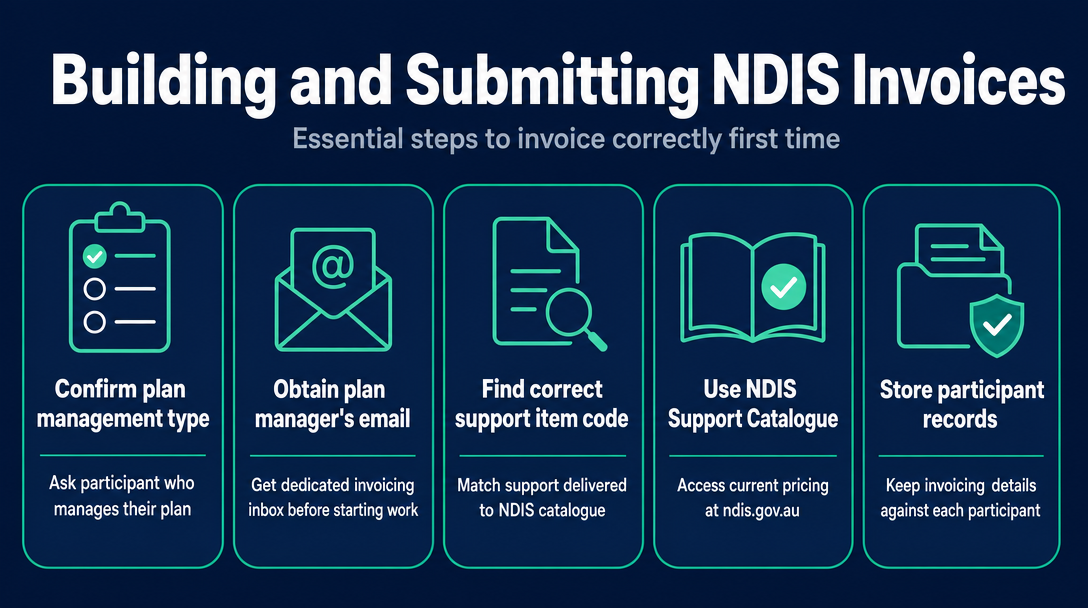
Confirm the participant's plan management type. Ask directly: "Who manages your NDIS plan?" before you deliver your first support. Plan-managed means you invoice the plan manager. NDIA-managed means you use the myplace portal. Self-managed means you invoice the participant. Assuming the wrong type costs you weeks.
Get the plan manager's invoicing email address. Every plan management organisation has a dedicated invoicing inbox - distinct from their general contact address. Collect this before you start work. Store it against that participant in your records.
Find the correct NDIS support item code. Open the current NDIS Support Catalogue at ndis.gov.au/providers/pricing-and-payments/pricing/pricing-arrangements and match the support you delivered to the correct line item reference. This is the most error-prone step for new sole traders. The free NDISInvoice.com.au price-guide validator cross-checks your code against the current pricing schedule in real time and flags outdated codes or wrong day/time classifications before you generate the invoice.
Check the rate against the current price cap. Even a verbal agreement with the participant to pay a higher rate is overridden by the PAPL. The plan manager is legally prohibited from paying above the cap - so check the limit for your support item and financial year before you set a number.
Build the invoice with every mandatory field from the table above. An invoice that is missing even one required field will be returned.
Assign a unique, sequential invoice number. Keep a simple running log - a spreadsheet with one row per invoice is enough. Never reuse a number, even across different participants.
Email the invoice as a PDF to the plan manager's invoicing inbox. In the subject line, include the participant's name and NDIS number (for example: "Invoice - Jane Smith - NDIS 430 123 456"). Some plan managers also accept submission through their own online portal - confirm which method they prefer.
Save a copy. Keep the sent invoice and the email confirmation together. For guidance on how long to retain these records, see our article on NDIS record-keeping for sole traders.
What to ask a plan manager before you invoice them for the first time
Three questions save significant back-and-forth later:
- Q1: What is your invoicing email address or submission portal?
- Q2: Do you require any fields beyond the NDIS standard - for example, a purchase order number or cost centre code?
- Q3: What is your usual payment timeframe after receiving a valid invoice?
Five Reasons Plan Managers Return Invoices (and How to Avoid Each)
Invoice sent to the wrong recipient. The participant's inbox or the NDIA myplace portal - neither is correct for plan-managed participants. Fix: plan-managed always means the plan manager. Save their invoicing address the day you confirm the management type.
Missing or incorrect NDIS number. A transposed digit means the plan manager cannot link your invoice to any plan. Fix: ask the participant to confirm their 9-digit NDIS number in writing before your first session, and cross-check it on every invoice.
Support item code doesn't match the service delivered. Using a weekday standard rate code for a Saturday support, or using a code from a prior pricing year that has since been updated, both trigger rejection. Fix: verify the code against the current Support Catalogue every time - pricing schedules update annually, and occasionally mid-year.
Rate above the NDIS price limit. Plan managers cannot pay above the cap, regardless of any private arrangement. Fix: always check the current NDIS Pricing Arrangements and Price Limits for your support item before setting your rate.
Duplicate invoice number. Reusing a previous number - even from a different participant - causes the plan manager's system to flag it as already processed. Fix: maintain a sequential invoice log and never reuse a number under any circumstances.
A returned invoice is not a penalty, but restarting the process adds at minimum several business days to your payment cycle. Getting it right the first time is simply the fastest way to be paid.
Special Cases - Cancellations, Mixed Funding, and Plan Manager Changes
Invoicing a short-notice cancellation for a plan-managed participant
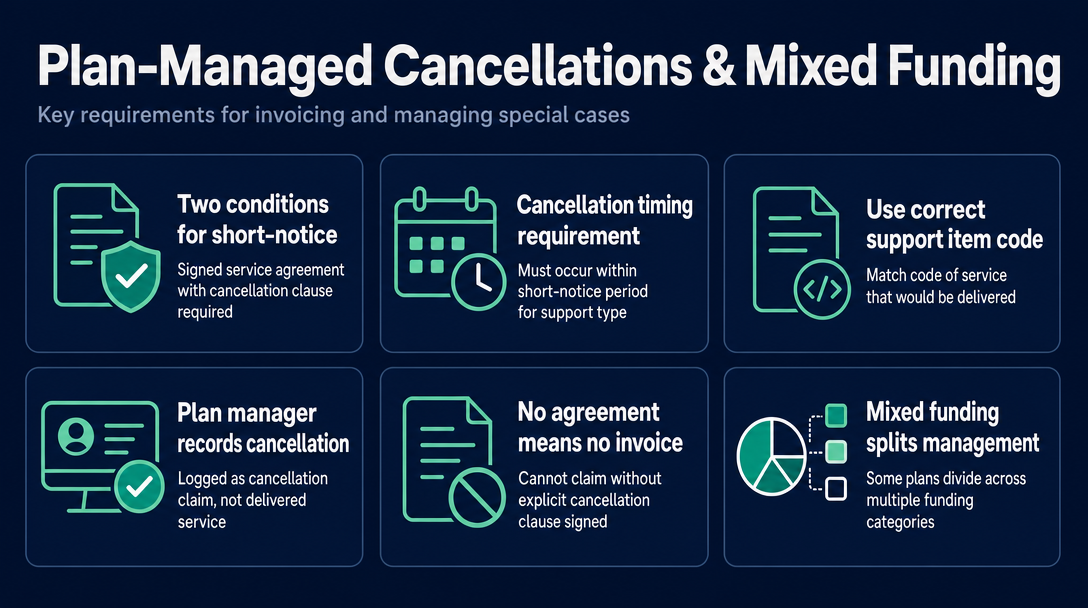
You can invoice for a short-notice cancellation under the PAPL - but two conditions must both be met: a signed service agreement must be in place that includes a cancellation clause, and the cancellation must have occurred within the short-notice period defined for that support type. Check the current PAPL at ndis.gov.au/providers/pricing-and-payments/pricing/pricing-arrangements for the exact period applicable to your support item.
Use the same support item code as the service that would have been delivered. The plan manager's system records it as a cancellation claim rather than a delivered service. Without a signed service agreement containing an explicit cancellation clause, the fee cannot be claimed - do not send a cancellation invoice if that agreement is not in place.
What if the participant has mixed funding?
Some NDIS plans split management across funding categories - for example, Core Supports plan-managed and Capacity Building self-managed. In this case, you must create two separate invoices: one to the plan manager for the plan-managed supports, and one to the participant directly for the self-managed supports. Never combine plan-managed and self-managed line items on a single invoice. The plan manager can only process claims that fall within their remit.
What happens when the participant's plan manager changes?
The outgoing plan manager can only process invoices for services delivered while they were active. As soon as you learn of a transition, submit all outstanding invoices for services up to the transition date to the outgoing plan manager immediately - do not wait. Services from the transition date forward go to the new plan manager. Ask the participant or their support coordinator for the new plan manager's invoicing details on the day the change is confirmed. Invoices caught between two plan managers during a slow transition can go unpaid until the correct entity is identified.
How NDISInvoice.com.au Helps You Get This Right the First Time
The two most failure-prone fields in any plan-managed invoice - the support item code and the unit rate - both require cross-referencing the current NDIS Pricing Schedule before you commit them to paper.
NDISInvoice.com.au validates every line item against the current NDIS Pricing Schedule in real time, flagging outdated codes, rates above the price cap, and incorrect day/time classifications before you generate the invoice. It runs entirely in your browser - participant names, NDIS numbers, and support details are never sent to a server.
Before you email that invoice to the plan manager, spend 60 seconds checking it at ndisinvoice.com.au - so the plan manager receives an invoice they can process immediately, and you get paid without the back-and-forth.
Frequently asked questions
Who do I send my NDIS invoice to if the participant is plan-managed?
Send it to the plan manager directly - specifically their invoicing email address or online submission portal. Do not send it to the NDIA's myplace portal (that is for NDIA-managed participants) and do not send it to the participant. As the NDIS guide to getting paid confirms, you send invoices to the participant's plan manager, who then processes the claim on their behalf.
Can an unregistered provider invoice a plan-managed participant?
Yes. Unregistered sole traders can invoice plan-managed participants without holding NDIS provider registration. You need a valid ABN, and your rates must not exceed the NDIS price limits. Registration is only required to claim through the myplace portal for NDIA-managed participants.
Can I charge above the NDIS price limit for a plan-managed participant?
No. Plan managers are legally required not to pay above the NDIS price cap, regardless of any private arrangement with the participant. This applies whether you are a registered or unregistered provider. Check the current NDIS Pricing Arrangements and Price Limits before setting any rate.
Can one invoice cover multiple participants?
No. Each invoice must relate to a single participant only. However, one invoice can cover multiple support items or multiple service dates for that same participant.
How long does a plan manager take to pay my invoice?
Payment timeframes vary by plan manager. Asking the plan manager directly - before you invoice them for the first time - is the most reliable way to know what to expect. Submitting a complete, error-free invoice is the single biggest factor in shortening the time to payment.
More articles
- How to Create Your First NDIS Invoice in Under 5 Minutes (Step-by-Step Video Companion)
- NDIS Plan Manager Turnaround Times: How Long Should You Wait to Be Paid After Submitting an Invoice?
- NDIS Invoice Numbering: Do You Need a Sequential System? (And What Happens If You Don't Have One)
- How to Handle a Rejected NDIS Invoice: Diagnosis, Correction, and Resubmission Step by Step
- NDIS Allied Health Invoicing: How Physiotherapy, Speech Therapy, and OT Codes Work in the Price Guide