NDIS Invoicing for Group Supports: How to Split Line Items Across Multiple Participants
Written by Cory Nathan, founder of NDIS Invoice · Last reviewed
When you deliver a group session under the NDIS, the price limit in the Pricing Arrangements and Price Limits is not what you charge each participant - it
13 min read

NDIS Invoicing for Group Supports: How to Split Line Items Across Multiple Participants
When you deliver a group session under the NDIS, the price limit in the Pricing Arrangements and Price Limits is not what you charge each participant - it is a maximum rate for the whole group that must be divided by the number of participants to get the per-participant rate. Each participant then receives their own separate invoice. Miss this step, and every invoice in the batch is overbilled and will be rejected.
Why NDIS group supports need separate invoices - not one bill for the whole group
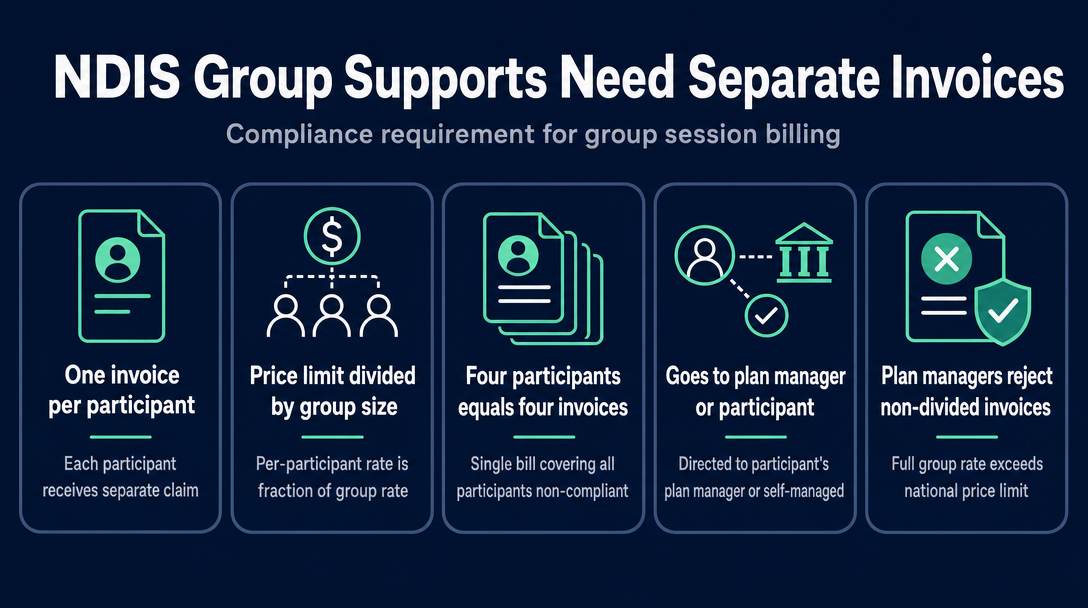
The NDIA's published guidance is clear: "When supports are delivered to a group of NDIS Participants, the price limit for each Participant is the table price divided by the number of people in the group, with a separate claim made for each Participant for the total time of the support."
That means a group session of four participants produces four invoices - one per participant, each going to that participant's plan manager or to the participant themselves if they are self-managed. A single invoice covering all four participants is not compliant with NDIS invoicing requirements, regardless of what the total adds up to.
The practical consequence: a plan manager receiving an invoice where the unit price equals the full group hourly rate (not divided) will typically reject it as exceeding the national price limit. The per-participant rate, by design, will be a fraction of the group rate.
What the mandatory split replaced
Before January 2024, providers could use a transitional ratio-based model where the code itself signalled the ratio (1:2, 1:3, 1:4). That approach ended on December 31, 2023. From January 1, 2024, group-based billing must use divided pricing with up to three separate line items on each participant's invoice. If your invoicing process still mirrors the pre-2024 ratio structure, it needs updating.
Step-by-step: How to calculate and split the line items
Think of this as the Per-Participant Split - a three-part calculation you apply to every group session before you build a single invoice.
Step 1 - Confirm your support item code
Group and Centre Based Activities sit in Support Category 04 (Assistance with Social, Economic and Community Participation), registration group 0136. The standard-tier codes follow this pattern:
| Day / Time Band | Support Item Code |
|---|---|
| Weekday Daytime | 04_102_0136_6_1 |
| Weekday Evening | 04_103_0136_6_1 |
| Saturday | 04_104_0136_6_1 |
| Sunday | 04_105_0136_6_1 |
High-intensity equivalents exist for participants with complex support needs and carry different codes - check the current NDIS Support Catalogue for those. The group rate listed against each code in the catalogue is expressed as a notional unit price per group, not per participant - the division step is your responsibility.
Before you build an invoice, verify the current rate for your specific code using the NDIS Invoice free price-guide search or the official NDIS pricing arrangements page. Rates are updated annually (and sometimes mid-year), so hardcoding a figure from memory is a common source of over-limit errors.
Step 2 - Divide the group rate by participant count
This is the core of the Per-Participant Split:
Per-participant rate = Group hourly rate ÷ Number of participants present in the session
Use the actual number of participants who attended the session - not the number enrolled in a program. If three of four enrolled participants show up, the divisor is three, not four.
Step 3 - Set the quantity field
Quantity equals the session duration in hours for that participant. A two-hour session = 2.00. Do not use "1" as the quantity with a full group hourly rate - that combination will produce a line total that overshoots the per-participant price limit.
Line-item total = per-participant rate x hours
Step 4 - Produce a separate invoice per participant
Each invoice carries only one participant's NDIS number and goes to that participant's funding source. Self-managed participants receive and pay their own invoices directly. Plan-managed participants' invoices go to their plan manager. A single group session with four participants means four separate submission actions - one per participant.
Step 5 - Decide whether to add Lines 2 and/or 3
Line 1 (direct support) is always required. Lines 2 and 3 - Non-Face-to-Face support and Centre Capital Cost - are conditional. See the next section.
The three line items for group billing - and when each applies
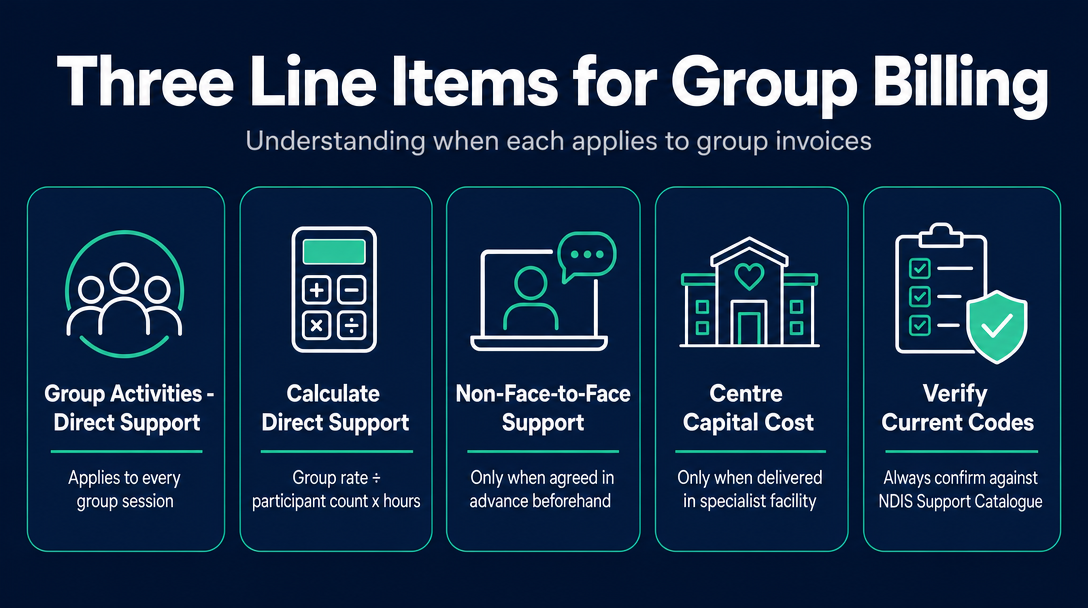
Since January 2024, a group invoice can carry up to three distinct line items per participant. Here is what each one is, when it applies, and how to calculate it.
| Line | Item Name | Code (Standard Tier) | When It Applies | Per-Participant Calculation |
|---|---|---|---|---|
| 1 | Group Activities - Direct Support (Weekday Daytime example) | 04_102_0136_6_1 | Every group session | Group rate ÷ participant count x hours |
| 2 | Non-Face-to-Face Support | 04_590_0136_6_1 | Only when agreed in advance in the service agreement | Group NF2F rate ÷ participant count x preparation hours |
| 3 | Centre Capital Cost | 04_599_0136_6_1 | Only when support is delivered in a specialist facility | Group CCC rate ÷ participant count |
Always confirm codes against the current NDIS Support Catalogue before use - codes are stable across annual updates but must be verified.
Worked example: 4-participant community session
Scenario: Sole-trader support worker delivers a 2-hour social activity on a Tuesday morning. Four participants attend. The session runs at a local park. No specialist centre is used. The worker spends 20 minutes on session notes and activity preparation, which was documented in each participant's service agreement.
| Line | Support Item | Calculation | Per-Participant Invoice Amount |
|---|---|---|---|
| 1 | Group Activities - Standard - Weekday Daytime (04_102_0136_6_1) | Current group rate ÷ 4 x 2 hours | Look up current rate at ndisinvoice.com.au |
| 2 | Non-Face-to-Face (04_590_0136_6_1) | Current NF2F group rate ÷ 4 x 0.33 hours (20 min) | Look up current rate at ndisinvoice.com.au |
| 3 | Centre Capital Cost (04_599_0136_6_1) | Not applicable - community delivery | $0.00 / omit this line |
Each of the four participants receives their own invoice containing Lines 1 and 2. The line-item totals are identical for all four participants (same rate, same session, same agreed NF2F time). Total revenue across all four invoices equals the full group rate for 2 hours plus the NF2F component - the split does not reduce your total earnings, it distributes them correctly.
Can a sole trader claim NF2F?
Yes - but only if it is documented in advance. NF2F covers genuine preparation and administrative time that directly benefits the participant or group (activity planning, writing progress notes). It must be agreed to in the service agreement before the session runs. Adding it as a default line item without that prior agreement is a common rejection trigger.
When does Centre Capital Cost apply?
CCC covers the cost of running a specialist facility - think purpose-built disability support centres, not community halls or cafes. A simple test: if the venue is a general-community location (park, library, café, standard community hall), CCC does not apply. If a sole trader delivers the session at someone else's specialist centre, CCC is that centre operator's claim, not yours.
What to put on each participant's invoice - the seven required fields
Generic invoicing guidance covers required fields broadly. For group billing, each field has a specific group-context implication:
- Your ABN - your personal ABN as a sole trader; must pass the standard checksum.
- Participant's NDIS number - one number only per invoice; combining two participants on a single invoice is not accepted.
- Service date(s) - the actual date of the group session; must not be in the future or more than 90 days in the past. See the NDIS Guide to Getting Paid for payment conditions.
- Support item number and name - e.g., "04_102_0136_6_1 Group Activities - Standard - Weekday Daytime."
- Unit price - the per-participant rate (group rate ÷ number of participants). This must not exceed the current national price limit for that item.
- Quantity - hours delivered to that participant in the session.
- Line-item total - unit price x quantity; must match the arithmetic exactly.
If NF2F is claimed, it appears as a second line on the same participant's invoice with its own support item code. CCC, if applicable, is a third line. The invoice structure is one document per participant, potentially with two or three line items on it.
Record-keeping for group session invoicing
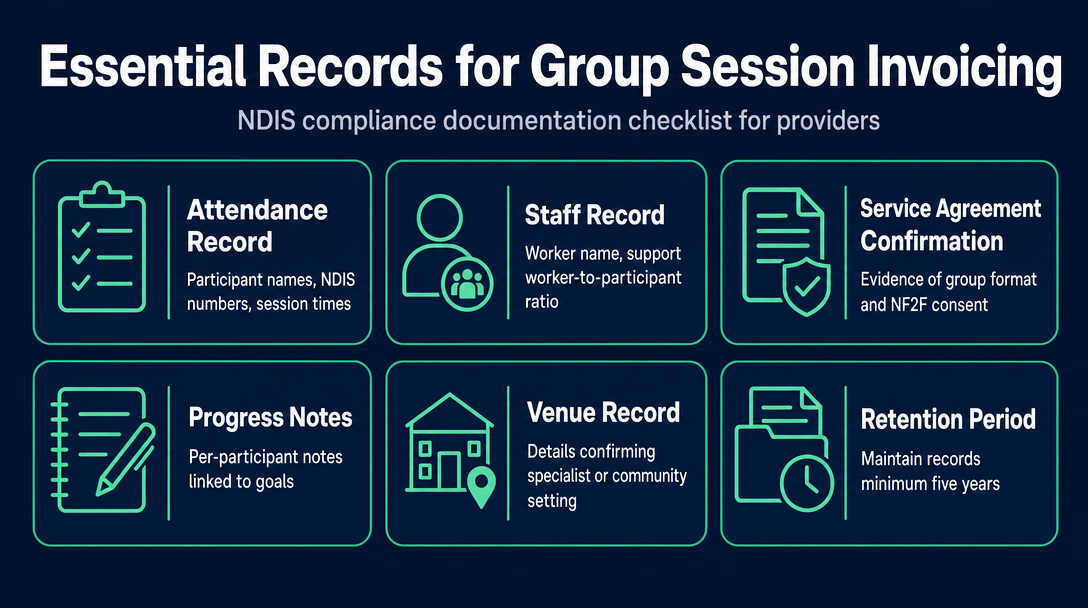
If a plan manager or the NDIA queries your divided invoices, you need documentation that proves the session structure. The NDIS record-keeping requirements apply to all providers; for group billing, these specific records are essential:
- Attendance record - name and NDIS number of every participant present; session start and finish time.
- Staff record - your name as the worker; the support worker-to-participant ratio for the session.
- Service agreement confirmation - evidence that each participant agreed to the group format, and - if NF2F is claimed - that NF2F support was agreed in advance.
- Progress notes - a brief per-participant note on what was delivered and how it related to their goals.
- Venue record - sufficient detail to confirm whether CCC applies (specialist facility or community setting).
Without these records, a per-participant rate cannot be independently verified. Keep them for a minimum of five years, consistent with general NDIS provider obligations.
What if group size changes mid-session?
If one participant leaves early, the practical approach is to invoice that participant only for the hours they were present - using the rate for the actual group size during their attendance. If the group size changes materially mid-session (e.g., from four to three after one departure), your attendance record should note the time of the change. Your plan manager's own policy may provide further guidance on how they handle mid-session changes - check with them directly.
The three errors that get group invoices rejected
The article "Why NDIS Invoices Get Rejected: The 7 Most Common Errors" covers general rejection causes. For group billing specifically, three errors account for the majority of problems:
Error 1: Billing the full group rate to each participant
This is the most frequent group-invoice mistake. The unit price on each participant's invoice must be the divided rate, not the catalogue's group rate. A plan manager comparing your unit price against the national price limit will see an overage and reject the invoice.
Fix: Apply the formula before you build any invoice. Per-participant rate = group rate ÷ number of participants.
Error 2: Claiming NF2F without prior agreement
If your service agreement does not document the NF2F component, the claim has no contractual basis. A plan manager can reject it even if the time was genuinely spent.
Fix: Include NF2F in the service agreement before the first session, not after.
Error 3: Claiming CCC for a community-based session
Centre Capital Cost is not a standard add-on - it is specific to specialist facilities. Claiming it for a session held at a park or café will produce a line item that does not correspond to any legitimate cost.
Fix: Before adding Line 3, ask: is this a purpose-built specialist facility? If not, omit CCC entirely.
Before you send: Check your group support item codes and per-participant rates against the current NDIS Pricing Arrangements. NDIS Invoice's free price-guide search lets you look up the current maximum rate for any group activity support item instantly. Once you have the rate, you can build each participant's invoice in the tool and run the pre-send checks - unit price against the national limit, correct day code, no duplicate lines - before anything leaves your hands. No sign-up needed to explore.
Group support invoicing is straightforward once the Per-Participant Split is applied correctly: divide the group rate by participant count, multiply by session hours, add agreed NF2F and any applicable CCC as separate lines, and produce one invoice per participant. The formula does not change between sessions - only the participant count, the hours, and the day-of-week code do. Get those three variables right for each session, and the rest follows.
NDIS Invoice is an independent tool built for sole-trader support workers. It is not affiliated with the NDIA, a plan manager, or a registered provider. It does not check participant plan budgets or a plan manager's internal policy, and a pre-send check does not guarantee payment. For questions about NDIS rules and your specific circumstances, speak with your plan manager.
Frequently asked questions
How do I calculate the per-participant rate for an NDIS group session?
Divide the group hourly rate from the NDIS Support Catalogue by the number of participants who attended the session. For example, if the group rate is $X per hour and three participants were present, each participant's unit price is $X ÷ 3. Then multiply that per-participant rate by the session duration in hours to get the line-item total for each invoice. Do not use the undivided group rate as a per-participant unit price.
Do I send one invoice for the whole group or a separate invoice for each participant?
You send a separate invoice for each participant. Each invoice contains only that participant's NDIS number and goes to their plan manager or, if they are self-managed, to them directly. A single invoice covering multiple participants is not accepted under NDIS invoicing requirements.
What is Non-Face-to-Face (NF2F) support in group billing, and can a sole trader claim it?
NF2F covers preparation and admin time that directly supports the group or individual participants - for example, planning the session or writing progress notes. A sole trader can claim it, but only if it was documented in the participant's service agreement before the session. It must also be apportioned per participant, just like the direct support line.
When does Centre Capital Cost (CCC) apply to a group session?
CCC applies only when the support is delivered in a purpose-built specialist facility. It does not apply to community-based sessions held at parks, cafes, libraries, or standard community halls. If you are a sole trader using someone else's specialist centre, CCC is their claim, not yours. If the session is community-based, omit CCC entirely.
What is the most common error that gets group support invoices rejected?
Billing the full (undivided) group hourly rate to each participant. Plan managers check submitted unit prices against the national price limit for that support item. The full group rate exceeds the per-participant price limit, so the invoice is rejected. Always divide the group rate by the number of participants before entering the unit price on any invoice.
What support item codes apply to standard weekday group activities?
For standard-tier Group and Centre Based Activities on a weekday during daytime hours, the code is 04_102_0136_6_1. Weekday evening sessions use 04_103_0136_6_1, Saturday sessions use 04_104_0136_6_1, and Sunday sessions use 04_105_0136_6_1. Always verify codes against the current NDIS Support Catalogue before use, as codes must match the day and time of the actual session.
More articles
- How to Create Your First NDIS Invoice in Under 5 Minutes (Step-by-Step Video Companion)
- NDIS Plan Manager Turnaround Times: How Long Should You Wait to Be Paid After Submitting an Invoice?
- NDIS Invoice Numbering: Do You Need a Sequential System? (And What Happens If You Don't Have One)
- How to Handle a Rejected NDIS Invoice: Diagnosis, Correction, and Resubmission Step by Step
- NDIS Allied Health Invoicing: How Physiotherapy, Speech Therapy, and OT Codes Work in the Price Guide