NDIS Sole Trader ABN Setup: What You Need Before You Create Your First Invoice
Written by Cory Nathan, founder of NDIS Invoice · Last reviewed
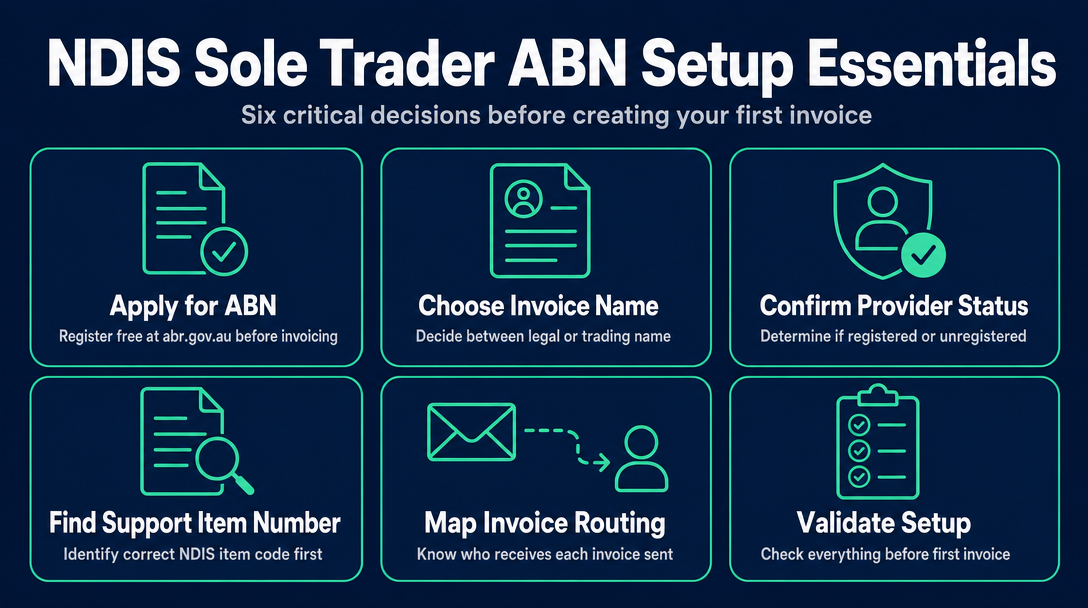
Before you fill in a single field on an NDIS invoice, six setup decisions need to be locked in. Get them right and your invoices flow through cleanly
11 min read
NDIS Sole Trader ABN Setup: What You Need Before You Create Your First Invoice
Before you fill in a single field on an NDIS invoice, six setup decisions need to be locked in. Get them right and your invoices flow through cleanly. Miss one and you can face withheld payments, rejected claims, or a plan manager querying why the name on your invoice doesn't match your ABN record. This guide walks through each step in order - what we call the ABN-to-Invoice Pipeline - so you arrive at your first invoice ready, not guessing.
Step 1: Apply for Your Free ABN at abr.gov.au (It Takes Less Than 10 Minutes)
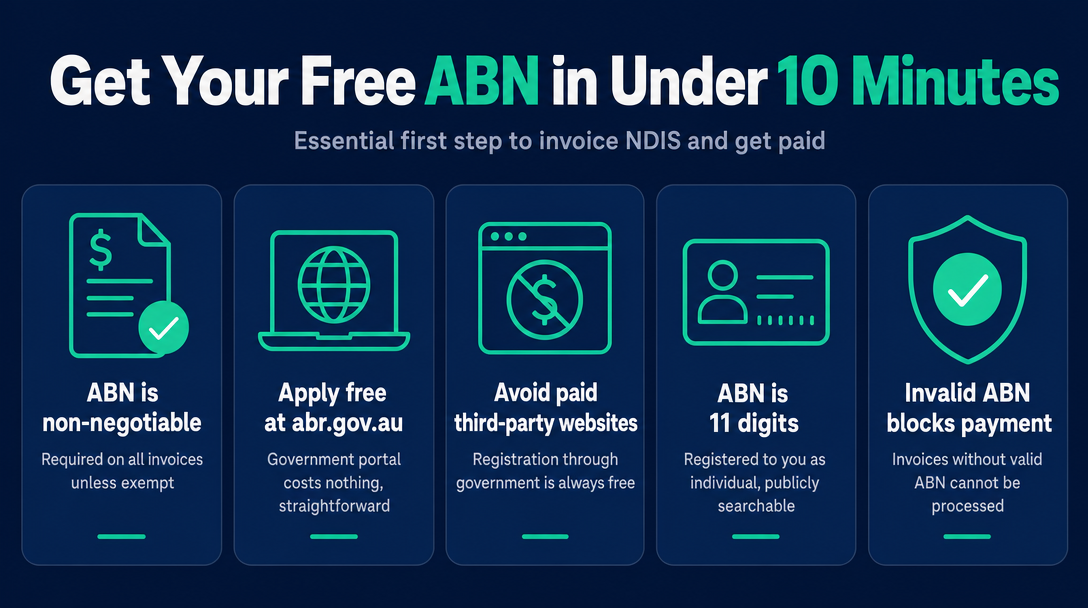
Your ABN is the non-negotiable starting point. As the NDIS Guide to Getting Paid states directly: your invoice must include a valid Australian Business Number - unless you are exempt from providing one.
Apply through the Australian Business Register at abr.gov.au or via business.gov.au. Both portals are free. Third-party websites often appear in search results offering to "help" you register for a fee - ignore them. The government application costs nothing and is straightforward for a sole trader.
As a sole trader, the ABN is registered to you as an individual. Your legal name is attached to it. The number itself is 11 digits and publicly searchable - which matters more than most new support workers realise (see Step 2).
The consequence you need to know about before you invoice anyone: If you issue an invoice without quoting a valid ABN, the payer - whether that is a plan manager, a participant, or the NDIA - is legally required to withhold a significant portion of the payment at the top marginal tax rate and send it to the ATO. The ATO describes this as "no ABN withholding". It is not a penalty applied to you, but it means you receive substantially less than your invoice amount until the situation is resolved. The fix is simple: always include your ABN. But know the consequence exists before it catches you on your first invoice.
The rare exception is the ATO's Statement by a Supplier form (NAT 3346), available from ato.gov.au, for entities genuinely exempt from providing an ABN. For virtually every sole trader doing commercial support work, the answer is simply: get the ABN.
One more GST note: Most NDIS supports are GST-free, regardless of whether you are registered for GST or not. You generally do not add GST to NDIS support invoices - but for a full treatment of when and why, the prior article on GST for NDIS sole traders covers that ground completely.
Step 2: Decide What Name Goes on Your Invoices - Legal Name or Trading Name?
This is the setup question most guides skip entirely, and it causes real confusion.
As a sole trader, your ABN is registered under your legal name (for example, "Jane Smith"). You are not required to register a separate business name to operate and invoice. If you are happy working and invoicing as Jane Smith, no further name registration is needed.
If you want to operate under a brand name - "Empower Support Services", for example - you must register that name as a business name with ASIC via business.gov.au. The registered business name must then appear on your invoices alongside your legal name and ABN.
Why this matters practically: Plan managers verify your identity before releasing payment. They do this by checking your ABN entry on ABN Lookup at abr.business.gov.au. When they type in your ABN, they see your entity name, your GST registration status, and whether your ABN is active or cancelled. If the name on your invoice is "Empower Support Services" but your ABN Lookup record shows only "Jane Smith" with no registered business name attached, a plan manager may query the payment or ask you to clarify.
Before you send your first invoice, check your own ABN Lookup entry. Confirm that it is active, that the entity name matches what you plan to put on your invoices, and that your GST status is correct. This 30-second check prevents a very common first-invoice problem.
Step 3: Understand Your Provider Status - Registered or Unregistered, and What It Means for Invoicing
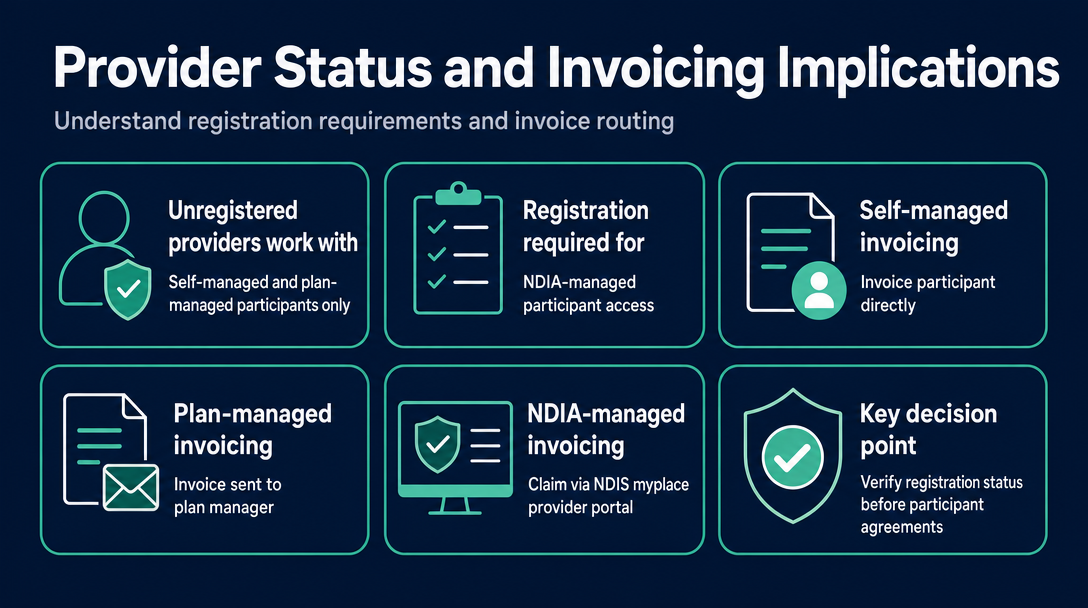
As a sole trader starting out, you do not need to register with the NDIS Commission to begin working - with one important condition.
Unregistered providers can only work with participants who have self-managed or plan-managed funding. You cannot invoice NDIA-managed (agency-managed) participants unless you hold NDIS Commission registration. This single decision shapes your entire invoice routing.
| Your status | Who can you work with? | Who receives your invoice? |
|---|---|---|
| Unregistered sole trader | Self-managed and plan-managed participants only | Self-managed: the participant directly. Plan-managed: the participant's plan manager |
| Registered NDIS provider | All participants including NDIA-managed | Self-managed: participant. Plan-managed: plan manager. NDIA-managed: claim via the NDIS myplace provider portal |
The National Disability Insurance Scheme Act 2013 establishes the legislative framework here, but the operational consequence for invoicing is simple: know your registration status before you agree to support anyone, because it determines whether you can legally invoice them at all.
The NDIS Worker Screening Check is a separate but related prerequisite - all three of the top-ranking competitor guides cover the screening check process in detail, so this article won't repeat it. The point here is narrower: your registration status determines your invoice routing, and that routing decision happens before invoice number one.
Step 4: Find the Right NDIS Support Item Number Before You Write a Single Invoice
This is the step most guides mention in passing and never actually explain. It is also where the most common invoicing errors originate.
Every support you provide has a unique support item number drawn from the NDIS Pricing Arrangements and Price Limits. As the NDIS explains, the pricing schedule includes the support item number, the support item name, the unit, and the maximum prices for each item across national, remote, and very remote locations.
Support item numbers follow a structured format - for example, 01_011_0107_1_1. The first two digits identify the support category. Category 01 (Assistance with Daily Life) is the most common category for sole trader support workers, and within it you will find separate line items for weekday, weeknight, Saturday, Sunday, and public holiday rates. These are not interchangeable.
Two rules that apply without exception:
- You cannot charge above the price cap for a given support item. You can charge below the cap (subject to your service agreement with the participant), but never above it.
- Support item numbers are updated each financial year. Using a code from the previous year's catalogue - even if the description looks identical - can cause a claim to be queried or rejected.
The most common error sole traders make at this stage is applying a weekday support code to a Saturday or Sunday shift, or using a code from the prior year's pricing document. Neither error is obvious to the naked eye. You need the current catalogue open beside you, or a tool that checks it for you.
Download the current Support Catalogue from ndis.gov.au/providers/pricing-and-payments/pricing/pricing-arrangements before you invoice for the first time.
Step 5: Map Your Invoice Routing - Know Who Actually Receives Each Invoice
Once your ABN is active and your support item numbers are confirmed, the next decision is directional: where does your invoice go?
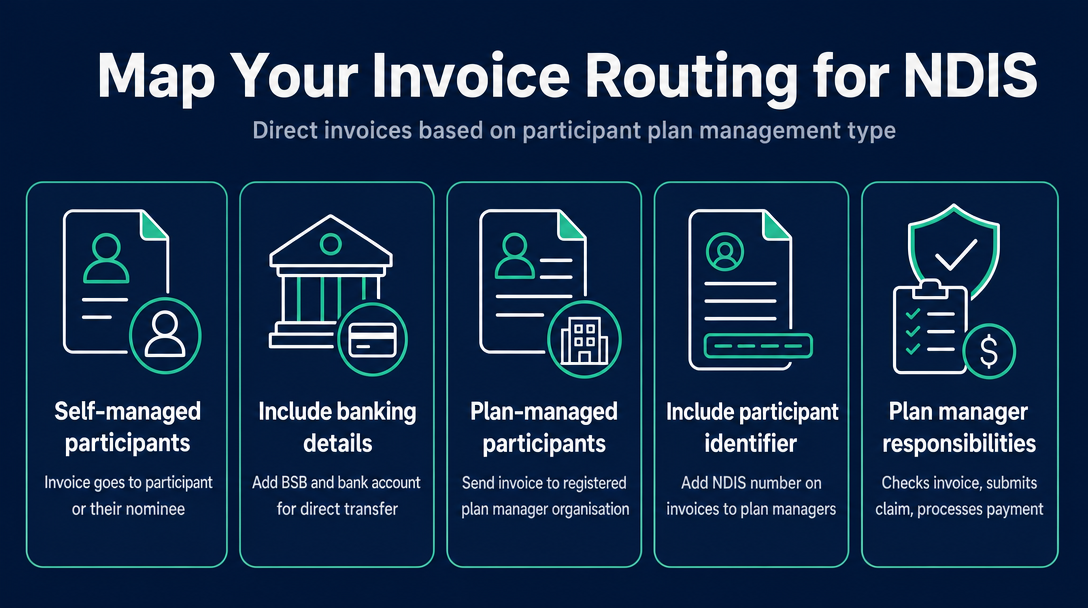
As the NDIS Guide to Getting Paid makes clear, you need to send invoices directly to a participant's plan manager if they have a plan manager helping them. The routing depends entirely on the participant's plan management type:
Self-managed participants: Your invoice goes directly to the participant or their nominee. They pay you from their own funds, then claim reimbursement from the NDIA. Include your BSB and bank account number on the invoice so they can pay by direct transfer.
Plan-managed participants: Your invoice goes to their plan manager - a registered organisation managing the financial side of their plan. The plan manager checks your invoice against the current NDIS Pricing Schedule, submits the claim to the NDIA, and pays you. Include the participant's NDIS number on every invoice sent to a plan manager.
NDIA-managed (agency-managed) participants: As an unregistered sole trader, you cannot work with this group. If you are a registered provider, payment claims are submitted through the NDIS myplace provider portal.
The practical rule: confirm the participant's plan management type before your first session. Make it part of your service agreement conversation. Getting this wrong does not just delay payment - it can mean sending a plan manager an invoice they have no authority to action, or chasing a participant who is not set up to pay you directly.
Once you know the routing, the process of actually sending the invoice - PDF by email, through a plan manager's portal, or by other means - is covered in full in our guide on how to send your NDIS invoice after creating it.
Step 6: Validate Your Invoice Setup Before You Send Your First One
With the five steps above complete, you have everything you need to create a compliant first invoice. Before it goes out, check three setup-stage fields that are specific to the work you have done in this pipeline:
- Your ABN - confirm it is current and active at abr.business.gov.au. An ABN can be cancelled if the ATO has not seen business activity - check it yourself before a plan manager does.
- Your entity name - confirm the name on your invoice matches exactly what appears on your ABN Lookup entry. A single-word mismatch can trigger a payment query.
- Your support item number and price - confirm the code is from the current pricing catalogue and that your rate does not exceed the price cap for that item, day, and time classification.
For the full set of required invoice fields, the prior article "What Must Be on an NDIS Invoice? The 9 Required Fields" covers the complete checklist - these three are the setup-stage items that are easy to misconfigure before that checklist even comes into play.
NDISInvoice.com.au is a free, browser-based tool built specifically for this validation step. Before you submit an invoice, it checks every line item against the current NDIS Pricing Schedule - catching wrong support codes, prices above the cap, and incorrect day or time classifications. It is the final check in the ABN-to-Invoice Pipeline before your invoice goes out the door.
Frequently Asked Questions
Is the ABN application free?
Yes. Apply at abr.gov.au or via business.gov.au at no cost. Third-party websites sometimes charge a fee for this service - there is no reason to use them. The government portal is straightforward for a sole trader application.
Can I use my legal name on NDIS invoices, or do I need a registered business name?
You can invoice under your legal name alone - no ASIC business name registration is required. Only register a business name if you want to operate under a brand name that differs from your legal name. If you do register a business name, it must appear alongside your legal name and ABN on your invoices and be visible on ABN Lookup.
What happens if I send an NDIS invoice without my ABN on it?
The payer is legally required to withhold a significant portion of your payment at the top marginal tax rate and send it to the ATO - this is called no-ABN withholding. It is not a penalty, but it means you receive substantially less than your invoice amount. Always quote your ABN on every invoice.
Can an unregistered sole trader work with any NDIS participant?
An unregistered sole trader can work with self-managed and plan-managed participants only. You cannot service NDIA-managed (agency-managed) participants without holding NDIS Commission registration. Always confirm a participant's plan management type before agreeing to provide support.
Where do I find the current support item number for my services?
Download the NDIS Support Catalogue from ndis.gov.au/providers/pricing-and-payments/pricing/pricing-arrangements. Most sole trader support workers will find their line items under Category 01 (Assistance with Daily Life), with separate codes for weekday, weeknight, Saturday, Sunday, and public holiday shifts.
Do I need a separate bank account as an NDIS sole trader?
There is no legal requirement to hold a separate bank account as a sole trader. However, keeping a dedicated account for NDIS income makes record-keeping and ATO reporting significantly simpler, and it makes it easier for self-managed participants to identify and confirm your payments.
Once your ABN is active, your invoice name is confirmed against your ABN Lookup record, and you know which support item numbers apply to your services, you are ready to create your first compliant invoice. Use NDISInvoice.com.au - free during launch - to build and validate your invoice against the current NDIS Pricing Schedule before it leaves your device.
More articles
- How to Create Your First NDIS Invoice in Under 5 Minutes (Step-by-Step Video Companion)
- NDIS Plan Manager Turnaround Times: How Long Should You Wait to Be Paid After Submitting an Invoice?
- NDIS Invoice Numbering: Do You Need a Sequential System? (And What Happens If You Don't Have One)
- How to Handle a Rejected NDIS Invoice: Diagnosis, Correction, and Resubmission Step by Step
- NDIS Allied Health Invoicing: How Physiotherapy, Speech Therapy, and OT Codes Work in the Price Guide